Search

Super Library Marketing: Practical Tips and Ideas for Library Promotion

Category

Social Media

How to Get Library Staff Excited About Appearing in Short-Form Library Videos

Watch this video now

#LibraryMarketingShow, episode 326

Creating short-form videos is one of the best ways to reach your community. But… convincing colleagues to step in front of the camera is difficult!

If youโ€™re running into resistance โ€” or just quiet reluctance โ€” this episode is for you. I break down how to reframe video participation, build buy-in internally, and help staff feel confident instead of self-conscious on camera.

Plus, I’m giving kudos to a library that created a hilarious parody video with staff in the midst of a snowstorm!

Do you have a suggestion for a future episode’s topic? Do you want to nominate someone for kudos? Let me know here.

Thanks for watching!โ€‚

P.S.: If you wish, you may download a transcript of this episode.


Miss the last episode? No worries! Watch it now.

Subscribe to this blog, and youโ€™ll receive an email whenever I post. You can also follow me on the following social media platforms:

Big Gains, Bigger Lessons: Why One Library is Rebuilding Its Social Media Incentive Program After Huge Early Growth

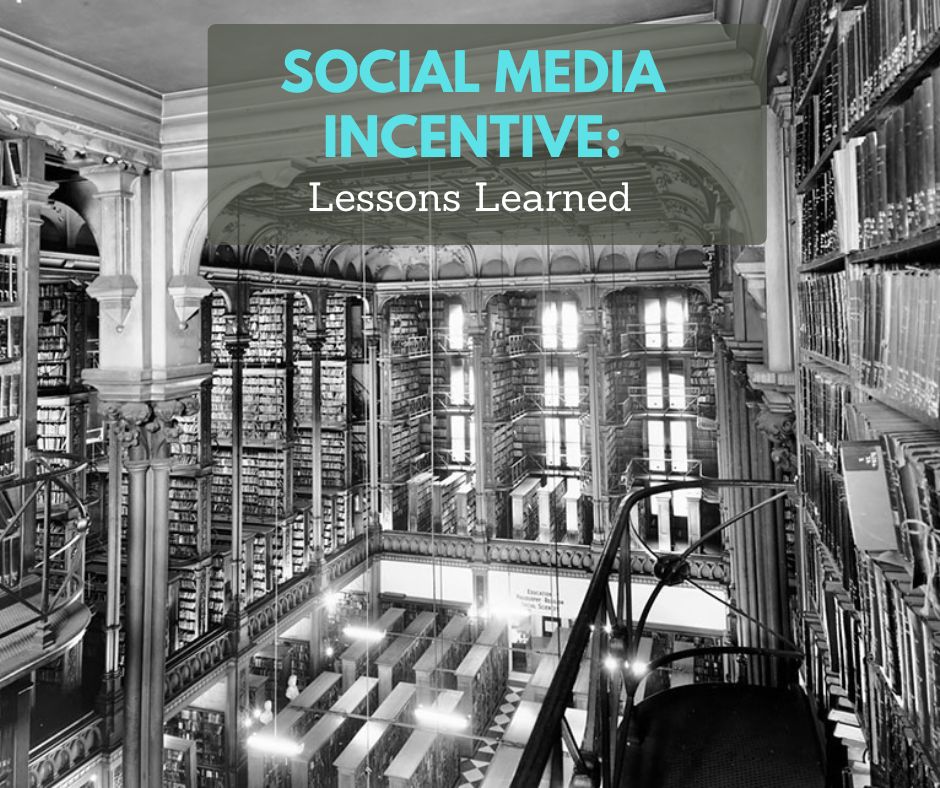
A blackโ€‘andโ€‘white photograph of an ornate, multiโ€‘level library filled with towering bookshelves and balconies. In the upper left corner, a translucent teal box contains the text โ€œSocial Media Incentive:โ€ and below it, in white, โ€œLessons Learned.โ€
Photo courtesy Cincinnati and Hamilton County Public Library

Key Takeaways:

1. Hyperโ€‘local social media works but only with empowered staff. By giving staff autonomy to create content tailored to each branchโ€™s unique audience, the library sees more meaningful engagement than a oneโ€‘sizeโ€‘fitsโ€‘all strategy could ever provide.

2. Incentives can spark huge engagement if the program is simple. Joshโ€™s initial pointโ€‘based contest led to dramatic increases in reach, interactions, and followers at participating branches. But it also revealed the importance of designing challenges that align with staff capacity.

3. Start small, collaborate early, and refine as you go. Joshโ€™s biggest lesson: donโ€™t skip the research stage. Understanding staff time, motivations, and manager buyโ€‘in is essential.


Josh Mosey lives in the same town where he grew up: Middleville, Michigan.

โ€œMy older brother and I used to ride our bikes to the library in the summer when we were kids and take part in the summer reading program,โ€ remembers Josh. โ€œI wasnโ€™t as big a reader then, but I did enjoy the books on cassette tape that came with the physical books attached. When nothing new was available in that form, Iโ€™d pick a ‘Choose Your Own Adventure’ book, which I would read until one or two endings and call it good.โ€

โ€œI was a notorious cheater when it came to counting books for the summer reading challenge back then. Iโ€™m making up for it now by reading voraciously as a grownup.โ€

Josh can get plenty of books, thanks to his current job as part of the six-person Library Marketing and Communications team and the Kent District Library. KDL serves 440,000 residents in Kent County, MI, excluding the city of Grand Rapids and a couple of smaller municipalities on the north end of the county. The library consists of twenty branches, one express library, and a bookmobile.

Josh is responsible for email and social media marketing for KDL. And the social media part of his job involves working with 20 โ€œsocial media branch championsโ€. These are staff members appointed to create content and list events on their branchโ€™s Facebook page.

โ€œThe social media branch champions have been around for as long as each branch has had its own Facebook page,โ€ explains Josh. โ€œThey are chosen by that locationโ€™s manager as someone who either has time, interest, or expertise in that area. While I oversee the group, give tips, and create content they can use, the social media branch champions donโ€™t take orders from me.โ€

Josh says the goal of our social media branch champions is to engage with their community, cultivate relationships with community members who might come to their events in person, and reflect the things that make their communities unique.

โ€œSince the patrons at each branch can vary widely in interests and socioeconomic makeup, a one-size-fits-all mentality doesnโ€™t work for our branch pages,โ€ he says.

But this system has its challenges.

โ€œSkills and interests vary widely from branch to branch,โ€ explains Josh. โ€œMy graphic design background is borne out of the fact that my roommate in college was a graphic design major, and he let me play around on his computer with Photoshop. Iโ€™ve been able to do a lot with that over the years, but Iโ€™m a rarity among library staff members. Most folks have backgrounds in library science, literature, or education.โ€

โ€œAnd while we have a comprehensive brand guideline and Iโ€™ve given the team examples of what a well-designed image should look like, some folks just donโ€™t have the time, interest, or expertise to create on-brand, engaging content.โ€

And because this job likely falls under the โ€œother duties as assignedโ€ for many of the social media branch champions, they may not want to take on the frustrating job of posting to social media. So, Josh decided to incentivize social media work for this library.

โ€œThe incentives are based on best practices like consistent posting, interacting with local groups, sharing posts from the main KDL page, promoting branch events, and so on,โ€ explains Josh. โ€œEach of those activities is awarded a specific point value, and the points are calculated quarterly. At the end of each quarter, the branch with the most points wins a pizza party for their branch, a bookstore gift card for themselves, and temporary ownership of a goat trophy that says, โ€˜Youโ€™re the G.O.A.T.โ€™โ€

Josh says the incentives worked well… at first.

โ€œWhile some branches simply didnโ€™t have time to put their numbers in (or participate, really), the branches that took the competition seriously saw massive increases in followers, interaction, and post views and likes.”

For example, Josh says the first branch to win was the Alto Branch of KDL. The results were as follows:

  • Views increased by more than 356 percent.
  • Reach increased by 811 percent.
  • Content interactions increased 334 percent.
  • Link clicks increased by 1,400 percent.
  • Visits to the Alto Facebook page increased 51 percent.
  • Follows increased by nearly 191 percent.

That sounds like a great leap. But when Josh solicited feedback from the branch champions on the incentive program, he discovered that most felt participation was just one more thing they needed to squeeze into their already busy routines, especially in the summer and fall. So Josh is making some changes.

โ€œThe program is going to change from a cumbersome Excel spreadsheet into a simple, physical Bingo sheet with twenty-five challenges that a branch can do monthly,โ€ says Josh. โ€œThe more bingos a champion earns, the more chances theyโ€™ll have to win a prize. This should still get at the heart of what motivated the ones who participated while addressing the complexity of the previous version of the challenge for those who didnโ€™t do much with it.โ€

Josh has some candid advice for anyone considering a similar incentive program for staff.

โ€œI was too quick to go from the ideation phase into implementation,โ€ confesses Josh. โ€œI should have done a little more research into what my champions had time for and what exactly would motivate them.โ€

โ€œI would encourage libraries that want to do this to sit down with the folks who manage their libraryโ€™s social media presences, along with those folksโ€™ managers, to increase the level of buy-in at the beginning.โ€

โ€œAlso, simpler is better. I was trying to get my people to do all the right things from the beginning, but I probably should have started smaller by focusing on two or three things each month until everyone had some momentum going for a bigger training and competition event.โ€

And Josh has one more, unrelated piece of social media advice for libraries.

โ€œDonโ€™t give up on social media posts that use words,โ€ advises Josh. โ€œPhotos and videos are great, but itโ€™s okay to make basic, nice-looking posts with nothing but words on them. Itโ€™s been working for us since I started in my role four years ago, across all our platforms.โ€


Want more help?

When Should Libraries Jump on Social Mediaย Trends?

Subscribe to this blog, and youโ€™ll receive an email whenever I post. To do that, enter your email address and click on the โ€œFollowโ€ button in the lower left-hand corner of the page. You can also follow me on the following social media platforms:
When Should Libraries Jump on Social Media Trends?

Watch this video now

#LibraryMarketingShow, episode 324

Short-form video trends can help libraries reach new audiences… but only when theyโ€™re used at the right time.

In this episode of The Library Marketing Show, I explain how to recognize which trends are worth following, when to act quickly, and how to avoid content that feels clichรฉ.

Plus, I’ll share kudos for a library marketer whose promotional tactics bring new visitors from around the world (!) to his programs.

Do you have a suggestion for a future episode’s topic? Do you want to nominate someone for kudos? Let me know here.

Thanks for watching!โ€‚

P.S.: If you wish, you may download a transcript of this episode.


Miss the last episode? No worries! Watch it now.

Subscribe to this blog, and youโ€™ll receive an email whenever I post. You can also follow me on the following social media platforms:

Metaโ€™s Next Move Could Hurt Libraries on Social Media! Here’s What We Know Right Now

Watch this video now

#LibraryMarketingShow, episode 322

As if social media wasnโ€™t already hard enough for libraries, Meta may be about to raise the difficulty level โ€” again.

A potential change is on the horizon that could significantly impact how libraries reach their communities on Facebook and Instagram. In this episode of The Library Marketing Show, we break down whatโ€™s coming, why it matters, and what libraries should be thinking about now so theyโ€™re not caught off guard later.

Plus, we have a kudos award that proves you can’t always plan for greatness!

Do you have a suggestion for a future episode’s topic? Do you want to nominate someone for kudos? Let me know here.

Thanks for watching!โ€‚

P.S.: If you wish, you may download a transcript of this episode.


Miss the last episode? No worries!

Subscribe to this blog, and youโ€™ll receive an email whenever I post. You can also follow me on the following social media platforms:
Your 2026 Library Marketing Kickstart: The Posts and Tips You Canโ€™t Miss

Library friends, we did it! We made it through 2025. We faced numerous issues and threats to libraries, yet we celebrated many triumphs. I’m proud of you. I’m proud of this community. And if no one has told you this lately, GOOD JOB YOU!

And now, we look forward to a new year and new chances to grow the connection between your library and your community.

Want to make 2026 your best year yet? Let’s start by learning from the content your fellow library marketers found most helpful this year.

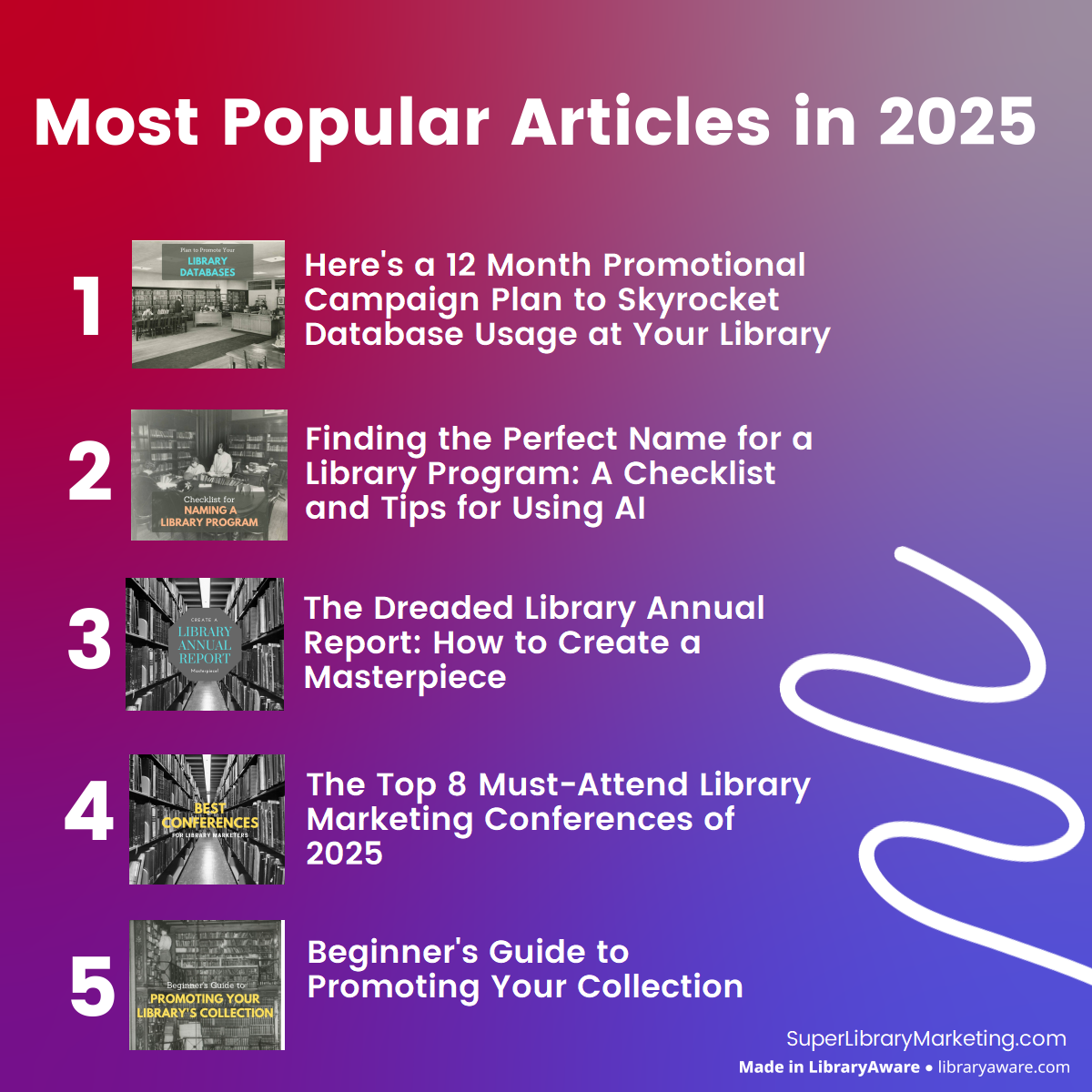
Most Popular Super Library Marketing Articles of 2025

#1: Hereโ€™s a 12 Month Promotional Campaign Plan To Skyrocket Database Usage at Your Library

#2: Finding the Perfect Name for a Library Program: A Checklist and Tips for Using AI

#3: The Dreaded Library Annual Report: How to Create a Masterpiece that Showcases Your Libraryโ€™s Value and Inspires Your Readers

#4: The Top 8 Must-Attend Library Marketing Conferences of 2025 (Note: A new version of this blog will publish in February. Do you have a conference to suggest for the list? Let me know!)

#5: Beginnerโ€™s Guide to Promoting Your Collection: How to Get Started and Drive Circulation at Your Library

Top Episodes of The Library Marketing Show of 2025

#1: Stop Annoying (and Potentially Dangerous) Facebook Messenger Spam in 30 Seconds Flat

#2: 6 Common Library Marketing Mistakes To Avoid in 2025

#3: Is Bluesky the Next Big Thing for Libraries? Expert Weigh In

#4: How to Create a Library Marketing Strategy from Scratch! (Wow, this one is old!)

#5:  Unveiling Facebookโ€™s New Rule on Content: Are Your Posts at Risk?

I hope you are looking forward to 2026 as much as I am. My next post will be on Monday, January 5, when I’ll unveil the State of Library Marketing. I’ve got a calendar full of posts and videos featuring tips to make your work easier, as well as profiles of libraries to inspire you. Happy holidays!


PS: Want more help?

Beginnerโ€™s Guide to Promoting Your Collection: How to Get Started and Drive Circulation at Your Library

Subscribe to this blog, and youโ€™ll receive an email whenever I post. You can also follow me on the following social media platforms:

The 2026 Guide to Facebook for Libraries: New Tips to Boost Reach and Visibility

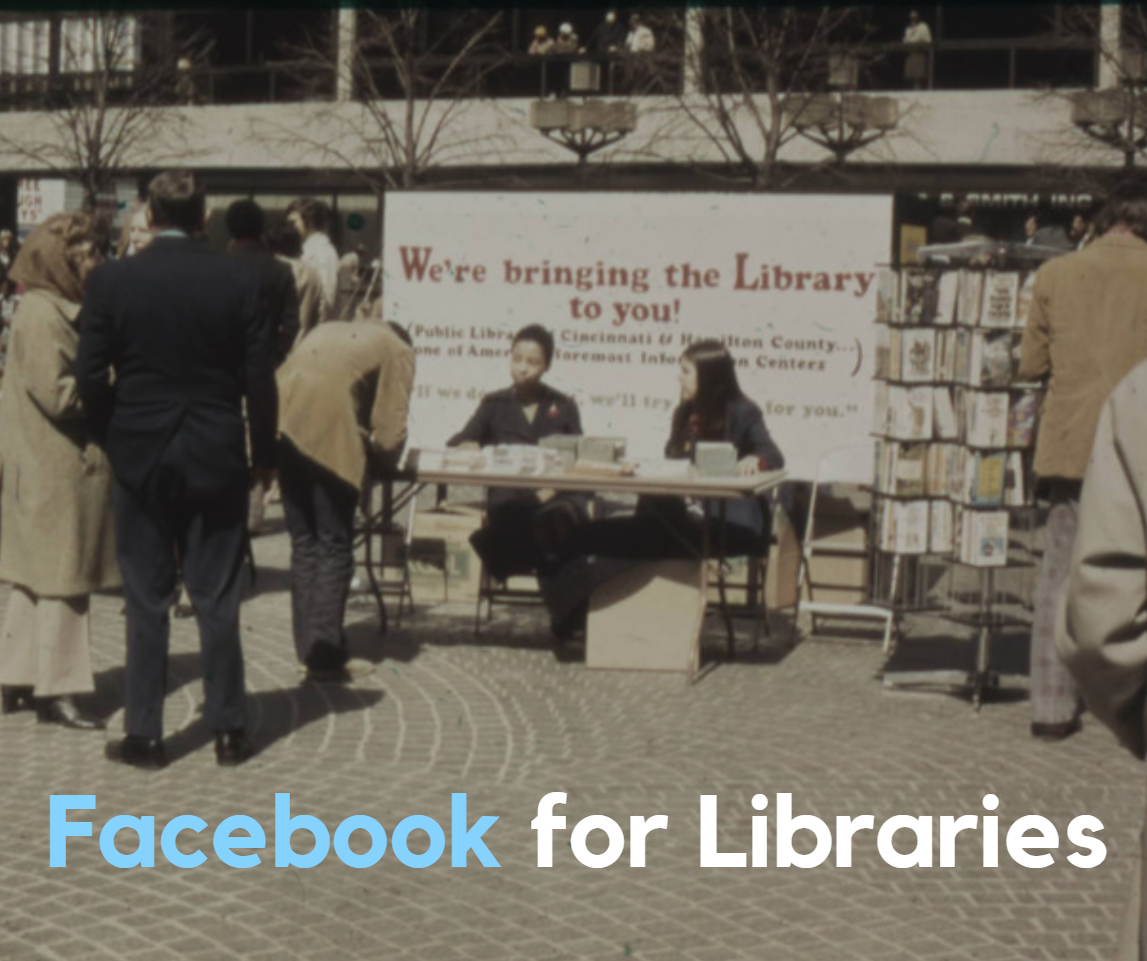
Two women in pantsuits sitting at a table outdoors on Fountain Square in Cincinnati in the 1970s, selling books.
Photo courtesy of the Cincinnati and Hamilton County Public Library

This is the final portion of the 2026 series of library social media guides. In addition to this post, be sure to bookmark these updated guides:

Facebook for libraries

Once again, Facebook remains the single most popular social media platform for libraries, but only by a fraction! According to the 2025 Super Library Marketing Survey, 95 percent of libraries use Facebook for promotions. Libraries use Instagram at nearly the same rate.

Statistically, this makes sense. Facebook is the largest social media platform in the world by number of users. And every day, about 69 percent of those users check their Facebook feed.

How are people using Facebook right now?

Here are some statistics from Demandsage.

  • The average Facebook session length is approximately 10 minutes and 12 seconds.
  • Most Facebook users are male.
  • Most Facebook users in the U.S. (nearly 99 percent) use the mobile version of the platform. That statistic rose by 16 percentage points this year! So, as you create Facebook content, assume everyone who sees your libraryโ€™s Facebook posts is doing so on a mobile device.
  • The largest segment of Facebook users is aged 25 to 34 years. Facebook has a reputation as a social media platform for older generations, which makes this stat somewhat surprising. However…
  • Facebook users aged 55 to 64 years spend the most time on Facebook, an average of 45 minutes a day. I think younger generations are looking at content, but not engaging with it. (This opinion is based on the use of Facebook by my own Gen Z daughters.)

How much success can libraries expect to see on Facebook?

Facebook has, by far, the lowest engagement rate of any of the social media platforms we’ve covered in the series. In fact, these rates are shockingly low.

I want you to look at this list of engagement statistics from Demandsage and really consider whether your time is well-spent when you post on Facebook.

  • Facebook Reels have an average fan engagement rate of 0.26 percent.
  • Images or photos get an average engagement rate of 0.24 percent.
  • A plain status update with text, no video, or no photo gets an average engagement rate of 0.12 percent.
  • And posts that include a link get an average engagement rate of 0.06 percent. OUCH.

Why is the engagement so low? Among the reasons is the motivation of the users: Nearly 75 percent of Facebook users say they use the platform primarily to message their friends and family.

The Facebook Algorithm for 2026

Here are the ranking signals Facebook uses to decide who sees your posts, according to Followeran. These are quite different from other platforms.

  • Facebook AI: As much as half of a user’s feed now features โ€œrecommendedโ€ content from creators or Pages they donโ€™t follow, chosen by Facebookโ€™s AI based on their interests and engagement behavior.
  • Deep conversations: The algorithm heavily favors content that sparks exchanges between users. It also looks to boost posts with longer, more considered reactions. Simple likes and short comments no longer drive reach.
  • Time spent: The algorithm will show your content to more people if the post requires users to spend time reading comments, scrolling through a carousel, or finishing a video. Longer sessions boost its distribution.
  • Video: Facebook still prioritizes short-form video formats (Reels, Facebook Live, Stories), followed by carousels and native videos. Posting consistently also helps, as newer content tends to perform better.
  • Original content: Reposts, duplicate content, or AI-generated content will be penalized with suppressed reach.

Here are 4 ways to get the best organic reach for your libraryโ€™s Facebook account in 2026

#1: Optimize for AI recommendations.

Half of all Facebook feed content now contains posts from pages that the user does not follow. Those recommendations are sourced by Facebook’s AI. The good news is that your library can reach new audiences without paid ads if you play by the algorithm’s rules.

Make sure you create original posts with strong potential for engagement. For example, ask your audience a question. You can also put book covers in a carousel of photos and encourage people to swipe through to the end.

Avoid duplicating or reposting content from other people or organizations. That’s a bummer, because many libraries repost their partner organizations’ content or content from publishers to save time. It’s okay to share that content on your Stories. But for your feed and Reels, make sure your posts are original works from your library account.

#2: Design your posts to maximize dwell time

I know many libraries post a graphic of their event calendar or a graphic promoting an upcoming program to Facebook. And if you’ve been wondering why those posts aren’t getting engagement, this is why. Facebook wants to keep people on the platform as long as possible. And those posts don’t help them achieve that goal.

Every time you post to Facebook, ask yourself, “How can I keep my users engaged longer?” You’ll want to use formats that encourage people to scroll, read, or watch to the end.

What do you do about promoting your programs? Share the graphic and program details on Stories or make a Reel about the program.

To share your calendar and get better results, ask people to sign up for a monthly email to receive a downloadable version. That’s a win for your library’s Facebook account and for your patrons, who will have a copy they can refer to all month long.

#3: Work on building early momentum for posts.

Posts that gain traction in the first 24 to 48 hours are rewarded by the Facebook algorithm. Look at your insights and post when your audience is most active. If your post starts to get comments, make sure you reply as quickly as possible (within 24 hours) to keep engagement flowing.

You can also try to drive traffic to your Facebook feed from your monthly email newsletter. Here’s how:

  • Post something fun and engaging on the day before your newsletter goes out. This “something” should be a piece of content that is NOT in your email newsletter. For example, you can post a carousel of photos of new books that just arrived at your library. Ask people to vote in the comments for the book they’re most excited to read.
  • In your email newsletter, write a tease that suggests people will be missing something if they don’t head over to your Facebook page to check out the post! For the example above, you could say, “Want to see which new arrival everyone is excited to read? Head to our Facebook page to cast your vote before the big reveal!”
  • Wait 1-2 days after your email newsletter goes out to post anything new on your Facebook page so your email users can find your teaser content easily. Or, if you must post more content, pin the teaser post to your profile for 1-2 days.

#4: Lean on authenticity and hyperlocality.

Meta rewards pages that post content that is clearly not generated by AI. This is where libraries can shine! Share patron stories, staff picks, book recommendations, and other highlights that show your library is a vital part of your community. Be sure to use your town or city’s name in the post and write the copy to show that your library is integrated into the community.

When to post on Facebook

Hootsuite says the best time to post is early morning,ย between 5 a.m. and 8 a.m., local time.

How often should you post to Facebook?

  • Post to the Facebook Feed 3-5 times each week.
  • Post at least one slide to Facebook Stories every day.
  • Post a Facebook Reel once a week.

P.S. Want more help?

Can Facebook Events Increase Your Program Attendance? How To Decide if Itโ€™s Worth the Effort

Subscribe to this blog, and youโ€™ll receive an email whenever I post. You can also follow me on the following social media platforms:
The 2026 Guide to Instagram for Libraries: New, Creative Ways to Grow Engagement

Photo courtesy Cincinnati and Hamilton County Public Library

This is part of the 2026 series of library social media guides. In addition to this post, be sure to bookmark these new guides:

Next week, I’ll wrap up the series with tips for Facebook.

Instagram for libraries

According to the 2025 Super Library Marketing survey, 93 percent of libraries say they post to Instagram, making it the second-most-popular social media platform for library marketing. However, the number of libraries using Instagram dropped by 5 percentage points in 2025.

I have a few guesses as to why this happened:

  • Some libraries faced privacy concerns about using Meta-owned platforms.
  • Instagram’s increasing emphasis on paid ads makes it difficult for libraries to reach their community organically.
  • Budget cuts mean fewer staff, which may have led some libraries to scale back their Instagram use.
  • The inability to insert links into posts remains a major downside for Instagram users.

How are people using Instagram right now?

Here are some statistics from Backlinko, Teleprompter, and Digiexe.

  • Instagram is the most popular app for 18-24-year-olds, a key demographic for libraries.
  • The average Instagram user now spends 33 minutes a day on the platform. But, for 18-24 year olds, the average time spent on Instagram per day is much higher, atย 53 minutes per day.
  • 90 percent of Instagram users watch Reels.
  • Instagram users remain evenly split by gender.

How much success can libraries expect to see on Instagram?

  • Reels: The average engagement rate is 2.46 percent, according to Sprout Social.
  • Carousel posts: According to Social Media Today, the average engagement rate is 2.4 percent.
  • Stories: Stories are shown to existing followers, so they’re not a tool for discovery. It’s difficult to get Instagram to give up engagement rates for Stories. However, Sprout Social says the average engagement rate is generally lower than for other types of content, at 0.8 to 1.2 percent.

The Instagram algorithm for 2026

Here are the updated Instagram ranking signals according to Sprout Social. Note: Nearly ALL the Reels ranking signals have changed in the last year. Also, Instagram now uses the same ranking signals for the Feed and Stories. That’s a huge change. (Gotta love social media!)

Instagram Reels Ranking Signals

  • Engagement velocity: The more likes, comments, and shares you can get on your video within the first hour of posting, the more reach you’ll get.
  • Completion rate: The more people watch your Reel all the way through, the more reach you’ll get.
  • Audio trends: Using trending audio will increase your reach.
  • Content quality: Edit your Reels in an app like Edits to post without a watermark. Never repost your TikTok videos directly from TikTok to Reels. Doing so will suppress your reach.
  • Consistency: The algorithm rewards accounts that post regularly.

Instagram Feed and Instagram Stories Ranking Signals

  • Content popularity: Instagram will reward you for getting engagement quickly, for tagging other people or organizations, for tagging the location, and for the timeliness of the post. However, here’s something to consider: Instagram tries to avoid showing too many people from one account to users in a row. So, that means you don’t want to post too often on Instagram!
  • Relationship: The algorithm will show you feed posts and stories to people who normally engage with your content first. The more your followers interact with the post, the more often they’ll see your content and the more reach you’ll get outside your library followers.
  • Behavior: Instagram tries to predict how likely someone is to spend time reading your post, commenting, liking, resharing, or tapping on your library’s profile picture for more information.

4 ways to get the best organic reach for your library’s Instagram account in 2026

#1: Lean into searchability.

Instagram is increasingly functioning like a search engine. Users, especially younger users, will use the search bar to find what they need, like “cozy books for winter reading” or “family activities near me.” Here’s how to make sure your library’s content gets seen:

  • Write captions using natural language. Think about how you would say what you want to say if the person were standing in front of you at the desk. For example, “Looking for cozy books for winter reading? Here are our five favorites!” Try to avoid stuffing your captions with keywords.
  • Use alt text for accessibility and to optimize search results. For feed posts and Reels, you’ll find the alt text box under “Advanced Settings”. You cannot add alt text to Stories unless you add it straight to the screen using captions or a text overlay.
  • Add the location tag to every post.
  • Be super strategic with hashtags. Use 3-5 relevant ones, such as #WinterReading #CozyBooks #PinetreeLibrary

#2: Prioritize video, but be strategic about it.

Reels are a priority for Instagram, so they need to be one for you, too! However, the algorithm doesn’t care as much about how many videos you post. It favors watch time and completion rates.

To boost your videos, you should:

  • Keep your Reels under 30 seconds to boost completion rates.
  • Add captions and on-screen text for accessibility and silent viewing.
  • Use trending audio when appropriate.
  • End with a call to action asking viewers to “Save this Reel for your next visit to the library!

#3: Post when your audience is active.

This year, timing will be critical because the algorithm prioritizes newer content. You’ll want to:

  • Use your insights and check often to find the peak engagement time for your account. Then, schedule your posts during those windows.
  • Post to Stories right before your scheduled feed or Reels posts to keep your account active and visible.
  • Share your feed or Reels post to your Stories once it’s live to ensure your followers see it and engage with it, which will boost your reach.

#4: Have fun with interactive micro-content.

The Instagram algorithm favors interaction signals because they indicate that people are interested in your content. To help boost this signal, you can:

  • Add polls, quizzes, and emoji sliders in Stories.
  • Use carousel posts with prompts to swipe through all the pictures to get to something exciting at the end of the carousel.
  • Ask questions to encourage commenting.

When to post on Instagram

According to Sprout Social, the average best time to post to Instagram is between 9 a.m. and 1 p.m. local time. But as always, check the insights on your libraryโ€™s account. Post when you notice your followers are engaging most often with your content.

And remember that being consistent is key. Pick a schedule that your library staff can stick to.


P.S. Want more help?

The Secret to Library Instagram Success? Start With the Story, Not the Promo

Subscribe to this blog, and youโ€™ll receive an email whenever I post. You can also follow me on the following social media platforms:

The 2026 Guide to YouTube for Libraries: From Views to Meaningful Engagement

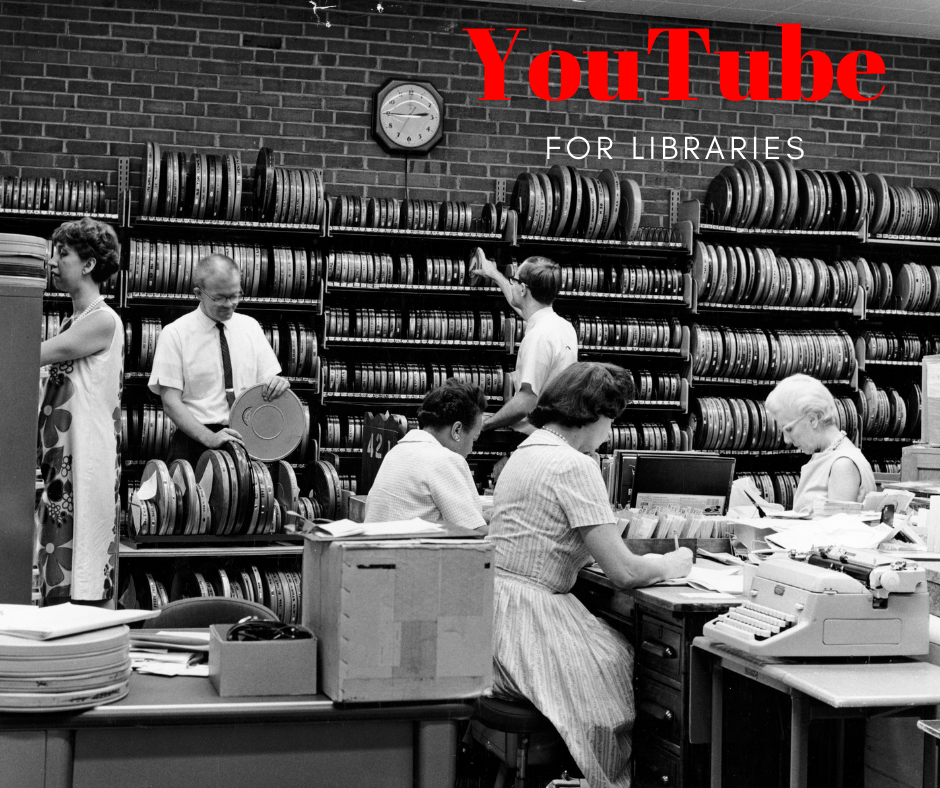
Library employees, including men and women, sorting film canisters in the 1960s.
Photo courtesy Cincinnati and Hamilton County Public Library

This is part of the 2026 series of library social media guides. In addition to this post, be sure to bookmark these new guides:

I’ll cover Instagram and Facebook in the following weeks.

YouTube for libraries

The number of libraries that say they post to YouTube dropped 5 percentage points in 2025, according to the Super Library Marketing Survey. About 56 percent of libraries use YouTube for promotion.

I have a few guesses as to why this happened:

  • TikTok, Instagram Reels, and Facebook Reels are dominating with quick, engaging content. Libraries likely moved resources to these platforms because they offer better reach and engagement for short videos than YouTube.
  • YouTubeโ€™s algorithm increasingly favors creators who post frequently and have high subscriber engagement.
  • Younger audiences (Gen Z and Millennials) are spending more time on TikTok and Instagram than on YouTube for discovery and entertainment.

However, YouTube remains the third-most-popular social media platform for library marketing. It’s also the second most-visited website in the world. Only Google has more visitors! That’s certainly something to consider.

Plus, YouTube videos are deeply integrated with Google Search and Google’s AI Overviews. That’s why, when you search for nearly anything, YouTube videos are often featured in the summary or results.

And AI platforms like ChatGPT, Google Gemini, and Perplexity cite YouTube content in their results. In fact, according to Search Engine Land, YouTube is mentioned 200 times more than TikTok or Instagram in AI-generated answers. Plus, YouTube transcripts and captions are indexed and used by AI platforms to generate their summaries.

How are people using YouTube right now?

Here are some more YouTube statistics to consider, from the Pew Research Center, SaaSworthy, and Connect.

  • YouTube is one of two social media sites with a majority of users across all age groups. (Facebook is the other site.)
  • Adults in the U.S. now spend 49 minutes per day on YouTube, a slight increase from previous yearsโ€‹.
  • YouTube accounts for nearly 13 percent of total television usage, more than other streaming platforms.
  • 90 percent of YouTube users watch videos on their mobile devices.
  • More than 60 percent of YouTube users are between the ages of 18 and 34 years, making it a highly valuable platform for reaching younger readers.

How much success can libraries expect to see on YouTube?

  • According to Napolify, accounts with fewer than 10,000 followers typically have an average engagement rate of 5.91 percent for YouTube Shorts. Most libraries fall into this category.
  • For longer YouTube videos, the average engagement rate ranges from 3 to 7 percent, depending on the account size. The good news is that smaller accounts typically have higher engagement!
  • According to Ventress, most accounts can reach 1,000 subscribers within 12-16 months or around 70-80 videos. That’s a realistic milestone for your library. And, unlike other social media platforms, it pays to focus on building your channel’s subscriber base because YouTube will suggest your content to those subscribers.

The YouTube algorithm for 2026

The YouTube algorithm remains focused on its core mission: Keeping viewers on the platform. It does this by recommending content that maximizes satisfaction and engagement.

The algorithm analyzes billions of signals in real time to predict what each viewer will enjoy next. Here are the updated key ranking factors:

  • Watch time: This is the most important signal. You need to think about this when crafting your videos. Always ask yourself: How can we keep people watching for as long as possible?
  • Titles and descriptions: Use natural, searchable phrases that mimic what searchers would use to find videos. This will help your videos rank in YouTube and Google search results.
  • Likes, comments, and creator replies: That last one is new this year. It means you’ll need to keep an eye on comments and respond as quickly as possible.
  • Consistency: Consistent publishing is a positive signal to the algorithm and will improve your library’s reach over time.
  • Session time: The algorithm now also factors in how long viewers stay on YouTube after watching your content. It’s important to add cards and end screens to your videos to boost this signal.

4 ways to get the best organic reach for your library’s YouTube channel in 2026

#1: Create a strategy that includes both Shorts and long-form video.

YouTube’s algorithm rewards channels that balance shorter and longer videos. Shorts will drive quick exposure and channel growth. Longer videos are great for viewer loyalty and longer watch time.

That’s a tall order for libraries. So here’s what you can do: Repurpose your longer videos into 5-10 Shorts. Use the Shorts to attract new viewers and link to the longer video.

#2: Optimize your titles and thumbnails for viewer satisfaction, not just keywords.

The algorithm prioritizes retention and satisfaction. That means videos that deliver on their promise and keep viewers watching rank higher. I have NEVER seen a library use clickbait in any video, so this tip should be easy to follow!

Use clear titles and compelling thumbnails.

#3: Build community engagement by interacting with your viewers.

Engagement signals such as likes, shares, and comments still matter, but as described above in the algorithm section, YouTube now places a heavy emphasis on creator-driven action. If your library’s channel fosters two-way conversations, you’ll get higher reach and recommendation rates.

Here are some ideas for how to engage with your followers:

  • Reply to comments promptly.
  • Pin posts and comments. Highlighting top comments signals activity and encourages more participation.
  • Use the Community Tab. This feature is available to channels with more than 500 subscribers. You can post text updates on programs or share book recommendations, create polls, and share images, GIFs, and more to keep your audience engaged between videos.

#4: Refresh your evergreen videos for an algorithmic boost.

Older videos can regain visibility if they attract new engagement. The algorithm rewards updates, even for previously published videos.

How can you do this? Reshare your evergreen videos in your email newsletters. Or embed a QR code to watch the video on bookmarks that you then slip into holds and checkouts of physical materials.

You can also update the video itself. Edit the keywords and descriptions. Add captions and transcripts if they weren’t included when the video was originally posted.

Bonus tip: Try a live stream!

When your YouTube channel hits 50 subscribers, you’ll be allowed to livestream. This is very enticing for viewers… they’ll see a special red circle around your main channel logo and the word “live”. Whenever I see this, I can’t help but click on it to see what’s going on. Your viewers will have the same reaction, and that will boost engagement and subscribers to your channel.

Here’s a great example: Prince William Public Libraries livestreams their library turtle. I love to watch this when I need a break from work!

Double Bonus Tip: Use HypeAuditor

You can use HypeAuditor to measure your YouTube engagement rate. From there, you can create a new goal and strategy for 2026.

How often and when to post on YouTube

Consistency is a key component of YouTube success. But the latest data says that timing and frequency now play a bigger role in reach. Here is the latest advice from Ventress.

  • Long-form videos: Start with one video a week. As your channel grows, aim for 2 to 3 weekly videos if your capacity allows.
  • Shorts: Post at least 3 Shorts weekly to increase your reach.

Viraly says the best days to post are weekdays from 12 p.m. to 4 p.m. local time, and weekends from 9 a.m. to 11 a.m. local time.


P.S. Want more help?

2 Easy and Extremely Important Steps To Take Every Time Your Library Uploads a YouTube Video!

Subscribe to this blog, and youโ€™ll receive an email whenever I post. You can also follow me on the following social media platforms:

The 2026 Guide to LinkedIn for Libraries: Building Influence and Professional Reach

Photo courtesy of the Cincinnati and Hamilton County Public Library

This is part of the 2026 series of library social media guides. In addition to this guide, check out the guides to

  • TikTok
  • We’ll cover Instagram and Facebook in the following weeks.

LinkedIn for libraries

The number of libraries using LinkedIn dropped this year. According to the 2025 Super Library Marketing Survey, 30 percent of libraries reported posting to the platform, a 10-point decline from the previous year. I have a few guesses as to why this is happening.

  • A shift in the LinkedIn algorithm in mid-2025 reduced the organic reach of pages. Instead, LinkedIn now favors content posted by individual employees of the library.
  • Staff buy-in and lack of resources.
  • Focus on other platforms that reach a younger audience.

There is still a significant benefit to sharing library content on LinkedIn. I’ll make that case in this guide!

How are patrons using LinkedIn right now?

Here are some statistics to consider from Demandsage, Amra and Elma, and LinkedIn.

  • LinkedIn continues to grow substantially, with over 1.2 billion users globally. The U.S. leads with about 243 million LinkedIn users.
  • 56 percent of LinkedIn users are male, and 44 percent are female. 
  • LinkedIn’s user base continues to trend towards a slightly younger audience, with nearly 71 percent of users aged 25-34. Thatโ€™s a key target audience for libraries.
  • 40 percent of LinkedInโ€™s social media users log in daily.
  • LinkedIn users spend an average of 14 minutes per session.

What are the key benchmark metrics for libraries on LinkedIn?

According to LinkedIn, the average engagement rate for organic posts on LinkedIn is 5 percent. Thatโ€™s a 30 percent increase over 2025! LinkedIn has a higher engagement rate than Facebook, but lower than TikTok and YouTube.

On LinkedIn, engagement rates highly depend on the type of post. These insights come from Social Insider.

  • Multi-image posts generate the highest engagement rate of 6.6 percent, making them the top-performing format.
  • Native documents like PDFs have an average engagement rate of 6.1 percent. Libraries don’t tend to share documents all that often, but this stat is a reason to share things like your annual report.
  • Text-only posts get an average engagement rate of about 4 percent.

The LinkedIn Algorithm for 2026

Here are the ranking signals LinkedIn claims to use when deciding who sees your posts.

  • Relevance: The algorithm now uses advanced natural language understanding to determine whether your library’s posts are relevant. The algorithm matches your content with people’s current industry and the interests they’ve indicated in the past. That means evergreen content can resurface weeks later. I’ve seen this happen in real life, and it definitely increases the long-term benefit of posts that are not timely.
  • Engagement Quality: If your post sparks “meaningful comments” of 20 or more words, you’ll get a boost in reach. Posts that spark conversation in the first 60-90 minutes after they’re been posted will also get a boost in reach.
  • Dwell Time: The longer a user spends reading or commenting on your post, the more reach you’ll get. Formats that encourage scrolling, such as carousels, documents, and videos, increase dwell time, which increases reach.
  • Clarity and Authenticity: According to Propel Growth, an algorithm update at the end of this year (2025) now emphasizes clarity, storytelling, and authentic engagement over clickbait or AI-generated content. That means you’ll want to use your library’s tone and voice to speak clearly about the topic you’re posting on, as you would if you were talking to your patrons face-to-face.

4 ways to get the best organic reach for your library’s LinkedIn posts in 2026

#1: Optimize for early engagement

As mentioned above, LinkedIn rewards posts that get meaningful interaction in the first 60โ€“90 minutes. To get that early engagement, your library can:

  • Ask open-ended questions in your post to spark conversation (for example, โ€œWhatโ€™s the best book youโ€™ve read this year?โ€).
  • Post during peak engagement times (usually weekday mornings). See below for more information on when to post.
  • Encourage staff and partners to comment thoughtfully right after publishing.

Now, I know that the third tip is tricky. Library staff may be uncomfortable about commenting on the library’s posts (although, to be honest, I cannot really understand why!). They might also see it as extra work. So, to make it easy, you can:

  • Start with a few champions: Approach staff that you know will be enthusiastic about participating and ask them to lead by example.
  • Explain why it matters: Share the algorithm insights from this post. Let them know this is part of the library’s mission, to share information and ideas with the whole community, and that they play a role in that, both at the desk and online.
  • Make it simple: Provide comment prompts in advance. And keep your expectations small. One thoughtful comment in a week can make a big difference.
  • Celebrate those who participate: Highlight great comments in internal newsletters or in staff shout-outs. And share the analytics so they can see the impact.

#2: Create content that builds authority.

LinkedIn prioritizes expertise and original insights. And the library has plenty! So share posts that showcase this, such as research tips, book lists, and local reading trends. You can also profile staff or use data to position your library as a trusted source of information.

#3: Focus on formats that increase dwell time.

Posts that keep users engaged longer, like carousels, documents, and videos, rank higher. So share videos with captions. You can create video tutorials or event highlights.

You can also turn book lists or guides like your “Welcome to the library” brochure into carousel posts or downloadable documents.

#4: Post the link for further info in the comments.

I confess that I hate this. But I am committed to giving you the best advice. And LinkedIn downranks any post with external links in the body, so I feel compelled to include these tips.

In fact, it’s such a big deal that I’ve changed the way I do NoveList’s posts on LinkedIn. I post when I have the time, and I immediately go to the post and add the link. It’s a hassle, but it works.

Put your link in the first comment, not in the main post. And use native formats like downloadable documents or natively posted videos whenever possible.

When to post on LinkedIn

According to Sprout Social, Tuesdays, Wednesdays, and Thursdays are the best days to post on LinkedIn.

Mornings and early afternoons are the best times of day to post.

One note: Avoid posting more than once a day on LinkedIn. The algorithm actually penalizes posting more than once a day.


P.S. Want more help?

Posting on Threads: A Smart Move for Libraries or a Waste of Time?

Subscribe to this blog, and youโ€™ll receive an email whenever I post. You can also follow me on the following social media platforms:

A WordPress.com Website.

Up ↑