Search

Super Library Marketing: Practical Tips and Ideas for Library Promotion

Category

library marketing ideas

Targeted Email Marketing for a New Era: The Pros and Cons of How Most Libraries Segment Their Audiences

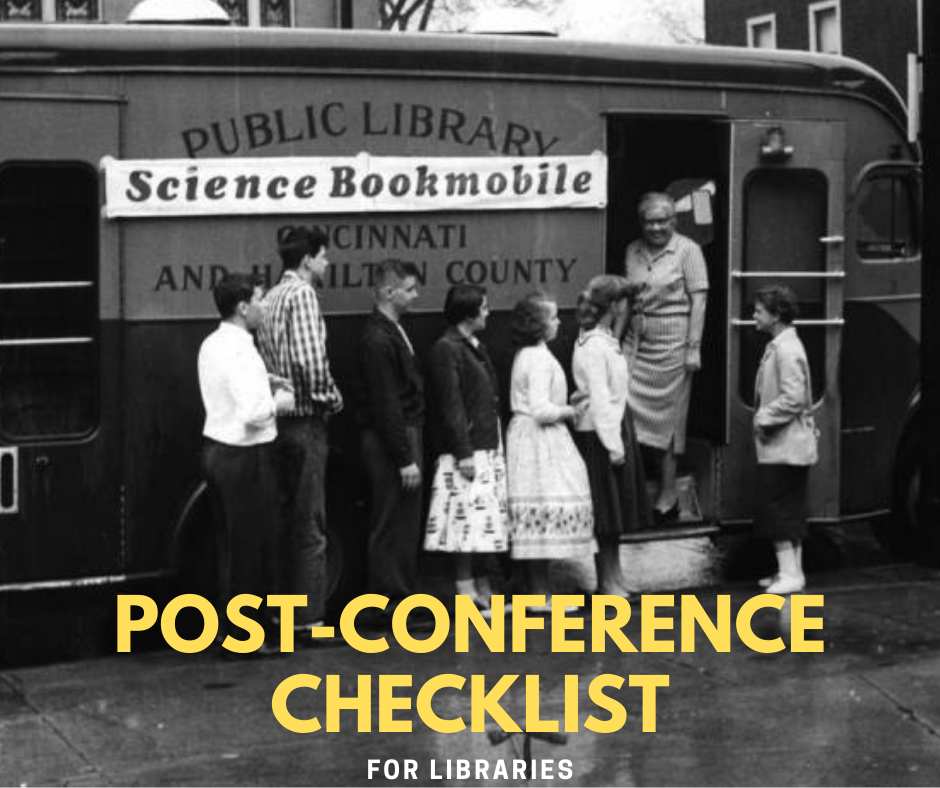
Photo courtesy Public Library of Cincinnati and Hamilton County. Bond Hill Branch.

This is the first in a two-part series on email marketing for libraries. Part two is here.

If there is one thing that I know about library promotion, it’s this:

If you want to be successful in library email marketing, you must target your messages.

This isn’t just my personal belief. It is a method which worked, with impressive results, during my years at a public library. And I see it working now for hundreds of libraries around the country and around the world in my day job at NoveList.

Why are libraries hesitant to do targeted email marketing?

There are two big reasons that libraries fear the idea of segmenting their email audiences.

First, libraries are worried about email marketing in general. They feel it’s too promotional and that email messages from the library will be received as spam. They may even believe that people don’t want to receive email marketing from anyone, even a library.

This is not the case. The average consumer is accustomed to giving out their email address in exchange for marketing messages targeted specifically to them. Opt-in Monster research shows 99 percent of people with an email address check their inbox at least once a day.

Why? Because they are looking for messages from friends, family, and places they love. They love the library. Your cardholders and community members feel excitement when they receive an email from you.

Libraries worry that, by sending targeted messages to segmented audiences, they will miss out on the chance to get a message to all their cardholders. 

Many libraries are sending the same message to every cardholder, sometimes hundreds of thousands of people in one burst. It feels like the natural thing to do. “Everyone needs to know about this!”

The problem with that approach is that your cardholders are individuals. One message never fits them all.

This is particularly true if your service area covers a range of incomes and demographics. The needs and interests of your cardholders vary greatly.

By targeting your message, you are more likely to say something that matters significantly to your cardholders, which makes them more likely to take an action, which makes it more likely that your email will be successful.

Targeted email marketing for libraries is effective because it serves the right message to the right group of people. And it works for all kind of messages.

Do not let your fears about email set you up for failure. Your cardholders want to hear from you. There are not very many industries which can say that. Let’s take advantage of it and give the people what they want!

Libraries who do segment their audiences tend to use three main methods. There are benefits and drawbacks for each.

Segmenting by library card use

Some libraries group their cardholders by the type of material they most frequently check out: kids’ books, print books, e-books, etc. Then, they send targeted email messages about those formats or collection types to those specific users.

This was the method we used when I worked a public library. For example, we would send an email promoting three new e-books every month to people who appear to favor e-books.

Benefits: This method is great for collection marketing. Most libraries will notice holds and checkouts increase, sometimes exponentially, when they send messages about items to people who have shown a previous interest in those items.

Drawbacks: The way a person uses their library card may not correspond to their true library interests.

For instance, an adult who frequently checks out children’s books for their kids may also love to read e-books. By focusing solely on the fact that they more frequently check out children’s books, a library may miss a key opportunity to market e-books to that cardholder.

A second drawback is that your library will want to promote things besides your collection, like programs, big events, and advocacy messages. Segmenting audiences solely by their favorite collection format gives you no clue as to your cardholders other potential interests.

Finally, this kind of segmentation often requires sophisticated email marketing programs that are expensive and time-consuming to manage. Smaller libraries without a dedicated marketing department and libraries with limited budgets may find these programs cost prohibitive.

Letting people self-select

Many libraries have an opt-in page on their website listing email interest groups. Visitors can self-select which emails they prefer to receive.

Benefits: When a person chooses to receive an email from you about a certain subject, they are also likely to open and engage with that email. They have already indicated their interest by selecting it.

Most library email opt-in pages do not require a person to be a cardholder to sign up. So, a second benefit of this method is that you can send marketing messages to people who aren’t in your cardholder base but can be enticed to use your library. That’s a fantastic way to expand your cardholder base!

Drawbacks: A library using this method must commit to intentionally market the marketing lists. They must make sure the community knows the opt-in page exists and convince people to sign up.

Segmenting by cardholder location

Some libraries have sent messages to people who have indicated a certain branch is their home branch or to people who live in a certain portion of the community.

Benefits: This is a great method for in-person program promotion. People are more likely to attend events that are near their home. Segmenting your audience by their location is an efficient use of your time for program promotion.

Drawbacks: There is a certain set of library cardholders who are willing to travel to attend programs and events at branches far from their home. They may be interested in hearing from your library about certain types of events, no matter where they are held.

In addition, the branch a person most frequently uses may not actually be near their home! Many people frequent the library branch near their workplace or some other important and frequently visited location.

You may also find these posts helpful

Three SUPER Easy Ways to Get More Results from Your Library Email Marketing!

Are My Library Email Metrics Good…. or Bad?! Here Are the Latest Stats to Help You Figure It Out.

Latest Book Reviews

The Little Book of Lykke: The Danish Search for the World’s Happiest People by Meik Wiking

The Bear by Andrew Krivak

Find more 60-second Book Reviews here.

Subscribe to this blog and you’ll receive an email every time I post. To do that, click on the “Follow” button in the bottom left-hand corner of the page. Connect with me on YouTube, Twitter, Instagram, and LinkedIn.

My Favorite 💜Ways to Use Customer or Patron Testimonials for Library Marketing!

Watch Now

The Library Marketing Show, Episode 65

In this episode, answers a viewer question about how to use customer testimonials for library marketing.

Kudos in this episode goes to Madison County in Mississippi for creating a Virtual Library.

Do you have a suggestion for a topic for a future episode? Want to nominate someone for kudos? Let me know in the comments. And subscribe to this series to get a new video tip for libraries each week!

Thanks for watching.

The Virtual Library Conference is Over and Now the Work Begins! Here’s What to do Once You’ve Closed Your Laptop

Photo courtesy Public Library of Cincinnati and Hamilton County

This post is part two in my series on making the most of your virtual conference experience in 2020. If you haven’t already, I’d love for you to read part one here.

Once you close your laptop, the second part of your conference experience begins. It’s time to reflect on what you’ve learned, share with your co-workers and, most importantly, figure out how to put these new ideas into practice at your library.

Here’s a framework you can follow to maximize the value of your virtual conference experience with three important post-conference steps.

Reflect on what you’ve learned

After a virtual conference, you might be tempted to switch your brain off the minute you close your computer. But try to resist the urge to unplug right away. Instead, commit to capturing the insights you’ve learned while they are fresh in your mind.

I usually spend a half hour to an hour at the end of a conference day organizing my thoughts. At an in-person conference, I would return to my hotel, grab an adult beverage from the bar, and head to my room to organize my notes. At home, I schedule “buffer time” into my work calendar to complete this step. Reviewing your notes in detail while they are still fresh in your mind will help you retain the information.

First, copy important names, insights, and ideas into a collaboration tool like Evernote, Trello, a Google doc, or your library’s shared documents drive. Fill in details you may have scribbled down in haste. If you took screenshots, organize them so you can easily identify the presenter and session later.

If the virtual conference organizers are making videos available after the conference ends, go back to the sessions you watched to copy and paste the URLs into your notes. That way, if you want to re-watch them again, you’ll save yourself the time hunting for the right video!

Next, formalize any connections you made with other attendees. Look them up on Twitter and LinkedIn and follow them or send them a connection invite. Include a personalized message so they understand why you are reaching out.

If there were speakers or sessions that really inspired you, send a thank you email to the presenter. As a speaker, I can tell you I really appreciate hearing from attendees, especially when a session inspires them.

Finally, be sure to fill out any post-conference survey. Conference organizers and speakers truly appreciate the feedback.

Share what you’ve learned

At the very least, you’ll want to share what you’ve learned with your boss and your team. But more than likely, your conference learnings contain lessons that everyone at your library could benefit from. So, turn your notes into a short presentation and invite co-workers to watch. My husband does this as a “lunch and learn” for his co-workers.

If you aren’t comfortable doing a “live” presentation, you can record yourself on Zoom, Teams, or WebEx, and share the video (like you do with virtual story times!). Loom is also a great option for recording yourself.

During your presentation, share the top-line things you learned at each session you attended. Tie your findings to your library’s overall strategy. This will help prove the value of your conference attendance to your supervisors. It will also lay the groundwork for when you put your new ideas into practice.

After your presentation, make sure your co-workers have access to the notes you took at the conference using the collaboration tool in step one. Include links to any slideshows, handouts, or screenshots you have.

Put big ideas to work

Here’s where you find the true nuggets that will help your library. I suggest you look through your notes again and organize a new list of action items in categories that correspond with your work.

Tools and technology: List any digital trends and industry advances that your library should act on.

For instance, at the Library Advocacy and Funding Conference, I learned about new software platforms which allow libraries to gather and use data related to their community. I also learned new information about how to increase organic reach on Facebook and Instagram.

If you learn about a new social media platform or about a product that helps you to do a better job at promoting your library, list those in this section. Include the reasons why an upgrade or a change in tools and technology will help your library. Research cost and timetables for implementation.

Content inspiration: List any new creative concepts or topics you think your cardholders would respond to. If you attended a session from someone who shared practical ideas for what to put in your library’s newsletters or how to design print pieces, list those ideas. Then, pull out your editorial calendar and start scheduling!

Productivity and project management: List anything you learned that will help you and your library co-workers to do your job more efficiently.

Maybe you had a Twitter exchange with a fellow attendee whose library has an approval process you wish to imitate. Or maybe you attended a demonstration of a platform like Trello or Asana.

If you learn about new ways to address existing challenges, optimize workflow, or streamline your promotional methods, put those on your list. Your co-workers and supervisors will appreciate any new insight on how to improve efficiency at your library.

Have you changed the way you work at your library because of something you learned at a conference? I’d love to hear about it. Let me know in the comments.

You might also find these posts helpful

Six Tips to Make the Most of Your Online Experience During Virtual Conference Season

Three Transformative Tips to Improve Focus and Re-Energize You When Working in the Library Doesn’t Feel Fun Anymore

Latest Book Reviews

The Escape Artist by Helen Fremont

Devolution by Max Brooks

Find more 60-second Book Reviews here.

Subscribe to this blog and you’ll receive an email every time I post. To do that, click on the “Follow” button in the bottom left-hand corner of the page. Connect with me on YouTube, Twitter, Instagram, and LinkedIn. 
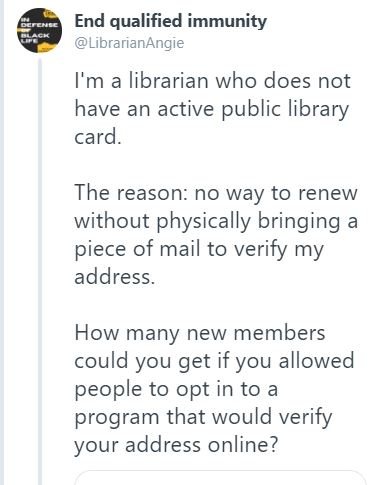
The ONE Place Where You Can Market Your Library That You Might Not Have Thought Of!

Watch Now

The Library Marketing Show, Episode 61

In this episode, Angela reveals the tiny piece of real estate where you can market your library that you might not have thought of!

She also shares Kudos with the Tavistock Library in the UK for their reopening video which they did like an airline safety message.

What did you think of this episode? Are you struggling with marketing and promotion right now? Do you have a suggestion for a topic for a future episode? Want to nominate someone for kudos? Let me know in the comments. And subscribe to this series to get a new video tip for libraries each week!

Thanks for watching.

Why Your Library Should Have One Social Media Account to RULE THEM ALL!

Watch Now

The  Library Marketing Show, Episode 59

Angela answers a question from a viewer, who wishes to remain anonymous, about whether their library should have one social media account per platform for the entire library system.

It’s a good question, and one that Angela gets all the time. Watch the video to find out what she advises.

Kudos this week to the Public Library of Cincinnati and Hamilton County for unveiling a new website and branding in the midst of a pandemic!  

What did you think of this episode? Are you struggling with marketing and promotion right now? Do you have a suggestion for a topic for a future episode? Want to nominate someone for kudos? Let me know in the comments. And subscribe to this series to get a new video tip for libraries each week! Thanks for watching.

Four Eye-Opening Library Marketing Lessons I Finally Learned When I Left My Library Job and Became a Regular Patron

Photo Courtesy Public Library of Cincinnati and Hamilton County

It’s been six months since I walked out of the Public Library of Cincinnati and Hamilton County for the last time as an employee. 

You’d think that moving from library staffer to library patron wouldn’t be that big of a revelation. After all, while I worked at the library, I was also a patron.

But there is a mindset shift that happens when you stop working on a library’s communication strategy and start seeing those communications exclusively from the customer side.

Now, when I receive an email from my library, or see a library social media post, or watch a library video, or see a sign at the library branch drive-through window, I don’t know what goal my library is trying to achieve.

I have no idea how long the marketing team worked on those promotional pieces.

I don’t have any insight into the discussion over wording, image selection, and calls to action.

I have no idea how many revisions they went through before they received final approval.

Once I took off my marketing hat and put on my customer hat, I started to see things very differently. I learned some eye-opening lessons.  

Patrons cannot fathom the breadth and depth of your services.

Libraries really do offer an extraordinary number of services. It is impossible for a regular person to understand or remember all of them.

I thought I had a pretty good handle on every service provided by my library. But I would be hard-pressed to list them all if I were forced to, even just six months out from my employment.

With that in mind, library marketing needs to get laser focused. Pick your promotions based on your library goals for the year.

With the pandemic, your goals likely shifted in the past few months. So, focus your promotions on achieving those goals.

Release your promotions consistently over a set period of time and on as many channels as makes sense for your audience. 

Most importantly, resist the urge to promote everything your library offers. It’s overwhelming to your community. Your message will get lost. 

Organic social media is not your friend.

I am a former library employee. I visit the library website at least once a day. I talk about the library on social media.

And yet, I rarely (if ever) get served my library’s Facebook, Twitter, and Instagram posts organically. Most of the time, I must go looking for them.

If I’m not seeing my library’s social media posts, can you imagine how many other people are not seeing them?

In my new job, I talk with a lot of libraries who rely heavily on social media. I’m not saying that you should not post to social. I just want to remind you that social media is also fickle and imperfect.

Be sure to distribute your marketing messages across multiple channels, including email, so you’re sure your whole community will see your message.

In a crisis, more communication is better.

The pandemic and the resulting shutdown came about six weeks after I left the library. And watching it unfold as a customer was interesting.

My honest assessment is that my library did a great job of communicating when it went into shutdown and when it reopened.

However, in the weeks in between those two major events, there was very little communication to patrons.

And I was craving news, even if it was “Our physical buildings are still closed, and we don’t know when we’ll reopen.” In fairness, this is a criticism I had for a lot of organizations, including my church and my kid’s school.

In a crisis, there is no such things as over-communication. Regular updates to your patrons and community are always better than radio silence.

The more you talk to your customer base, the more likely they are to remember you and support you when the crisis is over.

People just want to be informed. Silence feels like abandonment to your patrons. Communicate more often when your library is in crisis.

A well-designed website is a gift to your patrons and essential to your library’s success. 

The main digital entry point for your library is your most important asset.

In my new job, I do a lot of research on libraries of all shapes and sizes. I spend a lot of time looking at library websites.

Some are easy to use and some are not.

It’s no surprise that the libraries with beautiful, easy-to-navigate websites report more engagement from their patron base in the form of circulation, attendance at events (even virtual events), and donations.

If you have any say over your library’s website, it behooves you to spend time making it an amazing portal to your library. 

As a patron, I am grateful when I can find exactly what I need when I visit a library website. Need a place to start? Here are some tips.

You Might Find These Articles Helpful

This Free Tool Will COMPLETELY Change Your Library’s Social Media Posts!

Why the Circle of Promotion is Your Best Bet for Library Marketing

Latest Book Reviews

The Voyage of the Morning Light by Marina Endicott

Find more 60-second Book Reviews here.

Subscribe to this blog and you’ll receive an email every time I post. To do that, click on the “Follow” button in the bottom left-hand corner of the page. Connect with me on YouTube, Twitter, Instagram, and LinkedIn. 
 

Your Website is the MOST Important Gateway to Your Library Right Now. Here Are Eleven Quick Design Tweaks to Make It Amazing.

Photo courtesy Public Library of Cincinnati and Hamilton County

Your library website is getting quite the workout right now. In fact, during this pandemic, your website is the most important connection between your patrons and your services. It’s your digital doorway. It’s your news center. It’s a promotional tool. So, it needs to be welcoming and easy to navigate.

When the pandemic is finally over, your website will still be your most valuable digital asset. In fact, the design and layout of your library website is critical to your library’s ongoing success. Bad web design will make your library look outdated and inefficient. Good web design will keep people coming back. (Scroll down to see some examples of great library websites.)

You don’t have to completely overhaul your website to improve the user experience. There are 11 easy ways to improve your website.

First, you need to enlist the help of people who actually use your website.

Get input from patrons

Create a small focus group. You can do this remotely. Ask for patrons to join your focus group by email or on social media. Set up an email box where they can submit their request to join. Ask them to include their age, their comfort level with technology, and their need for accessible website features. This will ensure you have a well-rounded sample of patrons from different age and ability groups. Choose a larger sample than you will need, keeping in mind that there will be people who will want to join the focus group but won’t complete your feedback survey.

Once you have decided which patrons will be part of your focus group, create your feedback survey using a free platform like Survey Monkey or using a Google Form. Ask your focus group to take a close look at your website and answer these six questions:

  • What is the first thing your eye is drawn to?
  • How easy was it to find the items you want most at the library?
  • Does our current color scheme to draw attention to important services or detract from your experience?
  • Do the images we use cause you to feel any certain emotions? Do they make you want to use our services?
  • Do our web pages feel crowded or do they contain the right amount of information?
  • Can you easily read the text on our website?

Once you compile their feedback, you’ll have a clear picture of what changes you’ll need to make to ensure people keep using your website. And you’ll be ready to make your first six tweaks.

Create a focal point. Identify your library’s number one priority. Make that the first thing people notice when they log onto your site.

Identify the landing pages your patrons most frequently visit on your site. Put links to those pages in the header navigation bar or in a layout that makes it easy for your patrons to find.

Adjust colors to make sure patrons can find what they need. Make sure your website color palette is in line with your brand.

Adjust the images on your website. Do a diversity audit to make sure the images you use accurately represent your community. Look for images that evoke positive emotions like joy or surprise.

Reduce the amount of text, particularly on your homepage. If a service requires a longer explanation, direct patrons to a service landing page with more information.

Increase the font size on your homepage and make sure the font and the colors are accessible. I use this website to check color contrast for Web Content Accessibility Guidelines. And here is the Bureau of Internet Accessibility’s guide to picking an accessible web font.

Five more ways to optimize your library website

Prominently feature your e-newsletter opt-in and social network icons. Email and social media play a critical role in engaging your library patrons. Make sure your community can easily find how to connect with you.

Use easy language. Are you using a lot of library jargon or professional terms on your website? One word can make a huge difference. For example, a simple change from “periodicals” to “magazines” may help many people to find your downloadable magazine collection, which will increase circulation and engagement. So take the time to evaluate what you call things on your website.

Make a landing page for each of your services.  Many visitors will not see your home page. They’ll come to your website straight from a Google search or a link you provide on social media or in an e-newsletter. So group your services and create landing pages for each category, like workforce development or educational help.

If you do a good job with your landing pages, you’ll increase the chances that your library will be found in Google search. You’ll also increase the chances that a patron searching for services will find exactly what they need quickly. That’s good customer service! And as you create those landing pages, consider this next step.

Have a domain strategy. A good URL structure is short and includes a target phrase. For example, my former employer, the Public Library of Cincinnati and Hamilton County,  created a page for their summer reading program, CincinnatiLibrary.org/Summer. This URL makes promotion easy (people can remember that URL when they see it on print materials or digital signs) and ensures the site is search engine friendly.

Get rid of all your dead-end pages. Make sure that every page leads to an action that takes a cardholder to another page. This increases the chances that someone will spend more time and take more actions on your website.

Great examples of library websites

Saint Paul Public Library: The colorful, clear images and simple text make navigation easy. Notice they’ve placed the things most library lovers search for–catalog, events, and the calendar-right at the top. I love that their FAQs are right on the homepage.

Clinton Macomb Public Library: A great example of how to position your social media icons in a prominent location on your homepage.

Prince George’s County Memorial Library: Icons draw the eye to key areas. Their most important service areas are filed like cards on the homepage, making it easy for users to find exactly what they need.

Ann Arbor District Library: A modern design with friendly, casual language and easy-to-spot newsletter signups and social media icons.

Kalamazoo Public Library: Their community clearly values the collection, and Kalamazoo has put the best titles in all formats front and center on their website.

Qatar National Library: This library’s website reminds me of Pinterest, with their top features displayed in easy-to-navigate squares. Their use of images is top-notch.

You might also find these posts helpful

How Your Library Can Use Google Ad Grants to Supercharge Your Website and Reach a Huge Untapped Audience

Four Instant Ways to Improve the Most Valuable Page on Your Library Website

Latest Book Reviews

How to Be an Antiracist by Ibram X. Kendi.

Rodham by Curtis Sittenfeld.

Find more 60-second Book Reviews here.

Subscribe to this blog and you’ll receive an email every time I post. To do that, click on the “Follow” button in the bottom left-hand corner of the page. Connect with me on YouTube, Twitter, Instagram, and LinkedIn. 

Feeling Overworked? There’s a Secret Trick to Get More Mileage Out of Your Library Marketing Content!

Photo courtesy Public Library of Cincinnati and Hamilton County

Not long ago, I read the results of a new survey. It kind of blew my mind.

Orbitz Media asked content creators about the amount of time they spend blogging. They found the average blog post now takes 3 hours and 57 minutes to write. That’s up 65 percent from 2014! The same survey shows 52 percent of bloggers report that it’s getting harder to get readers to engage with their content. WOW.

We live in a world dominated by a relentless and never-ceasing stream of content. But libraries can’t just turn off our content communications streams. Our very existence depends on our ability to educate the public about what we offer. We use our content to convince people to use the library.

So, what’s the solution, when your library staff is overworked, and your audience is oversaturated? Be more efficient.

There is a way to make your work stretch further and get your communication into the world. You can do this by republishing your content.

What is republishing content?

When you republish, you take an old press release, blog post, infographic, or video, and update it to include new and relevant information.

If your library has been publishing content for a while, you probably have quite a catalog. Most of it is still useful and relevant! Good content will never go out of style. These “evergreen” pieces of content are opportunities for you to republish.

Republishing content has many advantages for libraries.

  • It saves you time.
  • It improves your library’s chances of being found in search. When you improve content in the republishing process, you optimize it to bring it up to today’s best practices for headlines, tags, keywords, and length. That leads to improved search results.
  • It helps you to fill your editorial calendar when ideas and staff are sparce.
  • Your audience has changed since your original publish date. You’ve gained new cardholders and fans.
  • Your audience needs a reminder that you offer certain services.

How do you decide what pieces of content to republish?

Here are some ground rules.

First, take inventory of what you have already. This is called a content audit. Use a spreadsheet or organizational software to write down the blog posts, videos, and other pieces of content you previously published (and start keeping track of the new additions).

In your audit, make note of the following:

  • The type of content (blog post, press release, video, brochure, etc.)
  • The original publish date
  • The original headline
  • The keywords or tags used in the original piece
  • The word count or length of the content
  • The number of views, likes, comments, and shares the content originally received

Now you’re ready to make some decisions. What are your marketing goals? Are you (or your supervisors) looking to drive more people to your library webpage? Are you trying to increase social media engagement? Once you establish your goals, look at your old posts and determine which ones will help you reach those goals.

For example, if you want to drive more people to your webpage, and you have a video about your genealogy databases that drove a lot of traffic to your website at the time it was published, mark the video to be updated. It will likely have the same effect today, particularly if it’s refreshed.

Here’s another example. Let’s say your library director really wants to see likes, shares, and comments increase on your library’s new Instagram account. In your list of old content, you notice a blog post from two years ago about a uniquely themed story time that drove a lot of engagement when you posted it on Facebook. Mark that post to be updated. Chances are, with some careful recrafting, it will create the same kind of audience reaction when the updated version is promoted on Instagram.

Now what?

Once you identify the pieces of content you wish to republish, it’s time to update those pieces. Here’s a checklist of options for updating your content.

  • Are the statistics still relevant?
  • Are the links and resources still available?
  • Are quotes still relevant?
  • Are there new keywords or tags to add?
  • Can you freshen up the headline?
  • Do you need to adjust the original length of the piece to make it longer or shorter, based on current best practices?
  • Can you add a poll, a survey, or a comment section to enhance the content experience?

If your original piece of content requires no changes, you can republish it in its original form. Make a note at the beginning to let your readers or viewers know that you’ve republished it without changing it. You might say, “Here’s a popular blog post you may have missed” or “Here’s something from our archives.” Include the original post date for full transparency.

Have you republished content? What were the results? Share your experience in the comments.

Bonus tip

A few months ago, I wrote about another way to stretch your content distribution. Here is the article: Re-purposing Content Saves You Time and Reaches Your Whole Audience. Here’s How to Do It Right.

Latest Book Review

The Dutch House by Ann Patchett.

Find more 60-second Book Reviews here.

Subscribe to this blog and you’ll receive an email every time I post. To do that, click on the “Follow” button in the bottom left-hand corner of the page. Connect with me on YouTube, Twitter, Instagram, and LinkedIn. 

Why Libraries Lost HUGE Parts of Their Patron Base During the Pandemic and How to Fix It

WATCH NOW

The Library Marketing Show, Episode 53.

Angela issues a call to action to libraries to join in the movement to create a new utility… one that will ensure everyone in your community truly has access to library.

Also Kudos to the Nashville Public Library for their incredibly creative curbside video. You just have to watch it!  Nominate someone to receive kudos by commenting below or on SuperLibraryMarketing.com.

What did you think of this episode? Are you struggling with marketing and promotion right now? Do you have an episode suggestion? Let me know in the comments.

And subscribe to this series on YouTube to get a new video tip for libraries each week! Thanks for watching.

A WordPress.com Website.

Up ↑