Search

Super Library Marketing: Practical Tips and Ideas for Library Promotion

Tag

library social media

The 2026 Guide to YouTube for Libraries: From Views to Meaningful Engagement

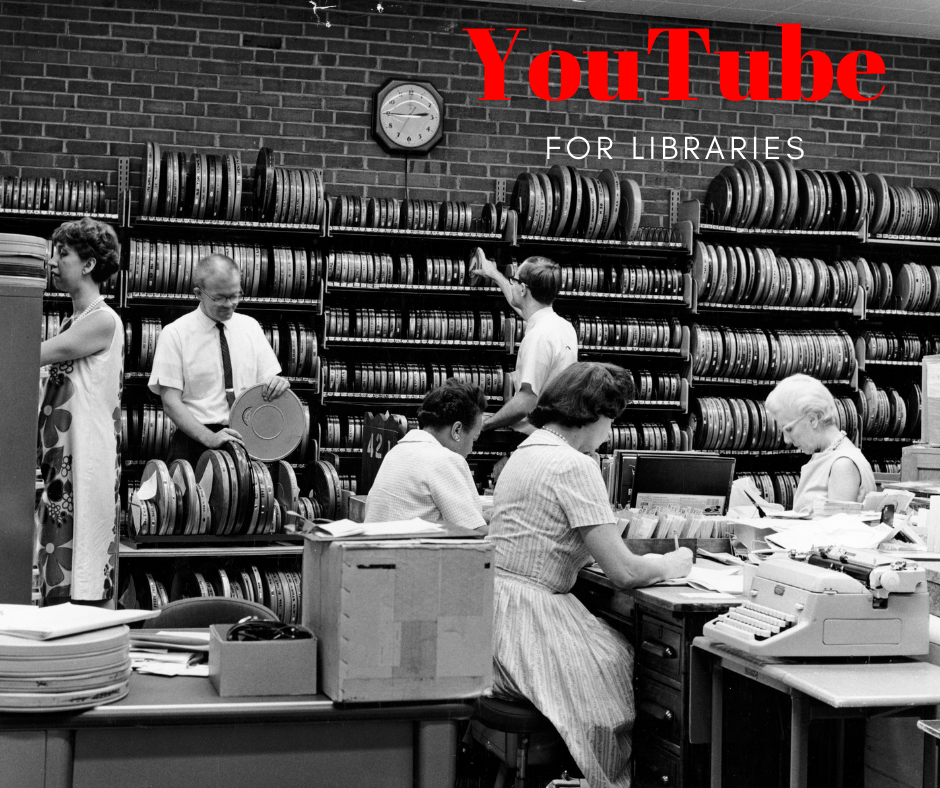
Library employees, including men and women, sorting film canisters in the 1960s.
Photo courtesy Cincinnati and Hamilton County Public Library

This is part of the 2026 series of library social media guides. In addition to this post, be sure to bookmark these new guides:

I’ll cover Instagram and Facebook in the following weeks.

YouTube for libraries

The number of libraries that say they post to YouTube dropped 5 percentage points in 2025, according to the Super Library Marketing Survey. About 56 percent of libraries use YouTube for promotion.

I have a few guesses as to why this happened:

  • TikTok, Instagram Reels, and Facebook Reels are dominating with quick, engaging content. Libraries likely moved resources to these platforms because they offer better reach and engagement for short videos than YouTube.
  • YouTubeโ€™s algorithm increasingly favors creators who post frequently and have high subscriber engagement.
  • Younger audiences (Gen Z and Millennials) are spending more time on TikTok and Instagram than on YouTube for discovery and entertainment.

However, YouTube remains the third-most-popular social media platform for library marketing. It’s also the second most-visited website in the world. Only Google has more visitors! That’s certainly something to consider.

Plus, YouTube videos are deeply integrated with Google Search and Google’s AI Overviews. That’s why, when you search for nearly anything, YouTube videos are often featured in the summary or results.

And AI platforms like ChatGPT, Google Gemini, and Perplexity cite YouTube content in their results. In fact, according to Search Engine Land, YouTube is mentioned 200 times more than TikTok or Instagram in AI-generated answers. Plus, YouTube transcripts and captions are indexed and used by AI platforms to generate their summaries.

How are people using YouTube right now?

Here are some more YouTube statistics to consider, from the Pew Research Center, SaaSworthy, and Connect.

  • YouTube is one of two social media sites with a majority of users across all age groups. (Facebook is the other site.)
  • Adults in the U.S. now spend 49 minutes per day on YouTube, a slight increase from previous yearsโ€‹.
  • YouTube accounts for nearly 13 percent of total television usage, more than other streaming platforms.
  • 90 percent of YouTube users watch videos on their mobile devices.
  • More than 60 percent of YouTube users are between the ages of 18 and 34 years, making it a highly valuable platform for reaching younger readers.

How much success can libraries expect to see on YouTube?

  • According to Napolify, accounts with fewer than 10,000 followers typically have an average engagement rate of 5.91 percent for YouTube Shorts. Most libraries fall into this category.
  • For longer YouTube videos, the average engagement rate ranges from 3 to 7 percent, depending on the account size. The good news is that smaller accounts typically have higher engagement!
  • According to Ventress, most accounts can reach 1,000 subscribers within 12-16 months or around 70-80 videos. That’s a realistic milestone for your library. And, unlike other social media platforms, it pays to focus on building your channel’s subscriber base because YouTube will suggest your content to those subscribers.

The YouTube algorithm for 2026

The YouTube algorithm remains focused on its core mission: Keeping viewers on the platform. It does this by recommending content that maximizes satisfaction and engagement.

The algorithm analyzes billions of signals in real time to predict what each viewer will enjoy next. Here are the updated key ranking factors:

  • Watch time: This is the most important signal. You need to think about this when crafting your videos. Always ask yourself: How can we keep people watching for as long as possible?
  • Titles and descriptions: Use natural, searchable phrases that mimic what searchers would use to find videos. This will help your videos rank in YouTube and Google search results.
  • Likes, comments, and creator replies: That last one is new this year. It means you’ll need to keep an eye on comments and respond as quickly as possible.
  • Consistency: Consistent publishing is a positive signal to the algorithm and will improve your library’s reach over time.
  • Session time: The algorithm now also factors in how long viewers stay on YouTube after watching your content. It’s important to add cards and end screens to your videos to boost this signal.

4 ways to get the best organic reach for your library’s YouTube channel in 2026

#1: Create a strategy that includes both Shorts and long-form video.

YouTube’s algorithm rewards channels that balance shorter and longer videos. Shorts will drive quick exposure and channel growth. Longer videos are great for viewer loyalty and longer watch time.

That’s a tall order for libraries. So here’s what you can do: Repurpose your longer videos into 5-10 Shorts. Use the Shorts to attract new viewers and link to the longer video.

#2: Optimize your titles and thumbnails for viewer satisfaction, not just keywords.

The algorithm prioritizes retention and satisfaction. That means videos that deliver on their promise and keep viewers watching rank higher. I have NEVER seen a library use clickbait in any video, so this tip should be easy to follow!

Use clear titles and compelling thumbnails.

#3: Build community engagement by interacting with your viewers.

Engagement signals such as likes, shares, and comments still matter, but as described above in the algorithm section, YouTube now places a heavy emphasis on creator-driven action. If your library’s channel fosters two-way conversations, you’ll get higher reach and recommendation rates.

Here are some ideas for how to engage with your followers:

  • Reply to comments promptly.
  • Pin posts and comments. Highlighting top comments signals activity and encourages more participation.
  • Use the Community Tab. This feature is available to channels with more than 500 subscribers. You can post text updates on programs or share book recommendations, create polls, and share images, GIFs, and more to keep your audience engaged between videos.

#4: Refresh your evergreen videos for an algorithmic boost.

Older videos can regain visibility if they attract new engagement. The algorithm rewards updates, even for previously published videos.

How can you do this? Reshare your evergreen videos in your email newsletters. Or embed a QR code to watch the video on bookmarks that you then slip into holds and checkouts of physical materials.

You can also update the video itself. Edit the keywords and descriptions. Add captions and transcripts if they weren’t included when the video was originally posted.

Bonus tip: Try a live stream!

When your YouTube channel hits 50 subscribers, you’ll be allowed to livestream. This is very enticing for viewers… they’ll see a special red circle around your main channel logo and the word “live”. Whenever I see this, I can’t help but click on it to see what’s going on. Your viewers will have the same reaction, and that will boost engagement and subscribers to your channel.

Here’s a great example: Prince William Public Libraries livestreams their library turtle. I love to watch this when I need a break from work!

Double Bonus Tip: Use HypeAuditor

You can use HypeAuditor to measure your YouTube engagement rate. From there, you can create a new goal and strategy for 2026.

How often and when to post on YouTube

Consistency is a key component of YouTube success. But the latest data says that timing and frequency now play a bigger role in reach. Here is the latest advice from Ventress.

  • Long-form videos: Start with one video a week. As your channel grows, aim for 2 to 3 weekly videos if your capacity allows.
  • Shorts: Post at least 3 Shorts weekly to increase your reach.

Viraly says the best days to post are weekdays from 12 p.m. to 4 p.m. local time, and weekends from 9 a.m. to 11 a.m. local time.


P.S. Want more help?

2 Easy and Extremely Important Steps To Take Every Time Your Library Uploads a YouTube Video!

Subscribe to this blog, and youโ€™ll receive an email whenever I post. You can also follow me on the following social media platforms:


The 2026 Guide to LinkedIn for Libraries: Building Influence and Professional Reach

Photo courtesy of the Cincinnati and Hamilton County Public Library

This is part of the 2026 series of library social media guides. In addition to this guide, check out the guides to

  • TikTok
  • We’ll cover Instagram and Facebook in the following weeks.

LinkedIn for libraries

The number of libraries using LinkedIn dropped this year. According to the 2025 Super Library Marketing Survey, 30 percent of libraries reported posting to the platform, a 10-point decline from the previous year. I have a few guesses as to why this is happening.

  • A shift in the LinkedIn algorithm in mid-2025 reduced the organic reach of pages. Instead, LinkedIn now favors content posted by individual employees of the library.
  • Staff buy-in and lack of resources.
  • Focus on other platforms that reach a younger audience.

There is still a significant benefit to sharing library content on LinkedIn. I’ll make that case in this guide!

How are patrons using LinkedIn right now?

Here are some statistics to consider from Demandsage, Amra and Elma, and LinkedIn.

  • LinkedIn continues to grow substantially, with over 1.2 billion users globally. The U.S. leads with about 243 million LinkedIn users.
  • 56 percent of LinkedIn users are male, and 44 percent are female. 
  • LinkedIn’s user base continues to trend towards a slightly younger audience, with nearly 71 percent of users aged 25-34. Thatโ€™s a key target audience for libraries.
  • 40 percent of LinkedInโ€™s social media users log in daily.
  • LinkedIn users spend an average of 14 minutes per session.

What are the key benchmark metrics for libraries on LinkedIn?

According to LinkedIn, the average engagement rate for organic posts on LinkedIn is 5 percent. Thatโ€™s a 30 percent increase over 2025! LinkedIn has a higher engagement rate than Facebook, but lower than TikTok and YouTube.

On LinkedIn, engagement rates highly depend on the type of post. These insights come from Social Insider.

  • Multi-image posts generate the highest engagement rate of 6.6 percent, making them the top-performing format.
  • Native documents like PDFs have an average engagement rate of 6.1 percent. Libraries don’t tend to share documents all that often, but this stat is a reason to share things like your annual report.
  • Text-only posts get an average engagement rate of about 4 percent.

The LinkedIn Algorithm for 2026

Here are the ranking signals LinkedIn claims to use when deciding who sees your posts.

  • Relevance: The algorithm now uses advanced natural language understanding to determine whether your library’s posts are relevant. The algorithm matches your content with people’s current industry and the interests they’ve indicated in the past. That means evergreen content can resurface weeks later. I’ve seen this happen in real life, and it definitely increases the long-term benefit of posts that are not timely.
  • Engagement Quality: If your post sparks “meaningful comments” of 20 or more words, you’ll get a boost in reach. Posts that spark conversation in the first 60-90 minutes after they’re been posted will also get a boost in reach.
  • Dwell Time: The longer a user spends reading or commenting on your post, the more reach you’ll get. Formats that encourage scrolling, such as carousels, documents, and videos, increase dwell time, which increases reach.
  • Clarity and Authenticity: According to Propel Growth, an algorithm update at the end of this year (2025) now emphasizes clarity, storytelling, and authentic engagement over clickbait or AI-generated content. That means you’ll want to use your library’s tone and voice to speak clearly about the topic you’re posting on, as you would if you were talking to your patrons face-to-face.

4 ways to get the best organic reach for your library’s LinkedIn posts in 2026

#1: Optimize for early engagement

As mentioned above, LinkedIn rewards posts that get meaningful interaction in the first 60โ€“90 minutes. To get that early engagement, your library can:

  • Ask open-ended questions in your post to spark conversation (for example, โ€œWhatโ€™s the best book youโ€™ve read this year?โ€).
  • Post during peak engagement times (usually weekday mornings). See below for more information on when to post.
  • Encourage staff and partners to comment thoughtfully right after publishing.

Now, I know that the third tip is tricky. Library staff may be uncomfortable about commenting on the library’s posts (although, to be honest, I cannot really understand why!). They might also see it as extra work. So, to make it easy, you can:

  • Start with a few champions: Approach staff that you know will be enthusiastic about participating and ask them to lead by example.
  • Explain why it matters: Share the algorithm insights from this post. Let them know this is part of the library’s mission, to share information and ideas with the whole community, and that they play a role in that, both at the desk and online.
  • Make it simple: Provide comment prompts in advance. And keep your expectations small. One thoughtful comment in a week can make a big difference.
  • Celebrate those who participate: Highlight great comments in internal newsletters or in staff shout-outs. And share the analytics so they can see the impact.

#2: Create content that builds authority.

LinkedIn prioritizes expertise and original insights. And the library has plenty! So share posts that showcase this, such as research tips, book lists, and local reading trends. You can also profile staff or use data to position your library as a trusted source of information.

#3: Focus on formats that increase dwell time.

Posts that keep users engaged longer, like carousels, documents, and videos, rank higher. So share videos with captions. You can create video tutorials or event highlights.

You can also turn book lists or guides like your “Welcome to the library” brochure into carousel posts or downloadable documents.

#4: Post the link for further info in the comments.

I confess that I hate this. But I am committed to giving you the best advice. And LinkedIn downranks any post with external links in the body, so I feel compelled to include these tips.

In fact, it’s such a big deal that I’ve changed the way I do NoveList’s posts on LinkedIn. I post when I have the time, and I immediately go to the post and add the link. It’s a hassle, but it works.

Put your link in the first comment, not in the main post. And use native formats like downloadable documents or natively posted videos whenever possible.

When to post on LinkedIn

According to Sprout Social, Tuesdays, Wednesdays, and Thursdays are the best days to post on LinkedIn.

Mornings and early afternoons are the best times of day to post.

One note: Avoid posting more than once a day on LinkedIn. The algorithm actually penalizes posting more than once a day.


P.S. Want more help?

Posting on Threads: A Smart Move for Libraries or a Waste of Time?

Subscribe to this blog, and youโ€™ll receive an email whenever I post. You can also follow me on the following social media platforms:
The 2026 Guide to TikTok for Libraries: How to Maximize Reach (While It Still Exists)

Three men working to sort books brought via conveyor belt in the 1960s.
Photo courtesy Cincinnati and Hamilton County Public Library

This is part of the 2026 series of library social media guides. In the following weeks, we’ll cover LinkedIn, YouTube, Instagram, and Facebook. Subscribe to this blog to get each section of the guide, plus more library marketing tips, delivered directly to your inbox.

TikTok for libraries

According to the annual Super Library Marketing Survey, the number of libraries posting on TikTok in 2025 remained steady. 20 percent of libraries say they use the platform to promote their library.

In the United States, the lack of an increase in library use is likely due to two factors. The first is that many libraries are still prohibited from downloading the app to government-owned devices.

There is also considerable uncertainty about TikTok’s future. A law passed in 2024 was intended to ban TikTok entirely in the U.S. Although the current administration has delayed enforcement four times in 2025, the latest ban is scheduled to go into effect on December 16.

Globally, TikTok usage by libraries varies:

  • United Kingdom: Libraries are permitted to use TikTok, but the app is prohibited on government-issued devices due to data privacy concerns. Despite this, the UK government launched its own official TikTok account in 2025 under a security exemption.
  • Canada: TikTok is banned on federal government devices, including those used by public institutions like libraries. However, libraries may still use the app on personal or non-government devices.
  • Australia: Similar to Canada and the UK, TikTok is banned on federal government devices, but libraries can use it on personal or non-government devices.
@fowlervillelibrary

No books were harmed in the making of this videoโ€ฆat least more than it already was. We used a weeded book that was already falling apart, and to give it one more chance at a life, we used it in this video ๐Ÿ˜Œ Inspo: @Ginny (thank you for the laughs!) #libraries #library #librariesoftiktok #librariansoftiktok #librarian #librarytiktok #booktok #read

โ™ฌ original sound – Fowlerville District Library

How are patrons using TikTok?

Here are some stats to consider. The stats came from Demandsage, SQ Magazine, and Teleprompter.com.

  • TikTok has about 136 million users in the United States. The UK, Canada, and Australia have a much smaller percentage of TikTok users.
  • TikTok users spend a whopping average of 95 minutes per day on the app. That’s more time than is spent on any other social media platform!
  • TikTok users visit the app up to 10 times a day.
  • 70% of users are aged 18โ€“34.
  • Weekend usage is higher than weekday usage.
  • For new adults, the app is also their preferred search tool. Nearly 40 percent of Gen Z prefer searching on TikTok over Google.

What are the key benchmark metrics for libraries on TikTok?

TikTok has an average engagement rate of 5.3 percent. That’s up about one percent from 2024. And, that’s significantly higher than any other social media platform.

The TikTok algorithm for 2026

Here is what we know about the factors TikTok uses to decide who sees your library’s videos. This information comes from SoTrender and YouFlu.

Note: These ranking factors differ significantly from last year. YouFlu says the algorithm underwent a major update in July of 2025 and now prioritizes “meaningful engagement” over “passive consumption.”

  • Search intent and keywords now play a major role. TikTok behaves more like a search engine.
  • Comments and saves are now weighted more heavily than likes.
  • Shares and rewatches are also weighted more heavily in the algorithm. Here’s the good news: Educational content, tutorials, and behind-the-scenes content are getting more organic reach now because they prompt high save rates and comments!
  • Completion rate is still important, but it’s no longer the top factor.
@cambridgeunilibrary

Step this way for a whistle-stop tour of Curious Cures, with its curator James Freeman! Visiting Cambridge this summer? Weโ€™re a short walk from the city centre and you could easily combine a trip to our exhibition with a visit to our friends at the The Fitzwilliam Museum, Cambridge or the Cambridge University Botanic Garden

โ™ฌ original sound – Cambridge University Library

4 ways to get the best organic reach for your library’s TikTok videos in 2026

#1: Create educational content and tutorials

As mentioned above, this is a natural driver of saves and comments, which are weighted higher in the algorithm. Your community will save these videos for later reference. They’re also more likely to comment on them or ask questions.

@limalibrary

What movies or TV shows are you hoping to see on the shelves at your library? Send us your recommendations and requests! #limalibrary #librarytiktok #librarytok #booktok #dvd

โ™ฌ original sound – LimaLibrary

#2: Post more frequently.

Buffer analyzed more than 150,000 TikTok accounts to determine if frequent posting helps boost organic reach. They found that TikTok appears to be rewarding creators who post consistently. Additionally, the average view count increased with the frequency of these creators’ posts.

How much is “frequent and consistent”? According to Buffer, posting 2 to 5 times a week will give you a 17 percent boost in views per post. But if you can post twice that amount, you’ll get twice the average rate of performance.

That is a lot, and so you’ll want to think carefully about your strategy. Why is your library posting to TikTok? What is your goal? Of course, you’ll also need to consider your capacity.

#3: Optimize your videos for TikTok search

As mentioned above, TikTok is the preferred search engine for many users. That means you’ll want to consider how to use keywords to improve the chances that those users will discover your library’s videos! How do you do that?

  • Use long-tail keywords in captions and overlays. A long-tail keyword is a specific, longer search phrase that users type into search engines. “How do I get a library card?” or “Best historical fiction books in 2026” are good examples.
  • Create content that answers questions or solves problems. (See tip #1).
  • Encourage people to save and comment on your videos. This will help them appear in search for more people.
@uillinoislibrary

Spend a night at the Main Library and experience all of the magic.โœจThe University Library now has spaces available for late-night studying in the Orange Room 5 days a week! ๐Ÿ“– Whether youโ€™re here to focus, recharge, or just enjoy the quiet, weโ€™ve got the perfect spot for you.๐ŸŒ™ #uiuc #LibraryTikTok #UniversityLibrary #nightvibes

โ™ฌ sparks – welcome

#4: Add older videos to your story.

When you upload something to your story, people are more likely to interact with your content. And if they interact with your story, TikTok will show them your older posts! It’s a feedback loop of sorts that can really boost your reach.

And it’s easy to do. You only need to repost one older video to stories every day to see results.

How often and when to post on TikTok

TikTok recommends posting at least once a day, including weekends, for optimum performance. They will give your library more reach if you are supplying the platform with fresh, daily content.

According to Robert Benjamin, the best times to post to TikTok are either 11 a.m., 3 p.m., or 7 p.m. local time. As always, check your own insights to see what time works well for your audience.

He also recommends testing the best time slot for your audience about once a month as your viewers’ habits will change seasonally.

Bonus: TikTok Engagement Calculator

In researching this blog, I came across a TikTok engagement calculator from the website Phlanx. If your library is already posting to TikTok, you’re likely using the analytics features already.

But… if you’re curious about another library or organization’s TikTok engagement rate, you can check it here! Why would you want to do that? You might see another account whose content or strategy you want to imitate. Before you do, you can check their engagement rate!


Need more inspiration?

Are You Ready? 2026 Social Media Predictions Every Library Marketer Needs To Know!

Subscribe to this blog, and youโ€™ll receive an email whenever I post. You can also follow me on the following social media platforms:

The Secret to Library Instagram Success? Start With the Story, Not the Promo

Photo courtesy Cincinnati and Hamilton County Public Library

Key Takeaways

  1. Start with a video concept, not a promotion. Focus on an engaging idea first, then connect it back to library services. This approach makes Reels feel authentic rather than like an advertisement.
  2. Keep production simple and relatable. Using an iPhone, a tripod, and free tools like CapCut or Instagramโ€™s Edits app creates approachable videos that audiences find more trustworthy than overly polished content.
  3. Engagement matters more than views. The most successful Reels spark conversation, shares, and community pride. Your library wants impact that goes beyond vanity metrics.

Emily Bradshaw was a book lover from an early age.

โ€œSome of my favorite library memories were from the Scholastic Book Fairs at school,โ€ Emily recalls. โ€œOur school librarians did such a great job getting us excited about books, and the book fairs were the pinnacle of that excitement.โ€

Emily, who grew up in the far southwest suburbs of Chicago, came to work in a library in a roundabout way. First, she became a high school English teacher. Then, she got her MLIS. She spent about five years as a Reference Librarian whose โ€œother duties as assignedโ€ included marketing. Marketing was her favorite part of the job, so she started to look for marketing-specific library jobs.

Thatโ€™s how, three years ago, she landed a job as the Content Coordinator at Helen Plum Library in Lombard, Illinois. Among her responsibilities is the libraryโ€™s Instagram account

Now, hereโ€™s something I probably shouldnโ€™t confess. But I want to be fully transparent.

I love scrolling Instagram. But Iโ€™m finding that itโ€™s tough for one person working in a remote office to create engaging content, particularly videos, for Instagram.  (Know your weaknesses, dear readers!)

A few months ago, after watching hilarious/inspiring/creative posts on the Helen Plum account, made by Emily, I emailed her and begged her for help. She looked at the account I am trying to build and sent me a list of tips. (Thank you!)

Then, I asked her if she would also share her expertise with my readers. Here is her interview. Scroll to the end for the tips Emily shared with me for making engaging, effective Instagram Reels.

What inspired you to start creating Instagram videos for Helen Plum Library?

I started at Helen Plum in September of 2022, and short-form video was quickly becoming the most popular form of social media, so I knew we had to start consistently making videos. My job includes the management of our social accounts, so I always just considered it a regular part of my job from the beginning.

How do you decide what content to feature in your videos? 

I always start with a video concept instead of starting with a promotional need (with a few exceptions). Maybe this is a hot take (and perhaps a difficult argument to make to your admin), but I find that starting with โ€œHow can we promote XYZ serviceโ€ usually results in less engaging, less effective content.

If you flip the order and start with a video concept, then try to make it relevant to your services and organizational mission, the promotional aspect will follow.

The few times Iโ€™m asked to promote a specific program or service, I spend a lot of time thinking about how I can make it engaging and not appear โ€œpromotional,โ€ because no one likes being advertised to.

-Emily Bradshaw

For instance, this videoโ€™s concept started with an audio clip I liked from BBCโ€™s The One Show of Harlen Coben discussing the benefits of reading. The original video went viral, and I thought it was a compelling audio clip to use over shots of our collection. I didnโ€™t start with โ€œhow can I promote our collection,โ€ but this video does promote our collection by nature.

What tools or apps do you use to film and edit your videos?

I film on an iPhone, which works well for the persona we present on social media. Weโ€™re a mid-sized, friendly hometown public library, not filmmakers or professional advertisers. So I donโ€™t want our videos to look overly produced or fancy. I honestly think having an overly polished look for Reels puts people off since it makes you look less relatable and more like an ad.

I also use a basic tripod. You should always use a tripod for stationary shots. You may not realize how big a difference it makes until you see it.

For audio, I use lapel mics for on-camera speaking if itโ€™s appropriate for the video. To record voiceovers, weโ€™re lucky enough to have a recording booth in our makerspace. But before we had that, the voice memos app on my iPhone worked just fine!

Editing tools depend on how complex the video is. If itโ€™s simple, I use the Edits mobile app, which is Instagramโ€™s answer to CapCut. If the video requires more labor-intensive editing, I use the free desktop version of CapCut because editing on a tiny phone screen gets difficult. After Iโ€™m finished in CapCut, I still use Edits to add captions, audio, or other features before posting to Instagram.

Adam Moserri has said that Instagram is giving a slight boost right now to Reels that use Edits, so I take advantage of that. (Aside: everyone should follow Adam on Instagram โ€“ he is constantly giving updates on Instagram tools, algorithms, and more!)

Do you use a script or storyboard before filming, or is it more spontaneous?

It depends: the more complex the video, the more thorough my planning. For shorter, simpler videos, the storyboard just lives in my head. For others, I simply write down a list of shots I need.

If Iโ€™m doing a voiceover video, I write a script and a shot list to go with it. And for the most complex videos, I have a detailed outline of shots, timing, which people are in which shots, etc.

But sometimes the result is a bit different than my original plan. I always film more than I need so that while Iโ€™m editing, I have options for what works best.

How do you get your coworkers excited about participating in videos?  

This is a common struggle. From my experience, if you start making engaging content that people enjoy, your coworkers will earn your trust and become more comfortable. When I started two and a half years ago, I was on my own, but now that we have a booming Instagram account, I have coworkers asking to be in videos!

It takes time, but that time pays off. If youโ€™re still on your own, there are a lot of ways to make videos without coworker participation, such as POV (point of view) videos.

What types of videos have gotten the most engagement from your audience?

Our most engaging videos have messages that resonate with readers or library lovers. Readers are passionate and want to share that passion, so they share these types of videos with their friends and followers.

An example is our video about โ€œreading what you enjoyโ€ rather than what anyone thinks you should be reading. And more recently, with libraries in the U.S. under funding threats, this video about how we provide free services resonated so much that James Patterson posted it to his feed.

Other types of videos that get lots of engagement include anything humorous (see our spoof of The Bear) and anything in which viewers can share their own opinions. Our series of โ€œReal Librarians Rating Fictional Librariansโ€ has the most fun and lively comments sections of any videos Iโ€™ve ever posted, with folks debating the merits of favorite (and not-so-favorite) librarians from pop culture.

How do you measure the success of your videos? 

The number of views is the first thing I measure since itโ€™s what Instagram measures before anything else. However, I still consider many of our lower-view videos successes based on comments and shares.

For instance, I expect videos that are more specific to our local community to get fewer views simply because they are targeted to a smaller population to begin with (like our Lilac Time video). So, with those, I look at the number of comments and shares.

I have also been asked if weโ€™ve seen an impact on our local community. Since weโ€™ve had so much success, do our videos reach actual cardholders, or is the reach too broad? The answer is yes, we are reaching our community. We regularly receive comments at our service desks about how much our patrons enjoy our videos.

How do you stay inspired and avoid burnout when creating content regularly?

I get inspired by other content creators across many industries. I do a lot of scrolling. I save videos that inspire me into an โ€œIdeasโ€ collection on our account, so I have a trove of inspiration there if I need it. These not only include libraries, but also other reader-related accounts โ€” Bookstagram influencers, publishers, etc. โ€” as well as other companies and organizations I follow, especially local ones (all our Chicago-area museums, DuPage County Forest Preserve, etc.).

What advice would you give to a library just starting to create short-form videos for social media?

Scroll. Get a pulse on whatโ€™s happening in your content area and in your local community. Then try participating in a trend that you can make relevant to your organization and your target audience. Trends are easy and low-pressure, and they are good starter videos to try if youโ€™re a beginner developing filming and editing skills.

Once you start to feel comfortable with simple videos, donโ€™t be afraid to try your own original content ideas. Your library is unique, so show off whatโ€™s unique about it.

-Emily Bradshaw

This is easier said than done, of course, and like anything, it takes time and persistence. But originality will take you to the next level. Try new things, and donโ€™t take yourself too seriously.

Emilyโ€™s 6 tips for creating Reels

  1. Using sound bites from Bookstagram creators helps me save time and can have powerful effects. No audio to edit! Here’s an example.
  2. For many videos in which I appear, itโ€™s just me and a tripod with no other people to help (hereโ€™s an example of that.) I typically hide an earbud in my ear if I’m lip-syncing or have the audio playing on a separate device nearby.
  3. Creating a video clip content bank of reusable B-roll is incredibly useful in a pinch! I have about two dozen various shots of our adult stacks alone. Batch-filming can also help if you have the time to block out for shooting a bunch of stuff all at once to use later.
  4. Consistent scheduling: I post one video per week for Helen Plum Library, which works for me. Typically, Iโ€™m working on next weekโ€™s video the week before, so Iโ€™m always one week ahead. I find this to be the perfect balance of making sure I have something lined up while still being timely and flexible enough for the content to vibe with the current social media climate.
  5. One of the most valuable things to me is literally scrolling through Instagram and saving videos that inspire me. It also helps me to see what works and what doesnโ€™t.
  6. If youโ€™re looking to expand your audience, I recommend using trial Reels, which will share out your Reel only to non-followers and give you insights. Then you can decide whether to share it with your followers after 24 hours.

Need more inspiration?

Should You Start an Instagram Account at Your Library Just for Teens? Hereโ€™s the Pros and Cons List.

Subscribe to this blog, and youโ€™ll receive an email whenever I post. To do that, enter your email address and click on the โ€œFollowโ€ button in the lower left-hand corner of the page. You can also follow me on the following social media platforms:

No Links Allowed in a Meta Post? Hereโ€™s the Step-by-Step Workaround!

Watch this video now

#LibraryMarketingShow, episode 297

Meta is, once again, making it more difficult to promote your library on Facebook and Instagram. I’m going to give you the latest social media update on this and show you one tiny little workaround that may or may not help you, depending on how you manage your social media. That’s all ahead in this episode of The Library Marketing Show.

Plus, kudos go to a library that was the site of a serendipitous experience for a local reporter!

Do you have a suggestion for a future episode’s topic? Do you want to nominate someone for kudos? Let me know here. Thanks for watching!โ€‚

P.S.: If you wish, you may download a transcript of this episode.


Miss the last episode? No worries!

Will I see you soon?

Subscribe to this blog, and youโ€™ll receive an email whenever I post. To do that, enter your email address. Then, click the โ€œFollowโ€ button in the lower left-hand corner of the page. You can also follow me on the following social media platforms:

New Advice on Hashtags for Library Social Media: What You Need To Know for Each Platform

Watch this video now

#LibraryMarketingShow, episode 296

Hashtags. They’re not dead, but things are changing, and the way we should use them is also changing.

There’s a new article from the Content Marketing Institute that outlines the changes to hashtags. I’m going to go through it with you so you don’t have to, and give you some hashtag-specific tips for each social media platform in this episode of the Library Marketing Show.

Plus, we’ll give kudos to half a dozen libraries that won a big award.

Do you have a suggestion for a future episode’s topic? Do you want to nominate someone for kudos? Let me know here. Thanks for watching!โ€‚

P.S.: If you wish, you may download a transcript of this episode.


Miss the last episode? No worries!

Will I see you soon?

Subscribe to this blog, and youโ€™ll receive an email whenever I post. To do that, enter your email address. Then, click the โ€œFollowโ€ button in the lower left-hand corner of the page. You can also follow me on the following social media platforms:

๐ŸซขThe Surprising Secret to Higher Social Media Engagement for Your Library

Watch this video now

#LibraryMarketingShow, episode 295

What if I told you that posting less frequently on social media could actually help your library reach a wider audience? I know it sounds backward, but I think I’m on to something here, and I’ve got some data to prove my theory!

So we’re going to talk about why fewer posts lead to more engagement in this episode of The Library Marketing Show. Plus, we’ll give kudos to a library system that just released a beautiful and tangible way for patrons to take a piece of the library with them wherever they go!

Do you have a suggestion for a future episode’s topic? Do you want to nominate someone for kudos? Let me know here. Thanks for watching!โ€‚

P.S.: If you wish, you may download a transcript of this episode.


Miss the last episode? No worries!

Will I see you soon?

Subscribe to this blog, and youโ€™ll receive an email whenever I post. To do that, enter your email address. Then, click the โ€œFollowโ€ button in the lower left-hand corner of the page. You can also follow me on the following social media platforms:

Top Social Media Platforms for Libraries to Engage Kids

Watch this video now

#LibraryMarketing Show, episode 260

A fascinating new report may help your library decide which social media platforms you should use to post content specifically aimed at your youngest readers! We’ll break down the topline results and talk about how to take advantage of this new data in this episode of The Library Marketing Show.

Plus we’ll give kudos to a library mentioned on a major national comedy show… and they didn’t even plan this press!

Do you have a suggestion for a topic for a future episode? Want to nominate someone for kudos? Let me know here. And thanks for watching!โ€‚

For a transcript of this episode, click here.


Miss the last episode? No worries!

Will I see you soon?

Subscribe to this blog and youโ€™ll receive an email whenever I post. To do that, enter your email address. Then click on the โ€œFollowโ€ button in the lower left-hand corner of the page. You can also follow me on the following social media platforms:

Posting on Threads: A Smart Move for Libraries or a Waste of Time?

Watch this video now

#LibraryMarketing Show, episode 259

A viewer has a question: What is going on with Threads, and should your library start taking this newish social media platform seriously?

I’ve done some research and what I’ve found is very interesting. We’ll dive into that topic in this The Library Marketing Show episode.

Plus we’ll give kudos to a library with a fun, quirky approach to social media and send a special shout-out to the staff behind the magic!

Do you have a suggestion for a topic for a future episode? Want to nominate someone for kudos? Let me know here. And thanks for watching!โ€‚

For a transcript of this episode, click here.


Miss the last episode? No worries!

Will I see you soon?

Subscribe to this blog and youโ€™ll receive an email whenever I post. To do that, enter your email address. Then click on the โ€œFollowโ€ button in the lower left-hand corner of the page. You can also follow me on the following social media platforms:

A WordPress.com Website.

Up ↑