Search

Super Library Marketing: Practical Tips and Ideas for Library Promotion

Author

Angela Hursh, Library Marketing Expert

Angela Hursh leads an outstanding team of marketing and training professionals at NoveList, a company dedicated to helping libraries reach readers. A 2023 Library Journal Mover & Shaker, she has also created courses on LearnwithNoveList.com designed to help library staff learn how to create effective marketing. Before her job at NoveList, Angela led the content marketing team for the Public Library of Cincinnati and Hamilton County. She also has more than 20 years of experience as an Emmy-award-winning broadcast TV journalist.

I Broke This Library Social Media Rule… and You Should Too!

WATCH NOW

The #LibraryMarketing Show, Episode 42

In this episode, Angela talks about discovering that she was breaking a Twitter Policy Rule repeatedly, for years and years. Hear about why she panicked… and how she figured out it’s actually a good rule to break!

Also Kudos to The State Archives and Records Authority of New South Wales (NSW State Archives and Records) in Australia for their incredible interactive online jigsaw puzzle!  

If you have a topic for the show, kudos to share, or want to talk to me about library marketing, contact me using this short form.

← Back

Thank you for your response. ✨

Want more Library Marketing Show? Watch previous episodes!

Check the Upcoming Events page to see where I’ll be soon. Let’s connect!

This blog consists of my own personal opinions and may not represent those of my employer. Subscribe to this blog and you’ll receive an email every time I post. To do that, click on “Follow” button in the bottom left-hand corner of the page. Connect with me on Twitter, Instagram, and LinkedIn.   

Now is the Absolute BEST Time to Prove Digital Promotions are Essential for Library Marketing. Here’s How to Gather Evidence.

PHoto courtesy of Public Library of Cincinnati and Hamilton County

I had a wonderful conversation with a librarian from Canada this week. She heads technical services at her library. We were brainstorming about ways to market her library services, programs, and collection during the COVID-19 shutdown. And we both realized something. The pandemic is awful and scary. But it also affords one big opportunity for librarians and library marketers.

Now is the time to prove the value of digital promotions 

The Marketing Rule of 7 states that a prospect needs to “hear” the advertiser’s message at least seven times before they’ll take action to buy that product or service. This marketing maxim developed by the movie industry in the 1930s. Studio bosses discovered that a certain amount of advertising and promotion was required to compel someone to see one of their movies. 

What does the Marketing Rule of 7 have to do with your library? Digital promotion helps you fulfill the rule of seven. It’s the most efficient way to get your message in front of eyes in a variety of places.

In fact, if you’ve been thinking of slowing down the communication you do right now, don’t. Ramp it up! Your community needs to hear from you.

You should be sending more email to your cardholders. You should be posting to social media more frequently. You should be putting more notices about digital resources on the homepage of your website. 

In this moment, we can accurately measure the results of digital marketing because of the lack of competition from more traditional means of library marketing, like book displays, flyers, and posters. No one is seeing those at this moment, because no one is coming into your physical library building. Digital results are easy to record.

And, if we take this unique moment to gather data to prove that our work yields results, we can provide solid evidence of our worth in the community. We may prevent layoffs and budget cuts. When this is all over, we can say the library was there–and people turned to it for help. 

Statistics to gather now to prove your worth later

Measure virtual program viewing. Many libraries are putting together great virtual programming, particularly story times. If you do live streaming or on-demand videos, be sure to gather metrics on views.

Some platforms will tell you how a person got to your video and some will tell you how long they watch. Most will give you demographics on your viewers, like their age, identified gender, and location. All will give you stats on reach, engagement, and follower growth.

All those data points are valuable. Start a spreadsheet now and track the results day by day. You’ll be able to prove that people watched, how they found out about the video, which videos they liked most, and how long your library held their interest.

Send more emails, and track results religiously. Your library can use email to promote everything from services to events to the collection. Tell your cardholders about the new eBooks and eAudiobooks in your collection. Use your email to drive usage of those hidden treasures in your library, like online homework help, streaming music, and resume or job-hunting databases. Then…  

Tracks holds, checkouts, and usage for digital collection items. Be sure to write down how many holds and checkouts there are before you market, and one week after. It’s easy to prove the value of digital collection marketing when no one can walk into a library to check out a book. Every checkout is likely coming from your efforts!

Ramp up your social media posting schedule on two platforms. Social media is the second method most effective method for digital promotions. And it’s the best way for you to reach non-library cardholders right now.

Current research shows that people are Tweeting a lot more right now. With the amount of content on that platform, I would not recommend posting more frequently on Twitter. There’s too much competition and your posts are likely to get lost in the shuffle.

However, those same stats also show growth in use of LinkedIn and Pinterest during the pandemic. If your library is not posting on those platforms, now is a fantastic time to experiment and reach a new audience.

On LinkedIn, you can share collection items, services, and events that focus on job-hunting, career advancement, personal wellness, diversity, literacy, and entrepreneurship.

On Pinterest, post new eBooks and eAudiobooks added to your collection. If you have DIY, STEM-activities, or story time videos, you can also post those to Pinterest. People are using the platform for inspiration and to find activities to fill their time. Now is a great time to give them some content so they can discover your amazing library.

One more thing to do

Advocate to change your marketing emails from opt-in to opt-out. That means every cardholder who gives your library their email address, in the past or in the future, is on your marketing list. If they want to opt-out, they can (but they won’t!).

I know many libraries will find this to be a radical shift. Libraries worry about angering their cardholders by sending them emails. They don’t want to be one of the “bad brands” that sends spam. Many libraries have actual board policies making opt-in mandatory for emails.

Now is the time to advocate for change. Here’s why.

A library is NOT a business. The normal consumer sentiment about spam email does not apply to you. Your cardholders want your emails.

People love the library. They love what you offer them. They want to know what’s going on at the library. 

You are not going to spam people or make them mad by sending them emails. Unwavering cardholder loyalty is the one big advantage libraries have over their competitors in the profit world. And we should use it!

In addition, people are accustomed to opt-out emails. They know that if they give you their email, you’re going to message them. 

My argument for opt-out emails comes from lots of experience. When I worked for a public library, we sent marketing emails nearly every day of the week. My library’s unsubscribe rate was ZERO percent. I usually saw about 10-15 unsubscribes for every 10-thousand emails I send. Across the non-profit world, the average unsubscribe rate is about .19 percent, according to Smart Insights.

I worked the library outreach table at a book festival every year while I worked at the public library. Without prompting, customers asked about the library’s marketing emails. One lady said she heard her friends talking about them and wondered why she wasn’t receiving them! Several others mentioned they learned about new books and services from our emails. I had people GIVING ME their email addresses to check their status.

Do you think customers of other companies ask about their emails or talk about them with fondness to other customers?  I never have, and I sign up for A LOT of marketing emails from other companies.

Start sending your emails to every customer. They want to hear from you! And you can track usage and circulation increases from those emails to help prove your library’s worth.

You might also want to read these⬇️

What Metrics Demonstrate Your Library’s Social Media Marketing is Working?

How to Reverse Engineer Your Library Marketing Social Media Audiences!

The One Social Media Shortcut That Can Tank Engagement and Cost Your Library in a Pandemic–or Anytime!

Subscribe to this blog and you’ll receive an email every time I post. To do that, click on the “Follow” button in the bottom left-hand corner of the page. Connect with me on YouTube, Twitter, Instagram, and LinkedIn.  
Three Tips to Navigate the Tricky Job of Fundraising for #LibraryGivingDay During a Pandemic

Watch Now

In this episode, Angela talks about how to navigate the tricky job of fundraising for your library during the pandemic… or anytime.  Library Giving Day is April 23. I’ll share three ideas for raising much needed library funds during a crisis.

Also Kudos to the Tredyffrin Township Public Libraries for their fantastic YouTube channel. Watch their clever database promotional parody video here: https://youtu.be/cS0J99KWaGA And be sure to subscribe to their channel.

More Help During Covid-19

What Will Happen to Library Summer Reading Programs This Year?

Library Marketing During a Pandemic: Tips for Working from Home or the Office and Dealing with the Stress of a Crisis

Self-Care for Library Social Media Staff in the Midst of a Crisis like #COVID-19

How #COVID-19 is Impacting Social Media Marketing and What That Means for Libraries

Why Libraries Must Promote Reading for Pleasure During the COVID-19 Crisis

If you have a topic for the show, kudos to share, or want to talk to me about library marketing, contact me using this short form.

← Back

Thank you for your response. ✨

Want more Library Marketing Show? Watch previous episodes!

Check the Upcoming Events page to see where I’ll be soon. Let’s connect!

This blog consists of my own personal opinions and may not represent those of my employer. Subscribe to this blog and you’ll receive an email every time I post. To do that, click on “Follow” button in the bottom left-hand corner of the page. Connect with me on Twitter, Instagram, and LinkedIn.    


The One Social Media Shortcut That Can Tank Engagement and Cost Your Library in a Pandemic–or Anytime!

I know work is hard right now. But there is one time-saving social media marketing technique that libraries should avoid at all costs.

Libraries should avoid cross-posting on social media. Cross-posting is when you post the same text and graphics in a message across multiple social media networks.

I get why many libraries cross-post. Cross-posting is easy. It saves time and energy. And library staff have a lot of work to do. Even when there is no pandemic to deal with, librarians are often asked to take care of marketing along with their regular duties. But the detrimental effects of cross-posting outweigh any time you might save doing it.

Why cross-posting is a bad idea

Cross-posting is a bad idea because social media platforms are different. They have different standards for post length, image size, hashtags, links, and captions.

For example, LinkedIn is more copy-heavy and formal. Instagram is more visual and informal. Twitter is more suited to short quotes, threads, and GIFs. Pinterest is graphic-heavy. One post with the same text and photo can’t be all those things.

An image you post on one platform may not be sized for another platform. It may end up stretched, pixelated, or squished. This will hurt your ranking and engagement.

Speaking of engagement, the metrics are different for each platform. On Facebook, you’re aiming for likes, comments, and shares. On Twitter, you want retweets and replies. On Pinterest, you want comments and re-pins. One post can’t generate all those things.

Your followers are also different depending on the platform. Twitter users are overwhelming between the ages of 18 and 44. LinkedIn users are more likely to have a college degree than users of other platforms. 70 percent of Pinterest users are women. Every platform has a unique demographic with different needs.

When you cross-post, you risk looking inauthentic and spammy. Your posts will feel like they’re auto generated and robotic. It may look like you don’t care about what you post on your account or worse, that you don’t know you to use social media.

Your audience will respond negatively by not responding at all. That hurts your standing in the algorithm. It can have a negative effect on your reach.

What to do instead

Cross-promotion is better! Take your message and adjust it slightly to suit each social media platform. It’s much easier than it sounds.

First, you need a base message. What is the basic info you wish to convey? What is the action you want your followers to take? Answer these two questions in a two or three sentence nugget. This is your base message.

Then take that base message and adjust it for each of the social media platforms you wish to use. A tweak of a word or phrase here and there, an adjustment of an image, and a unique call to action are all you need to be authentic.

Westerville Public Library in Westerville, Ohio did a great job of tweaking this promotion for Twitter…

…and Facebook.

Here’s another good example of cross-promotion from Barlett Public Library District in Illinois. This is their Twitter post…

..and the same message tweaked for Facebook.

Decide how much time your library is willing to invest on social media. Smaller libraries will want to concentrate on the platform or platforms that will give their library the most benefit. If you are pressed for time, pick the platforms that perform best for you or the platforms where the audience you wish to target is using. If that means you only post on one social media network, it’s okay. Quality is better than quantity.

Use a scheduling tool. There are plenty of free scheduling tools that will help you to share your social media messages without cross-posting. I have used the free version of TweetDeck for my personal social media for years. You can schedule lots of posts in advance and the metrics are great. I recommend it for libraries without the budget for scheduling software.

At my former library job, we had a paid account with Sprout Social. It was easy to use and had more cross promotion capabilities than TweetDeck. I recommend it if you have money for a paid scheduling platform.

More library social media advice

How #COVID-19 is Impacting Social Media Marketing and What That Means for Libraries

Self-Care for Library Social Media Staff in the Midst of a Crisis like #COVID-19

What Metrics Demonstrate Your Library’s Social Media Marketing is Working?

How to Reverse Engineer Your Library Marketing Social Media Audiences!

Subscribe to this blog and you’ll receive an email every time I post. To do that, click on the “Follow” button in the bottom left-hand corner of the page. Connect with me on YouTube, Twitter, Instagram, and LinkedIn.  

The Complete List of Free Online Tools to Help You Do Your Job as a Library Marketer

Your work as a library marketer is no walk in the park in the best of circumstances. But it’s especially difficult right now.

I started compiling a list of tools for library marketers before COVID-19 turned our world upside down. Now I want to share them.

Each tool is free. And I hope they make it easier to do your job, wherever you are.

But first, I have a question.

Tools for Writing

Grammarly. Grammerly is a plug-in. It scans what you are writing as you write it. It points out common grammatical mistakes, like subject-verb agreement, article use, and modifier placement. You can also upload documents for scanning. For remote workers or library marketers handling all the work alone, it’s a lifesaver.

Hemingway Editor.  The Hemingway Editor grades your writing for readability and points out the excessive use of adverbs, passive voice, and complex sentences. Use it to improve your social media posts, web content, blog posts, and press releases.

I have a love/hate relationship with this website. I love it because it forces me to become a better writer. I hate it because every time I use it, it’s clear what an awful writer I am without it!

BrainyQuote. A directory of inspirational quotes for web, email, and social media content. This is a great site to visit when you’re feeling creatively drained. They verify all quotes. There are plenty of quotes about literature, books, reading, and learning.

The Secret Language of Books by NoveList. This little guide helps you create engaging emails and social media posts about books. It can help you craft language for genres, mood, and styles. It expanded the vocabulary I used to entice readers to check out our collection.

Disclaimer: I work for NoveList. But, I got my first copy of this handbook last year, before I worked for them, and it changed my life.

Tools for Graphics, Videos, and Photos

Emojim. This website is my go-to source for finding emojis. I search what I need and then hit copy. Then I insert the emoji in my platform of choice. The selection on this site is better than Emojipedia.

Use of emojis on social media platforms like Instagram increases engagement by 48 percent. My own data from my time at my former public library job showed that the use of an emoji in an email subject line increased open rates by as much as 60 percent.

HTML Color Codes. Use it to find the exact HTML color of any section on an existing graphic or photo. Upload a photo or graphic, then hold your mouse over the section you want to match and click. The HTML code will appear in the box.

When I worked at the Public Library of Cincinnati and Hamilton County, I would use this to create a call to action button for my emails that matched the accompanying graphic or photo.

Iconfinder. Iconfinder is a database of almost one million icons. Don’t be fooled by the priced sets at the top of the page. Scroll down to find their selection of free downloadable icon sets. Right now, they have lots of free choices for hand washing, social distancing, and public health.

Trace by Sticker Mule. This tool will let your library remove a background from a picture.

Giphy GIF Maker. This site allows you to easily create animated video GIFs and GIF slideshows with captions.

Lumen5. Lumen5 is a video content creator. There is a free version that lets you create five videos each month. You can choose clips from a standard video library and get access to free music.

RecordScreen.io. This site lets you record your screen and your webcam at the same time. There are no bells and whistles and no other features. It’s great for demos and tutorials you might want to create to help patrons learn how to navigate your digital resources.

Tools for Organization

Otter. This cool app is a transcription service. It lets you record meetings or conversations on your phone or browser and then turn those conversations into notes that can be shared. The free plan lets you record 600 minutes of conversations per month.

Andrew and Pete’s Content Editorial Calendar. Andrew and Pete run a marketing agency in the UK. I had the pleasure of meeting them in person at Content Marketing World in 2018. They are sweet, funny, and smart. They created this free template for download. I know many library marketers who can put it to use to organize and manage their editorial calendar.

URL List. This website is a revelation. It creates one URL for a list of pages. For instance, I entered all the articles I’ve written on Super Library Marketing about COVID-19 before today and created this URL: https://www.theurlist.com/covid19. It also generates a QR code for use on print materials. To keep your URL lists, just create an account. Use this to promote multiple blog articles or programs happening at multiple branches in your library system.

Subscribe to this blog and you’ll receive an email every time I post. To do that, click on the “Follow” button in the bottom left-hand corner of the page. Connect with me on YouTube, Twitter, Instagram, and LinkedIn.  
Why Libraries Must Promote Reading for Pleasure During the COVID-19 Crisis

Watch Now

In this episode, I’ll share why reading for escape is important! Libraries are so focused on learning and connecting people to resources to help them with the transition to remote learning that we might forget we don’t always have to be educational. Here’s a great article from Jordan Kisner in the New York Times about why people fall in love with reading. 

Here are some places to find booklists for “escape” reading that you can share with your patrons.

10 Books to Warm the Soul from Food52 

The Best Books to Read While Social Distancing from Fortune.com 

Books to Escape Reality from the Daily Beast

Books to Keep Kids Happy During Quarantine from The Conversation.Com.

Also Kudos to the Schlow Library in State College, Pennsylvania. They’ve come up with a way to extend a public meeting space to patrons even though their physical library is closed. They’re helping people reserve Zoom meeting rooms!

More Help

Library Marketing During a Pandemic: Tips for Working from Home or the Office and Dealing with the Stress of a Crisis

Self-Care for Library Social Media Staff in the Midst of a Crisis like #COVID-19

How #COVID-19 is Impacting Social Media Marketing and What That Means for Libraries

Recording of live session on promoting your online resources through social media. 

If you have a topic for the show, kudos to share, or want to talk to me about library marketing, contact me using this short form.

← Back

Thank you for your response. ✨

Want more Library Marketing Show? Watch previous episodes!

Check the Upcoming Events page to see where I’ll be soon. Let’s connect!

This blog consists of my own personal opinions and may not represent those of my employer. Subscribe to this blog and you’ll receive an email every time I post. To do that, click on “Follow” button in the bottom left-hand corner of the page. Connect with me on Twitter, Instagram, and LinkedIn.   

Videos Can Reach Library Users at Home Now and in the Future. Here’s Your Starter Kit.

In a time of social isolation, video is a great way to communicate with patrons. A video can help you provide service to the community without having an open physical building.

If you are nervous about using video for marketing, I’ve got a secret for you. Video, whether live or recorded and edited, is easy and relatively inexpensive. During the COVID-19 crisis, it’s now necessary for you to produce videos. And, when things return to normal (and they will) you will have the skills to extend the reach of your library to home-bound customers through video.

Using video for library outreach

This list will help you brainstorm specific videos to fill your library marketing content editorial calendar.

Demos: You can show library users how to navigate your digital resources. You can show them how to use specific platforms, like Overdrive, LearningExpress Library, or Lynda.com. Demonstrate how to search a database, like NoveList or Consumer Reports. Make a video to show how patrons can talk to a librarian through chat or email while buildings are closed.

Programs: Many libraries are moving their planned program presents online right now. And this is a great video opportunity. You can record a teaser video, then the actual event, and a highlight reel for further promotion of more presenters. You can also move your story times to video format.

If you do these videos live on Facebook, Instagram, or YouTube, your viewers can still ask questions by commenting. In fact, live videos are a great option for library reach.  Viewers spend up to eight times longer with live video than with video-on-demand.

Book reviews: Turn the camera on yourself or a fellow book lover and record a review! I have started doing this on my YouTube channel. It took me about five minutes, once I figured out what I was going to say. Writing a Goodreads review of the book first helped me to organize my thoughts.

What equipment do you need?

In the past, producing video was expensive and difficult. But that is no longer the case. If you have a smartphone, you’re set. You can also record video on most DSLR cameras.

If you have an Adobe Creative Suite license already, you can use that to edit. You can also use iMovie or a host of other online editing software pieces, many of which are free. Here’s a great list. I edit the Library Marketing Show videos on my iPhone or using YouTube studio. And that’s really all you need!

Before you begin

Before you record anything, it’s important to identify who your target audience will be, and what the goal of the video will be. What do you want your audience to do after watching the video? This will help you plan the script, the call to action, the setting, and the goals by which you’ll measure the video’s success.

You should also decide where the video will live… on Facebook, on Instagram’s IGTV, on your library’s webpage, on YouTube, etc. Decide on one target location for your video.

Writing a script or outline

Most library videos will need a script or, at the very least, an outline. If you skip this step, you’ll may spend more time than you want editing. You may even discover you have to re-record certain sections. Your video might end up being longer than necessary. It might not be as engaging as you hope.

When I do the Library Marketing Show, I write a script. Sometimes it’s just an outline with key points. And sometimes it’s a word-for-word account of what I want to say. The script or outline helps me to formulate my thoughts. It also helps me time the video so I’m sure I’m not babbling on for longer than I need to be. But I don’t memorize my script. You know those cards with key points that I hold up during the video? Those are like slides in a conference presentation–they are visual cues to me so I can remember what I need to say.

As with any kind of library marketing, the language of your video should be relaxed, clear, and conversational. Avoid complex sentences and industry jargon or buzzwords. Speak to your video audience as you would to a customer at the front desk.

Also remember that the written word will sound different when you read it out loud. I rediscover this every time I do a webinar or a video! Be sure to read your script out loud before you record.

If your video features an outside presenter, write an introduction, as you would if you were doing the program in person. Be sure to tell your viewers how they can contact you with questions or comments during the video, if it’s live, or later if they are watching on-demand.

Time to record

Before you start recording, be sure your device has enough storage. If you’re using your smartphone, turn on the “Do Not Disturb” feature to avoid distracting notifications. When I shoot my videos, I also do a few test recordings to make sure the lighting, the background, and the sound are the best they can be.

Record horizontally. This gives your video the best viewing experience on most platforms. If you are recording yourself speaking, be sure your camera is on a level surface and won’t fall over! And don’t forget to focus on the object that’s most important, like your face.

If you are shooting a video of yourself, be sure to look at your phone’s camera… not at yourself on the screen. This may feel like the weirdest thing ever. But it looks more normal because it mimics looking someone in the eye.

It may take a couple of takes to get a video right. Don’t despair… and don’t erase any bad takes until you publish your finished video officially. You never know what footage you may need in editing.

If your video needs music

The right music can set the mood and tone for your video. Do you need background music or something that will manipulate the mood of your viewers? Will someone be speaking in the video? What kind of pace should your music have–fast, steady, ethereal, dramatic? These are all factors to consider when choosing your music.

Most music isn’t free. If you use an artist’s music without permission or proper licensing, you risk legal action against your library and your video may be removed from social media channels. Look for royalty free tunes to fill your music needs.

Royalty free songs aren’t free to use; they’re quality songs available for a single flat fee. This means you don’t have to worry about paying additional licensing fees or royalties in the future. YouTube, Shutterstock, and Epidemic Sound are all great sites to find royalty free music.

Posting your video

You’ve got a couple of good options for housing your finished video. YouTube is the largest video hosting platform It’s free to upload your videos to YouTube and optimize them for search. I created this guide for optimizing your videos on YouTube.

Vimeo is another choice. There is a free option, with limited storage space. During the COVID-19 crisis, videos on Vimeo might be higher quality because YouTube has reduced its streaming quality to deal with bandwidth issues.

You can also post videos on Facebook, IGTV (this is Instagram’s version of YouTube), and of course, your library’s own website.

Pick one spot to house the full-length video. Then use your other marketing channels to drive traffic to your video on that one, main location.

It doesn’t have to be perfect

We all have this idea that the video must be narrated by the perfect person with the perfect hair in front of the perfect background. That’s old school TV thinking and it’s no longer necessary. In fact, the best videos are the ones that show your library’s authentic self. Don’t worry about getting every little hair to lie in place, having the right clothes, or always saying the right thing. You’re talking to real people, even if they are on the other end of a video screen. And they’ll forgive you–and love you–if you aren’t robotic. You will find fans will love you just for being you!

More Library Marketing Help During the COVID-19 Crisis

Recording of live session on promoting your online resources through social media.

Self-Care for Library Social Media Staff in the Midst of a Crisis like #COVID-19

Library Marketing During a Pandemic: Tips for Working from Home or the Office and Dealing with the Stress of a Crisis

How #COVID-19 is Impacting Social Media Marketing and What That Means for Libraries

Subscribe to this blog and you’ll receive an email every time I post. To do that, click on the “Follow” button in the bottom left-hand corner of the page. Connect with me on YouTube, Twitter, Instagram, and LinkedIn.  


How #COVID-19 is Impacting Social Media Marketing and What That Means for Libraries

Watch Now

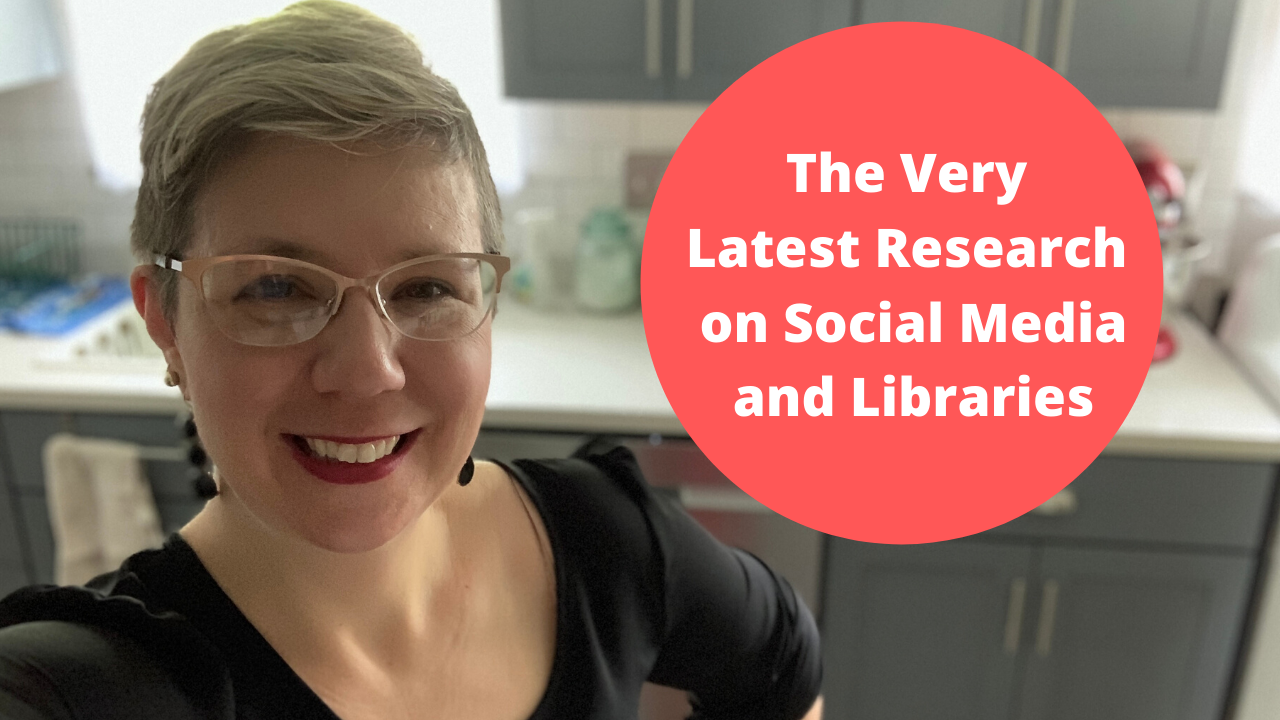
In this episode,  I’ll share the latest research on how the #COVID-19 or #Coronavirus pandemic is affecting social media marketing. This research comes from Rival IQ.

I mentioned I’m doing three live webinars this Thursday, March 26 on social media marketing for libraries for EBSCO. The content is all the same for each so register for the time that’s best for you here.

Also Kudos to the Peters Township Public Library in McMurray, Pennsylvania. Like many libraries in the US, they are closed to the public but they created a Hogwarts Digital Escape Room that is pretty fantastic.  

More Help

Library Marketing During a Pandemic: Tips for Working from Home or the Office and Dealing with the Stress of a Crisis

Self-Care for Library Social Media Staff in the Midst of a Crisis like #COVID-19

If you have a topic for the show, kudos to share, or want to talk to me about library marketing, contact me using this short form.

← Back

Thank you for your response. ✨

Want more Library Marketing Show? Watch previous episodes!

Check the Upcoming Events page to see where I’ll be soon. Let’s connect!

This blog consists of my own personal opinions and may not represent those of my employer. Subscribe to this blog and you’ll receive an email every time I post. To do that, click on “Follow” button in the bottom left-hand corner of the page. Connect with me on Twitter, Instagram, and LinkedIn.   
Self-Care for Library Social Media Staff in the Midst of a Crisis like #COVID-19

Watch Now

In this episode, Angela shares tips for self-care for anyone who is trying to manage a library social media account in the midst of a crisis, like a global pandemic.

More Help

Library Marketing During a Pandemic: Tips for Working from Home or the Office and Dealing with the Stress of a Crisis

How Libraries Are Responding to the Coronavirus Threat and How Your Library Can Prep for Any Crisis

Plus kudos go out this week to the Lake Macquarie Library system in Australia. They have a new app and it’s pretty darn amazing.

Subscribe to this series to get a new video tip for libraries each week!

If you have a topic for the show, kudos to share, or want to talk to me about library marketing, contact me using this short form.

← Back

Thank you for your response. ✨

Want more Library Marketing Show? Watch previous episodes!

Check the Upcoming Events page to see where I’ll be soon. Let’s connect!

This blog consists of my own personal opinions and may not represent those of my employer. Subscribe to this blog and you’ll receive an email every time I post. To do that, click on “Follow” button in the bottom left-hand corner of the page. Connect with me on Twitter, Instagram, and LinkedIn.   

A WordPress.com Website.

Up ↑