Search

Super Library Marketing: Practical Tips and Ideas for Library Promotion

Tag

improving library social media

๐Ÿค– Let the Robots Help: How ChatGPT Can Make Posting to Social Media Faster and Easier

Watch this video now

#LibraryMarketing Show, episode 232

I have a new trick that I use in my own workday for posting across multiple social media platforms. It helps me stay within best practices in terms of post length. And this is one of those instances in which the robots are very helpful!

I will show you exactly how I do this, in this episode.

Plus, kudos go to an academic library that uses Instagram Live to build excitement and engagement.

Do you have a suggestion for a topic for a future episode? Want to nominate someone for kudos? Let me know here. And thanks for watching!โ€‚


Miss the last episode? No worries!

Will I see you soon?

Subscribe to this blog and youโ€™ll receive an email whenever I post. To do that, enter your email address and click on the โ€œFollowโ€ button in the lower left-hand corner of the page. You can also follow me on the following social media platforms:

Threads: Is It a Dud or the Next Big Thing in Library Marketing?

Watch this video now

#LibraryMarketing Show, episode 205

๐Ÿ•ฆ It’s been more than a month since Threads was released into the world. And I’ll be honest…

I still have no idea what to think of the newest social media platform.

Every day that goes by I wonder… is it going to be the next big thing in library marketing? Or is it an experiment doomed to fail?

I’ll share what experts are saying in this episode.

Do you have a suggestion for a topic for a future episode? Want to nominate someone for kudos? Let me know in the comments.

Thanks for watching!


Miss last week’s episode? No worries!

Will I see you soon?

Subscribe to this blog and youโ€™ll receive an email whenever I post. To do that, enter your email address and click on the โ€œFollowโ€ button in the lower left-hand corner of the page. You can also follow me on the following social media platforms:

How to Manage Your Library’s Social Media Promotions in Ten Minutes a Day!

Watch the video here

The #LibraryMarketing Show, Episode 183: Are you the only person handling your library’s social media promotions? Do you have about 1000 other tasks you need to complete at work each day?

You don’t have to sacrifice your library’s social media presence just because you’re short on time. In this episode, I’ll show you how to manage library social media in ten minutes a day or less!

Plus we’ll give away kudos to the Niles-Maine District Library.

Do you have a suggestion for a topic for a future episode? Want to nominate someone for kudos? Let me know in the comments.

And please subscribe to this series on YouTube or follow me on LinkedIn to get a new weekly video tip for libraries.

Thanks for watching!


Subscribe to this blog and youโ€™ll receive an email whenever I post. To do that, enter your email address and click on the โ€œFollowโ€ button in the lower left-hand corner of the page. You can also follow me on the following social media platforms:

The One Social Media Shortcut That Can Tank Engagement and Cost Your Library in a Pandemic–or Anytime!

I know work is hard right now. But there is one time-saving social media marketing technique that libraries should avoid at all costs.

Libraries should avoid cross-posting on social media. Cross-posting is when you post the same text and graphics in a message across multiple social media networks.

I get why many libraries cross-post. Cross-posting is easy. It saves time and energy. And library staff have a lot of work to do. Even when there is no pandemic to deal with, librarians are often asked to take care of marketing along with their regular duties. But the detrimental effects of cross-posting outweigh any time you might save doing it.

Why cross-posting is a bad idea

Cross-posting is a bad idea because social media platforms are different. They have different standards for post length, image size, hashtags, links, and captions.

For example, LinkedIn is more copy-heavy and formal. Instagram is more visual and informal. Twitter is more suited to short quotes, threads, and GIFs. Pinterest is graphic-heavy. One post with the same text and photo can’t be all those things.

An image you post on one platform may not be sized for another platform. It may end up stretched, pixelated, or squished. This will hurt your ranking and engagement.

Speaking of engagement, the metrics are different for each platform. On Facebook, you’re aiming for likes, comments, and shares. On Twitter, you want retweets and replies. On Pinterest, you want comments and re-pins. One post can’t generate all those things.

Your followers are also different depending on the platform. Twitter users are overwhelming between the ages of 18 and 44. LinkedIn users are more likely to have a college degree than users of other platforms. 70 percent of Pinterest users are women. Every platform has a unique demographic with different needs.

When you cross-post, you risk looking inauthentic and spammy. Your posts will feel like they’re auto generated and robotic. It may look like you donโ€™t care about what you post on your account or worse, that you don’t know you to use social media.

Your audience will respond negatively by not responding at all. That hurts your standing in the algorithm. It can have a negative effect on your reach.

What to do instead

Cross-promotion is better! Take your message and adjust it slightly to suit each social media platform. It’s much easier than it sounds.

First, you need a base message. What is the basic info you wish to convey? What is the action you want your followers to take? Answer these two questions in a two or three sentence nugget. This is your base message.

Then take that base message and adjust it for each of the social media platforms you wish to use. A tweak of a word or phrase here and there, an adjustment of an image, and a unique call to action are all you need to be authentic.

Westerville Public Library in Westerville, Ohio did a great job of tweaking this promotion for Twitter…

…and Facebook.

Here’s another good example of cross-promotion from Barlett Public Library District in Illinois. This is their Twitter post…

..and the same message tweaked for Facebook.

Decide how much time your library is willing to invest on social media. Smaller libraries will want to concentrate on the platform or platforms that will give their library the most benefit. If you are pressed for time, pick the platforms that perform best for you or the platforms where the audience you wish to target is using. If that means you only post on one social media network, it’s okay. Quality is better than quantity.

Use a scheduling tool. There are plenty of free scheduling tools that will help you to share your social media messages without cross-posting. I have used the free version of TweetDeck for my personal social media for years. You can schedule lots of posts in advance and the metrics are great. I recommend it for libraries without the budget for scheduling software.

At my former library job, we had a paid account with Sprout Social. It was easy to use and had more cross promotion capabilities than TweetDeck. I recommend it if you have money for a paid scheduling platform.

More library social media advice

How #COVID-19 is Impacting Social Media Marketing and What That Means for Libraries

Self-Care for Library Social Media Staff in the Midst of a Crisis like #COVID-19

What Metrics Demonstrate Your Libraryโ€™s Social Media Marketing is Working?

How to Reverse Engineer Your Library Marketing Social Media Audiences!

Subscribe to this blog and youโ€™ll receive an email every time I post. To do that, click on the โ€œFollowโ€ button in the bottom left-hand corner of the page. Connect with me on YouTube, Twitter,ย Instagram, and LinkedIn. ย 

The Five Most Pressing Social Media Problems Faced by Every Library Marketer

This may mean I’m weird but one of my favorite things to do is check for information about social media on the Social Media Today website. And I’m a little obsessed with their monthly statistics report, which they publish in easy-to-digest infographic form. I spend a few minutes each month looking that report over just to make sure my library is still justified in posting on social media. I can also get new ideas for library marketing engagement on social media based on trends. This is fun for me. So yeah, I’m weird.

Data is always helpful. But social media is moving target. And many library marketers are busy doing other tasks as part of their job descriptions.ย We want to use our time efficiently.ย  And we want to be effective.

I’ve gathered the most pressing questions about social media from some of my readers. Let’s lay out some answers and resources to help make your job easier.

What social media platforms should we post on? The answer to this really comes down to your strategy. What is your library trying to accomplish? Who is your target audience?

I love that monthly report from Social Media Today because it tells me why people use each social media platform. You can use that report to decide where you should post based on your library’s strategy and goals.

You must also consider how much time your library is willing to invest on social media. My library posts on Twitter, Facebook, Instagram, LinkedIn, and Pinterest because each of those platforms aligns with some portion of our library’s overall strategy. But I am not going to lie to you: that’s a lot of work. I’m lucky to have several staffers who work together to post. And it’s still really hard for us to keep up.

Smaller libraries will want to concentrate on the platform or platforms that will give their library the most benefit. Quality is better than quantity. It’s okay to only post on one platform!

Further reading

The Top 21 Social Media Sites to Consider

How often should I post on social media? Posting on social media is a scientific attempt. You should set a reliable cadence. You’ll want to be consistent with your posts. Track the results and adjust your posting schedule based on the results.

Based on our experience at my library, here’s what I recommend as a starting point:

Facebook: No more than once a day

LinkedIn: Once or twice a day

Instagram stories: At least once a day

Instagram feed: Two to three times a week

Twitter: Five to 12 Tweets a day, plus retweets and responses. On Twitter, you should repeat tweets at intervals. The feed is a moving target and unless someone is scrolling through at the exact moment your tweet goes out, they’ll miss it. Users rarely go to a page to see a library’s full schedule of Tweets!ย  It’s also okay to post 24 hours a day. There are people who are awake at 2 a.m. scrolling through Twitter!

Pinterest: Several organic Pins each day (something created by you and leading to your library’s website) plus as many curated Pins as you need to stay aligned with your strategy. An easy way to get those organic Pins onto your boards is to Pin the best new books from your collection. If you have a blog, you can also post content from that.

Further reading

How Often to Post on Social Media

The Truth about How Often to Post on Social Media

Does our library need to buy a Facebook ad to get any organic reach and, if so, how much should we spend? The short answer to this is yes. You’ll need to spend money on Facebook ads or boost your Facebook posts to see any significant organic traffic for your other Facebook posts. That’s the sad fact of it. (can you tell my enthusiasm for Facebook is waning?)

That said, you don’t have to spend much money at all. Most libraries can spend about $2-3 a day to boost a post or promote an event and see results. Facebook gives you a lot of control and help in choosing a target audience. As always, you’ll have to look at your library’s overall strategy to determine which posts to spend money on.

Further reading

Facebook for Nonprofits-10 Tips

Why Facebook is a Waste of Time and Money for Nonprofits

How can I get more followers on my social media accounts? Please stop focusing on follower counts. I want libraries to focus instead on engagement. It’s kind of like speaking at a conference. You might be thrilled at the prospect of talking to a huge group of people. But if half of your audience is yawning or looking at their phones, what is the point? It’s much more meaningful to speak in front of a small room of people who are riveted by what you have to say.

That’s how I look at social media followers. I don’t care how many followers my library has on any social account. I want people who want to engage with our content. Focus on shares, likes, and comments for posts and not the number of followers.

Further reading

Why You Social Media Follower Count Doesn’t Matter

Should we have a team of people posting to social media or should we take a centralized approach? I am an advocate of centralized social media posting. If you have one or two staffers who post to all your social media accounts, you can preserve the brand voice and protect the security of your accounts. However, one or two people cannot know everything that’s going on in your library system. So create a team of contributors, who send post suggestions, photos, and videos.

Further reading

Protect Your Library Social Media Accounts From a Security Breach

Subscribe to this blog and youโ€™llย receiveย an emailย every time I post. To do that, click on โ€œFollowโ€ button in the bottom left-hand corner of the page. Connect with me on Twitter,ย Instagram, and LinkedIn.ย I talk about library marketing on all those platforms!

Sensational and Free (or Cheap) Social Media Scheduling Tools

A well thought out social media strategy is only half the battle for library marketers looking to reach audiences without spending budget. Once you decide who you will talk to, and what you will say, it’s time to figure out how to physically get those posts scheduled.

I’ve scoured the web for scheduling tools and tried them out to see which ones will work for libraries. Some tools are better for people who must share accounts with lots of contributors. Others work best for single person teams. Some work well for libraries posting on only a few social media platforms. Some are meant for larger systems with wide strategies.

My list does not include schedulers that only allow you to schedule posts on one platform, like Tweetdeck. That is inefficient for any library system. I also recommend some paid plans, but only the ones that offer the most features for the least amount of money.

Before we get to the list, I want to address a myth about scheduling social media posts. I’ve heard lots of marketing “experts” say that it’s wrong for brands to pre-schedule social media posts. Their argument is that a pre-loaded social media platform is inauthentic. I call bullshit. Your cardholders don’t care if you are posting something live or using a scheduler. If the post comes across as inauthentic, it’s because it’s not written well!

There are good, data-driven reasons for scheduling social media posts. If you’re watching the data and engagement of past posts, you can use your scheduler to give your audience what they want, when they want it. You don’t have to worry that you’ll forget or get distracted. Pre-scheduling also gives you time to create honest and meaningful text and graphics. It’s not lazy. It’s incredibly smart.

Now, there in one warningย I must share about scheduling posts in advance. You may run into a situation where you’ve pre-scheduled a post and something happens that makes the post irrelevant. For instance, if you schedule a post to promote an event at a branch and then something happens that causes that branch to close unexpectedly. That’s just something to keep in mind as emergencies arise in your system. Your checklist of things to do in an emergency should include checking your pre-scheduled social media posts.

Here are the tools I think are best for social media post scheduling.

Hootsuite

The free plan lets you schedule on three platforms. You can pre-load 30 messages at a time. My favorite feature is the boost plan. If you have money for social media ads, you can boost posts through Hootsuite instead of going to each individual platform. That’s super convenient. There are also analytics and free social media courses.

Buffer

This site’s free plan also lets you post on three platforms. You can pre-load 10 messages per platform. It includes a link shortener, an image creator, and the ability to upload videos or GIFs. If you want more capability, their most basic “Pro” plan is $10 a month and lets you post on eight platforms and schedule up to 100 posts in advance. One note: you must pay the Pro rate for the analytics capability on Buffer. Analytics are not included in the free plan.

Zoho Social

Their standard plan is the most robust I found in my research. For a little more than $8 a month, two team members can post on eight different channels. The plan includes analytics, the ability to pause and resume posts, a link shortener, and other features. There is a free plan, which lets one person post on all the channels, but you can’t schedule posts ahead of time.

Friends + Me

This site’s free option gives you the ability to schedule on two platforms, with up to five posts on each platform. That’s not super helpful unless you have time every day to schedule posts or are not active on social media. However, the site’s bottom tier paid plan is $7.50 a month and gives you a ton of features– you can pre-load as many as 500 posts to five platforms. 10 people can also use the platform on this plan. I think that’s a good deal.

Crowdfire

Crowdfire’s free plan lets one person post on the big four social media platforms (Twitter, Facebook LinkedIn, and Instagram) with up to ten pre-loaded posts per platform. But I would actually recommend the first level paid plan, call Plus. For about $7.50 a month, you get access to Pinterest and 100 pre-loaded posts, plus a pretty robust analytics tracker, hashtag recommendations, and no ads on the mobile site.

Subscribe to this blog and youโ€™llย receiveย an emailย every time I post. To do that, click on โ€œFollowโ€ button in the bottom left-hand corner of the page. Connect with me on Twitter,ย Snapchat, and LinkedIn.ย I talk about library marketing on all those platforms!


How to Create a Social Media Strategy That Actually Works

The most effective, free marketing tactic in the library marketing professional’s toolbox is social media. Personally, I love it. I think it’s fun. And interesting. And despite the trolls, I’ve made some actual friends and professional connections in the social space.

For my library, it’s the easiest way to get our message to the masses. But with so many platforms intended for different audiences, it’s also overwhelming. Should you post on every channel?ย  What should you post? How often do you have to post? If you work alone, you need to be efficient. You don’t want to spend a lot of time experimenting with social media. You want to know what works, and how to be successful. You need goals.

A few months ago, Marcy Timblin,ย Public Relations Specialist at East Bonner County Library, sent me this email:ย You always have such timely, comprehensive advice for getting the most out of social media marketing for libraries. I dream of putting it all together to formulate an amazing social media plan that I can implement โ€“ even though I am the “numero uno” social media marketer at my library district.”

I appreciate the vote of confidence. Really, any success in the social media space centers on strategy. A strategy lets you take your library’s overall strategy and use social media to make those goals a reality. But telling you to have a strategy and putting one together are two totally different things.

I am blessed with a social media specialist on my staff. Part of her job is to create and maintain our specific social media strategy. And it’s a big job. We’re a large library system (41 locations, 600,000 cardholders) and we post on multiple channels (Facebook, Twitter, Instagram, Pinterest, LinkedIn, and Tumblr). It takes time to sort out how to make each channel work for us. But we do have a process for creating a strategy.ย Here is how we do it.

Consider what you already know. Go through each of the social media platforms that your library already uses. Look at the analytics for those platforms. How are people using the platform? Which kinds of posts do they respond to?

Most platforms now offer analytics (Facebook is best by far) so you can evaluate success. And if your library is using a scheduling platform to manage your social media posts, you can use those analytics. For those libraries posting organically on platforms without the use of scheduling software, there are options for free analytics. Readย this blog articleย to find one that works for you.

In this step, you are looking to replicate past success and trim past failures. You may find a platform you are using that is not working for you. Drop it. You may also discover a platform that is working really well for you. Concentrate your efforts there.

What are your library’s goals for the year? As with everything you do in library marketing, your social media work must be in service of advancing your library’s overall goals. So, get that list in front of you for the next two steps.

Create a mission statement for each social media platform. Look at your library’s goals for the year and what you know about each platform. Then write a one to two sentence mission statement for each of the social media platforms, lining up your library’s goals with the current audience for that platform. This mission statement should be something your staff and your cardholders will understand. Here’s an example:

LinkedIn: Discover career advice, business tips, and free resources that will help you succeed at work.

Twitter: Get regular updates on our collection, library events, and the literary and entertainment world.

Instagram: Photos tell the library’s story, one snapshot at a time.

And so on. Once you have created the mission statement for the platforms, you can create a persona for the people who will follow you on that platform. The mission statement and persona will help you visualize your audience every time you post. You’ll be able to connect with them because you’ll know who they are, and what they expect from you.

Experiment with scheduling. Look at your current analytics to see which time of day and day of the week work best for social media posts. Use that as a starting point for deciding when and how often you’ll post. Be consistent with your posts. And set a cadence that you know you can keep up with.

Track metrics and be flexible but not overly reactive. It takes time to achieve your library goals using any kind of marketing. The exception is social media. That’s because the platforms themselves are transforming and changing at a rapid and unpredictable rate. Algorithm adjustments and new features can throw off your strategy.

Here’s my general rule: keep an eye on changes in the social media landscape. When a big change occurs, like when Facebook changes its algorithm, sit tight for a while. Give it a month at least and see how the platform’s change affects your reach. Watch to see how your audience reacts. Watch to see how other brands adjust based on the change. Then, if you see your reach is changing negatively or positively, make the adjustment. Don’t wait until your strategy cycle (six-12 months maximum) is over to make your change. You’ll lose months of audience reach if you wait.

Never stop researching. I follow a couple of websites and podcasts religiously to keep up on social media trends. Of all the marketing tactics, that’s the one that takes the most personal learning upkeep! I rely on the Social Media Examiner Podcast, Social Media Today, Social Media Explorer, and Rebekah Radice.

Subscribe to this blog and youโ€™llย receiveย an emailย every time I post. To do that, click on โ€œFollowโ€ button in the bottom left-hand corner of the page. Connect with me on Twitter,ย Snapchat, and LinkedIn.ย I talk about library marketing on all those platforms!

Get More Library Marketing Reach on Social Media

Every library marketer I know is fighting a battle for the attention of cardholders on social media. Platforms don’t make it easy for us, do they? The kind of organic reach we enjoyed even five years ago is a nearly unattainable now. Plus, we’re all stretched for time. Social media can feel like an endless treadmill or a giant monster that needs constant feeding.

But there one thing you can do to stretch your library marketing efforts further each day on social. It’s called re-purposing. Basically, you take original content created by you or content created by your fans. You reshape it, then share it on different platforms. It’s easy and it’s fun. It saves time. And it helps you get the most effective library marketing messages in front of more eyes.

Now, I want to say that I don’t recommend full cross posting… in other words, copy and pasting a post on one social media platform automatically onto another one. Always think about whether your audience really wants to see the same content on each platform. The answer is usually no. Different platforms have different audiences with different needs.

But you can take a post on one platform and re-craft it to work on a second or third social media platform. For instance, an Instagram story shot at a super-fun teen program probably won’t work on your library’s LinkedIn page but it could be re-purposed on Snapchat. You can also make minor changes to single posts to make them work on different platforms. Change the text or the captions of the posts, add or remove hashtags, and or use a different photo.

Here are some tips for spotting social media posts that can be re-purposed.ย First, make a daily habit of social listening. Essentially, that means you monitor mentions of your library on all social media platforms every day. It’s easiest to do when you use social media scheduling software. At our library, we use Sprout Social. We can see mentions of our library on Instagram, Facebook, and Twitter, which are the big three platforms where we spend most of our social media energy. For my personal blog promotion, I have a free version of Tweetdeck. I can add columns and get notices when readers mention me by name or through the hashtag #librarymarketing on Twitter, where I do my main promotion.

When you monitor and share mentions of your library, you are nurturing the relationship with people who are already fans of the library. By giving them some exposure on your social media channels, you’ll be generating exposure for them and creating more loyalty.ย However you decide to do social listening, set aside time every day to go through the platforms and look for mentions of your library. The complimentary ones can be turned into posts on other platforms. They can be shared directly with your followers in retweets.

Ask for testimonials from your cardholders through social media. Then share those posts in your print publications, on your website, in videos, and across other social media channels. My social media specialist likes to take mentions and turn them into testimonial graphics in Canva. Then she shares those posts on select platforms. Bonus tip: I also asked for testimonials using our email marketing list recently. I sent an email to the most active adult cardholders at all our branches and asked them to tell us why they loved their library. The email linked to a specific email address. I even populated the subject line. All the cardholder had to do was type a few sentences about why they love the library. I got back more than 400 responses… a gold mine of future content for all our platforms!

You can also turn all questions sent to you on social into re-purposed content. Cardholders will often choose social media to communicate with libraries. There’s a great book with lots of tips of social customer care. I interviewed the author earlier this year and you can read that post. You’ll learn lots of ways to make social media customer care work for your library. The trick again is to set aside time every work day to go through each platform. And to keep track of the platforms where your library is mentioned.

And now, I’m going to share a social media fail I suffered recently. I forget that Google Business existed! My boss checked our account and found dozens of questions posted on Google Business sites for our 41 library locations. Now, I go through the messages my library gets each day. With 41 locations, we get about five messages a day on that platform. Some are questions about things like branch hours or services. I try to answer all questions within 24 hours if possible. Many posts are people leaving specific reviews of branches. Those people are thanked by me with a personal message. The whole process takes maybe 10 minutes a day. But the quick interaction will leave cardholders who take the time to write to you feeling like they were really heard, and that’s extremely important. And now, I can take the best of those Google reviews and re-share them on other platforms. They work great because they often mention specific branches and staff members. They feel more personal to the people who live in those neighborhoods because they know that branch and staff.

Re-purposing content is a great way to stretch your library marketing reach. It’s relatively easy and it’s fun and it’s free. And here’s the big thing: many for-profit brands are not doing a good job of re-purposing content. That’s our advantage. Our cardholders love us, and they love to hear other fans rave about our work. So set aside a tiny block of time in every day to search for content that can be re-purposed.

And now, I have a favor to ask. If you didn’t see last week’s post, can you take three minutes to fill out my tiny little survey? It’ll help make this blog better in 2019. Thank you!

Subscribe to this blog and youโ€™llย receiveย an emailย every time I post. To do that, click on โ€œFollowโ€ button in the bottom left-hand corner of the page. Connect with me on Twitter,ย Snapchat, and LinkedIn.ย I talk about library marketing on all those platforms!

The One Mistake Your Library Can Never Make On Social Media

I was riding furiously on my parent’s elliptical machine, trying to distract myself from the fact that I absolutely HATE exercise by scrolling through Facebook, when I came across a post that nearly made me fall off the machine.

It was on a politically charged page dedicated toย libraries. And it advocated the use of clickbait for driving engagement. I won’t post the example this person used here. It was a provocative post but it wasn’t well-constructed. There was no image and no link for action. It was also posted by a librarian, not a library. I suspect he was just trying out the line on the fly to gauge the reaction. It doesn’t really matter what his motivation was or how it played with his audience. And to be fair, the post technically was not clickbait. Clickbait is the act of writing a headline or a post that over-promises, oversensationalizes or misrepresents whatever content you are linking to. The easiest clickbait headlines to spot are the ones that contain the words “You’ll never believe” or “What happened next will shock/embarrass/outrage you.”

What matters to me is the assertion that libraries need to resort to clickbait to get followers to like, comment, and share their posts. You absolutely do not. And in fact, you should avoid clickbait at all costs.

Listen, we’ve all fallen for clickbait headlines before. I am a sucker for those slideshow galleries of photographs that promise to show me something shocking or new about historical events.ย  But once you’ve scrolled through a gallery of 45 shots and realized you haven’t seen anything new or shocking, you leave mad and vow never to visit that particular website again. We do not want to cause anger, disappointment, and distrust in our users. Using clickbait in posts could do serious damage to your library’s reputation. As an arbiter and protector of truth in an era of attacks on facts, we need to hold ourselves and our social media accounts to a higher standard. Clickbait headlines might get you more initial clicks, but they won’t deepen the relationship your cardholders have with your library.

We’re all fighting to get noticed in each of social media platforms. Algorithm changes mean we have to craft every post to match the demands of that particular platform. It’s exhausting. The temptation to use a clickbait headline to get more engagement is real, and I understand why it might seem like a good option. But it is not. We are better than that.

Your cardholders are smart. Treat them as such. Speak conversationally and openly, but don’t be sensational. You’ll be rewarded by your fans in trust, loyalty, and respect. And those three things are way more valuable than any engagement numbers you might garner in the short-term thanks to clickbait.

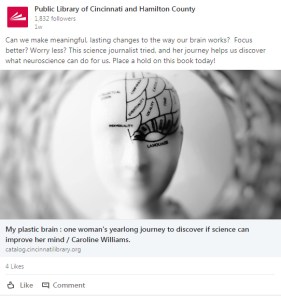
Instead, follow these guidelines for creating headlines with examples from my library’s social media platforms. Kudos to my library’s social media team for their amazing work: Danielle, Lisa, Veronica, and Andrea!

  • Be inspirational

  • Use keywords

  • Answer questions

  • Promote facts and figures

Incorporate numbers when possible

Subscribe to this blog and youโ€™llย receiveย an emailย every time I post. To do that, click on โ€œFollowโ€ button in the bottom left-hand corner of the page. Connect with me on Twitter,ย Snapchat, and LinkedIn.ย I talk about library marketing on all those platforms!ย 


A WordPress.com Website.

Up ↑