Search

Super Library Marketing: Practical Tips and Ideas for Library Promotion

Category

digital marketing

Are You Sure Your Digital Library Promotions Are Working? Gain Confidence and Take the Guesswork Out of Marketing in Five Minutes a Day!

Photo of the Old Main Library reading room for the blind, courtesy Cincinnati & Hamilton County Library

The Town Hall Library in North Lake, Wisconsin occupies a quaint white building with black shutters that looks like it might have once been a church. It serves a population of about 10,000 residents and its website says itโ€™s โ€œknown for its friendly service and varied collectionโ€.

The library’s summer reading program has two more weeks to go. But Town Hall Library is already taking the data from the program and putting it to use in its promotions.

The Library created a Facebook post that leads to an infographic, which lays out the number of participants, visitors, programs, and pages or books read in plain, easy-to-understand details.

Libraries have long counted circulation statistics, program attendance, minutes logged during summer reading, and the number of visitors who walk in and out of their building on any given day.

Theyโ€™ve taken those stats and created videos and infographics. They’ve used those numbers to win awards. And they share that data to prove their value to their community, donors, legislators, and whoever controls their budget.

I wish libraries would measure their digital marketing with the same dedication. That data is crucial to figuring out which library promotions are working.

Metrics are the key to confidence in library marketing.

When I ask libraries if they measure their digital promotions, here are the three most common answers I receive.

โ€œMeasurement is hard.โ€

โ€œWe think weโ€™re reaching our community.โ€

โ€œIt seems like our promotions are effective.โ€

My co-workers often describe me as โ€œa data nerd.โ€ And itโ€™s true. But Iโ€™ll share a secret with you. My love of numbers is rooted in insecurity.

Thatโ€™s because promoting your library can be scary. I often donโ€™t know exactly which of my choices will work.

And when Iโ€™m facing a decision that could either lead me to a successful promotion or a total failure, I lean on the numbers to help me decide.

If you are not tracking the results of your digital library marketing, you are setting yourself up for failure. You may think you are doing a decent job.

But the only way to know if you are truly connecting with your community is through the consistent measurement of your digital promotions.

Measurement of digital library marketing is necessary and transformative.

Metrics are a game changer for your digital marketing.

They tell you what is working so you can replicate that success. They tell you what isnโ€™t working so you can stop doing those things.

They give you the proof, in the form of data, to back up your decisions. They can justify more budget for things you need to reach your audience.

And most important, data holds information about when and where your specific audience wants to receive promotional messages from your library. Youโ€™ll also learn their favorite types of content.

Digital marketing metrics every library must track

On a basic level, every library should consistently track the following metrics.

Email

  • Open rate: the percentage of people who receive your email and open it.
  • Click-thru rate: the percent of people who click on something inside your email.
  • Actions taken by email subscribers: did they register for a program, check out a book, or use a database after receiving your email?

Social media

  • Reach: total number of people who see your content.
  • Impressions: the number of times your content is displayed. Impressions will always be higher than reach because your content may be displayed more than once to the same people. That might sound like a waste of time. But a high impression count means the social media platform you are using thinks your content is so good, that they want to make certain people see it!
  • Engagement: the number of times people take an action, such as liking, commenting, or sharing your post.

Website

  • Number of visitors to your website
  • Number of new visitors versus the number of returning visitors
  • The length of time visitors spend on your website
  • Traffic sources that determine how visitors find your website

What this data will reveal about your digital library promotions

At the basic level, measuring your promotions will ensure that you are using your valuable time and energy in the place where it will be the most effective.

Data can also help you make sure you create more effective promotions! Leslie Marinelli is Communications Manager at Forsyth County Public Library. Sheโ€™s been closely monitoring the data around her email marketing.

She noticed her libraryโ€™s subscriber list got smaller and smaller each month, even though her library was signing up a substantial number of new cardholders every month.

Because she was monitoring her email metrics, she was able to uncover a hole in her subscriber list process. Fixing that process led to an increase in subscribers to her email list each month. And that means more people in her community will discover what the library can offer them.

Make measurement part of your daily library work schedule.

Block off five minutes in every workday to gather or analyze the metrics of your marketing and promotions. Honestly, it only takes five minutes a day.

Check the basic numbers listed above. Every. Single. Day.

Pretty soon, you’ll notice patterns. You’ll be able to predict the types of content that get the most engagement. You might also notice that promotions on certain days of the week get better results.

At the end of your first month, ask yourself what is working and what isn’t. And adjust your promotions accordingly.

Tracking metrics will lead to more effective promotions. It’s that simple!

Don’t Skip This Important Library Marketing Step


More Library Marketing Advice

Are My Library Email Metrics Goodโ€ฆ. or Bad?! Here Are the Latest Stats to Help You Figure It Out.

You Donโ€™t Have to Choose Between Print and Digital Books: How to Promote Your Collection to Patrons Who Use BOTH Formats

Subscribe to this blog and youโ€™ll receive an email every time I post. To do that, enter your email address and click on the โ€œFollowโ€ button in the lower left-hand corner of the page.
DONโ€™T Feel Conflicted About Digital vs. Print Promotions at Your Library! Hereโ€™s Why You Need Both. [VIDEO]

Watch Now

The Library Marketingโ€‹โ€‹โ€‹โ€‹โ€‹โ€‹โ€‹โ€‹ Show, Episode 133: In this episode, I’ll address a recent discussion in the chat of a virtual conference I attended.

The commenter said, “I struggle with marketing our digital collection when my goal is getting people back in the Library. I am thankful for our digital collection and how it meets the needs of patrons, but when patrons mostly use our digital collection, they donโ€™t come into the library. How should I be rethinking this?”

Kudos in this episode go to Rhone Talsma of the Chicago Public Library. Watch the video to find out why he’s being recognized.

Do you have a suggestion for a topic for a future episode? Want to nominate someone for kudos? Let me know in the comments. And subscribe to this series to get a new video tip for libraries each week.

Thanks for watching!


Subscribe to this blog and youโ€™ll receive an email every time I post. To do that, enter your email address and click on the โ€œFollowโ€ button in the lower left-hand corner of the page.

Marketing to Gen Z: The Top Three Tips to Help Libraries Attract This Important Demographic

Watch Now

The Library Marketingโ€‹โ€‹โ€‹โ€‹โ€‹โ€‹โ€‹โ€‹ Show, Episode 123

In this episode, I’ll share three tips from some recent research that will shed light on how to communicate with Gen Z in your library marketing materials.

Kudos in this episode goes to the Pflugerville Public Library. Watch the video to find out why they’re being recognized!

Do you have a suggestion for a topic for a future episode? Want to nominate someone for kudos? Let me know in the comments. And subscribe to this series to get a new video tip for libraries each week.

Thanks for watching!


Subscribe to this blog and youโ€™ll receive an email every time I post. To do that, enter your email address and click on the โ€œFollowโ€ button in the lower left-hand corner of the page.

12 Super Easy and Incredibly Effective Ways To Get More People To Sign Up for Your Libraryโ€™s Email Subscriber Lists

Photo courtesy Public Library of Cincinnati and Hamilton County Digital Library.

For libraries large and small, public, private, and academic, there is but one powerful promotional tool that you can use to reach as many people as possible.

Itโ€™s an email.

When you have limited staff, limited time, and an audience that is scattered across a large geographic area or is not comfortable coming into the building, email is the most effective method of communication. 

And while the digital divide is still a very real and present problem for many communities, access to the internet is improving.

The latest Pew Research Center study released in August of this year shows that rural residents have seen a nine-percentage point rise in home broadband adoption in the last five years. 72 percent of rural Americans have high-speed internet access. Smartphone ownership also rose nine percentage points among rural residents in the past three years. 

Thatโ€™s a significant portion of your audience thatโ€™s reachable by email. 

And the beautiful part is when you build a subscriber list, itโ€™s all yours. No algorithm can touch it! 

Segmenting your audience by their self-identified interests is the most effective way to market your library by email. Once youโ€™ve created your segments, the next step is to build your subscriber lists. Thatโ€™s your golden ticket to promotional success.

Here are 12 super easy ways to do that. 

Sign up people whenever you interact with them. 

Iโ€™ve got a thing for candles that smell like baked goods.

Every single time I stock up at Bath and Body Works or Yankee Candle, I am asked for my email at checkout. And I always give it to the cashier.

Why? Because I know Iโ€™ll be sent coupons. This means Iโ€™ll be able to enjoy the scent of sugar cookies or freshly baked apples wafting through my house without having to turn on my oven.

Every time your library staff talks with a patron, whether itโ€™s by phone, chat, at the desk, or at outreach events, they should be asking for their email. Train staff to ask for email at every opportunity.

Create a form sign up for holds and self-service checkouts.ย 

Some of our patrons prefer not to interact with staff. They love self-service. They may dart in and out of your building to get their holds. (Thatโ€™s me!)

For these low-interaction patrons, create a form as a bookmark. Ask for the person’s name and email. If you have segmented email lists, you can ask them to check off the ones theyโ€™d like to subscribe to. They can return the form when they return their items. Or, even easierโ€ฆ

Add an opt-in page to your website. 

Your bookmark can simply include the URL to a landing page on your library website where people can opt-in to your segmented lists. You might also include a QR code that takes people directly to your opt-in page.

An opt-in page is also handy for the next four suggestions.

Ask staff to include a link to your opt-in page in their email signatures.

Library staff send a lot of emails to patrons, community members, presenters, and stakeholders. They can help build your subscriber lists by including a line with an embedded link to your opt-in page in their email signature.

Start an opt-in campaign.

Send an email to your current subscribers and ask them to opt-in to other segmented lists. You can also give them the option to opt-out of any lists they may not be interested in any longer.

It may seem counterintuitive to remove people from your email list to grow your email list. But your current email subscribers are more likely to engage with other lists.

Also, their interests may have changed since they signed up. Give them the chance to update their subscriptions. They’ll be more likely to engage with the emails you send to them.  

Cross-promote your least popular list to subscribers of your most popular lists.

Experiment with cross-promotion to give your least popular lists improved visibility. Include a few teaser lines in your email or e-newsletter and a link to sign up.

Promote your lists on your social media cover photos or headers.

Pick a list to promote by looking at the demographics for each of the social media platforms your library uses. Youโ€™ll be able to pinpoint which of your segmented lists will resonate the most with the followers of that platform.

Or you can highlight your opt-in page, where people can choose from all your lists. Then create a high-quality graphic and include instructions for signing up in the caption, and watch your list grow.

Share email previews on your libraryโ€™s social media accounts.

Sharing a portion of your emails or e-newsletters is a great way to attract your audiences and entice them to join your email list.

Doing this demonstrates the value of your library and your email messages. Community members will be more likely to sign up if you give them a preview of what youโ€™ll be sending them.

Promote your emails in your YouTube video descriptions.

Include a plug for your email lists every time you upload a video. One line at the beginning or end of your video description is all you need.

This is especially effective if you create a how-to video. Tell your viewers that they can sign up for more informative content and instruction by clicking the link in your description.

Promote your emails on your blog

For every blog post you publish, include a line that asks readers to sign up for one of your subscriber lists.

This works well when you match the content of the list with the content of your blog post.

Put the โ€œask lineโ€ somewhere in the first two-thirds of the blog post to catch readers who might not read your post all the way to the end.

Encourage subscribers to forward your emails.

Include social sharing buttons and an โ€œEmail to a Friendโ€ button in your emails. Also, at the bottom of your emails, include a โ€œSubscribeโ€ call to action with a link so that the people receiving the forwarded emails can easily opt-in too!

Send great content.

If your emails are informative and interesting, your library will get a reputationโ€ฆ a good one.

Your communications will be viewed as valuable. People will always look forward to receiving your emails. Theyโ€™ll be more likely to forward them to their friends, family, and co-workers. And this will help you to gather additional subscribers.


You Might Also Want to Read These Articles

Timing Is Everything: How To Determine the Perfect Day and Time To Send Library Emails

Looking for Guaranteed Email Marketing Success at Your Library? Here Are Four Essential Metrics To Track.

Subscribe to this blog and youโ€™ll receive an email every time I post. To do that, enter your email address and click on the โ€œFollowโ€ button in the lower left-hand corner of the page.
Three Design Tips For Creating Beautiful Social Media Graphics for Your Library

Watch Now

The Library Marketingโ€‹โ€‹โ€‹โ€‹โ€‹โ€‹โ€‹โ€‹ Show, Episode 108

In this episode, I’ll share three easy design tips for your library’s social media graphics.

Kudos in this episode go to the Carmel Clay Public Library for turning a vacant supermarket into a super cool library space.

Do you have a suggestion for a topic for a future episode? Want to nominate someone for kudos? Let me know in the comments.

And subscribe to this series to get a new video tip for libraries each week.

Thanks for watching!

Subscribe to this blog and youโ€™ll receive an email every time I post. To do that, click on the โ€œFollowโ€ button in the bottom left-hand corner of the page.

Read Now! Seven Surefire Tips To Create an Effective Call to Action for Any Library Marketing Piece.

Photo courtesy Public Library of Cincinnati and Hamilton County Digital Library. Catalog Department approx. 1946.

If you want your community members to do something, you must tell them what you want them to do. Explicitly.

That means you must add an amazing call to action for every promotional piece you create.

What Is a Call to Action?

A Call to Action, or a CTA, is a phrase that is used to tell the someone exactly what action to take and how to take it. ย It also implicitly provides the motivation for the recipient to take the action.ย 

A CTA can be as simple as two words โ€œRead Now.โ€ It may be longer: โ€œWant to take the next step in your career? Take a free career assessment test on our libraryโ€™s website.โ€

It may be a link to your website, catalog, chat service, or email box. It may tell community members to call a special phone number to speak with a librarian or visit a certain desk at the library to talk with staff.

The call to action gives the person consuming the promotional material the instructions for taking the next step to use library resources. It must be strong, clear, and commanding.

For most of us, the CTA is the last thing we think about when creating a promotional piece. Staff put their time and energy into creating the layout, adding the right image, making sure all the text details are correct, and timing the promotion for the perfect release.

But I encourage you to spend some time thinking through your CTAs early in the process of creating any marketing piece. Here are seven tips to remember when you create a CTA for any piece. Practice going through this list every time you do a promotion. ย 

Use positive, active language in your call to action. 

Think of your CTA like a commandment. If you could order your community member to do something, what would you say?

Some examples of positive, active language which apply to libraries are:

  • Read
  • Watch
  • Download
  • Create
  • Join
  • Learn
  • Donate
  • Explore
  • Discover
  • Enter

You can also add a sense of urgency to your CTAs by adding the word โ€œNowโ€ as in โ€œRead Nowโ€ or โ€œWatch Nowโ€.

Make your call to action as concise as possible.

For emails and digital signage try to keep your CTA between one and three words.

For flyers, bookmarks, posters, and videos, you can add a few more words like:

  • Register for this program
  • Place a hold on this book
  • Reserve your spot
  • Get the details
  • Sign up now
  • Read our step-by-step guide

For social media posts, a full sentence is good. But, on social media, put your sentence-long CTA into the text of your post, not as text inside the graphic or image you are attaching. If your CTA is in the image, use the one-to-three-word rule.

For blog posts, your CTA can be a longform sentence. Consider using bold text to draw the eye to that sentence. Or you can use a button (see the section on buttons below).

Try using the first person.

The marketing agency Unbounce did a fascinating study on CTAs and found that changing the text from the second person (โ€œRegister your child todayโ€) to the first person (โ€œRegister my child todayโ€) resulted in a 90 percent increase in clicks.

Your library can experiment using CTAs that say, โ€œReserve my spotโ€ or โ€œGet my personalized reading recommendations.โ€ You may find that the change makes a difference in the number of people who take an action after seeing your promotional message.   

Put your call to action in a brightly colored box or circle.

There is something psychological about the look of a button that will compel your recipients to click on it.

The color of the button matters. You want something thatโ€™s eye-catching. You may be limited in your color choices depending on your libraryโ€™s brand standards.

But, if you have room to experiment, read this fascinating post from marketing expert Neil Patel on color psychology. Then decide what kind of emotion or energy you want your CTA button to convey and choose the corresponding color.

CTA buttons work best in emails and newsletters. But try them also in promotions where you can’t click on a button, like bookmarks, flyers, posters, and digital sign promotions. The button will still serve the purpose of setting your CTA apart from the rest of the piece.

Put your call to action in the top one-third of whatever piece you are creating.

Moving your CTA โ€œabove the foldโ€ as itโ€™s called in the newspaper and magazine business, calls attention to the action you wish for your recipient to take.ย 

Add white space to the area around your call to action.

The extra white space helps create a visual break and draws the readerโ€™s attention right where you want it. Extra white space is also good for anyone reading your digital library promotional piece on a mobile device. It creates a clear area for fingers to click.

Try to use as few calls to action as possible.ย ย 

Youโ€™ll want to focus the energy of your reader on the next action you wish for them to take. If you offer them too many potential actions, theyโ€™ll be overwhelmed and less likely to do anything!

For most promotional pieces, youโ€™ll want only one CTA. This rule includes CTAs for email, digital signage, flyers, posters, bookmarks, social media posts, and videos.

The exceptions are blog posts and newsletters. For blog posts, my personal experience is that two or three CTAs work best. For newsletters, try to offer no more than five CTAs.

Did you notice where I took my own advice in this blog post?


Subscribe to this blog and youโ€™ll receive an email every time I post. To do that, click on the โ€œFollowโ€ button in the bottom left-hand corner of the page.

You May Also Find These Posts Helpful

Two Key Areas of Marketing Focus That Will Deepen Your Communityโ€™s Loyalty to Your Library and Create the Truly Engaged Library User

Try These Two Fun Tests To Improve the Effectiveness of Your Library Promotional Emails!

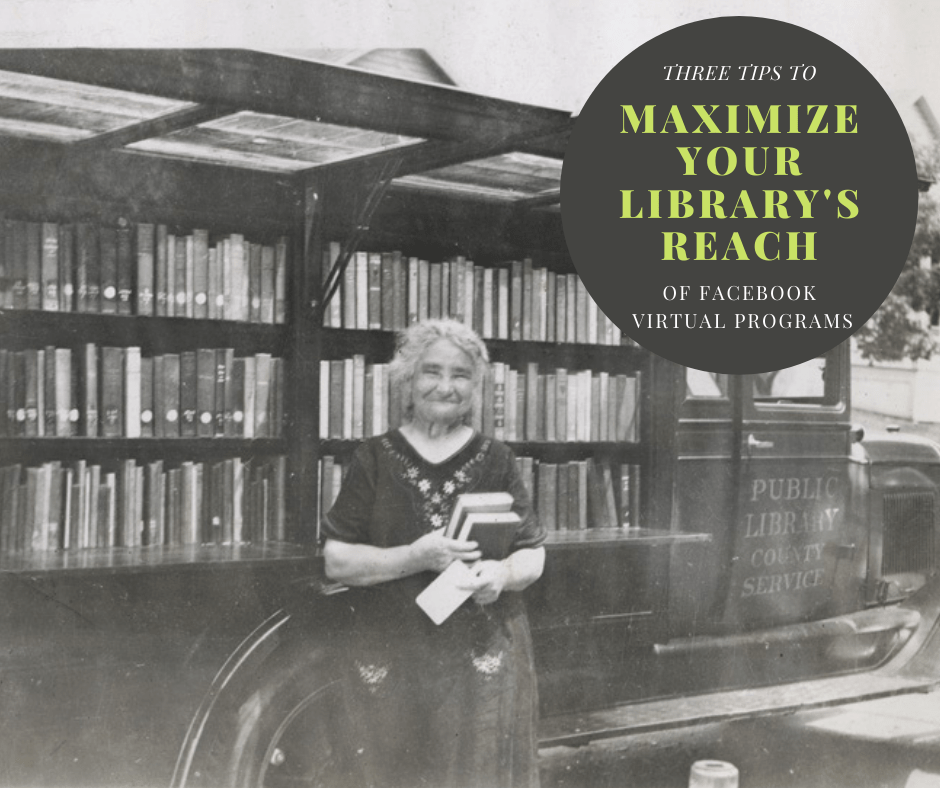
Going Live on Facebook? Here are Three Tips to Maximize the Reach of Your Library’s Virtual Programs

I don’t ever want to hear anyone tell me ever again that libraries can’t adapt and be flexible. My friends in the library world have proven their adaptability this year in dozens of ways.

The biggest sea change is around how libraries deliver programs to their community. Librarians shifted on a dime when buildings closed and limited service due to the pandemic.

One of the major changes came in the way libraries deliver programs. Almost every library I’ve worked with is now delivering programs live on Facebook. And they’re doing a fantastic job.

But many librarians say they have a hard time getting people to attend these live programs. They want more people to be a part of the livestreams.

It takes a lot of work to put a livestream virtual program together. And the more people who attend, the more likely they are to recognize the value of your library.

I’ve got some tips that will help you promote your Facebook livestreams to get more viewers.

Plan it out

Before you go live on Facebook, you ask yourself these questions:

What are my goals? Your main goal should be more than “I want to get 20 people to watch the livestream.” Think holistically about what you want your audience to get from your livestream. Be as specific as possible.

Some good goals are “To teach our audience how to search for articles, marriage and death notices, and other information about their families in our newspaper archive” or “To show viewers how to use the new feature updates on the Libby app from Overdrive to better manage their holds.”

A goal or goals for your live video will help you when it comes time to decide how you’ll structure your live and what you’ll say. It also gives you a measurable outcome that you can use to assess the use of live virtual programs.

What will my main message be? The main message is how you translate your overall video goal into a line that you can repeat in your promotion of the video and while you are live.

For example, if your goal is to explain those new features on the Libby app, your main message might be, “You now have more control over the e-books and audiobooks you check out from your library.” Repeating your main message in your video pre-promotion, during the video, and when you post the video on-demand will help drive that message home and make it stick in your viewer’s mind.

Who is my target audience? Readers of this blog know that the best way to have success in marketing is to pick an audience and market to them, rather than marketing to the whole of your cardholder base.

Picking a target audience is important when you’re working in Facebook, because the platform will pick up on any keywords you use in your program description. They’ll help you find those specific viewers by showing your organic post to people who may actually be interested in it.

Once you’ve answered these three questions, you’ll have a good foundation as you head into the stage where you promote your livestream.

Promote before you go live

Facebook suggests that you schedule an announcement post in Live Producer. That feature will automatically create a Facebook preview post. Your library followers can then set up a reminder to join the live broadcast.

You can also set up a Facebook event as a preview to your livestream. If you choose to go this route, be sure to explain that you’ll be going live on your main Facebook page, not within the event.

You can also create organic preview posts. Use an eye-catching graphic or photo and link to your virtual event calendar, where people can register to attend.

Registration for your virtual programs is a great option because it gives your library control over communication. Ask for your potential viewer’s email. Then, send them a reminder to watch from your own email marketing system.

In your reminder email, include other virtual program choices and collection items that compliment your livestream. You should also ask recipients to sign up for other email or newsletter marketing from your library.

Whichever option you go with, be sure to promote your livestream at least two weeks before it happens.

And don’t forget to promote your live program on your other channels, like in your email marketing, on your website’s homepage, or even with fliers or bookmarks that you slip into holds or curbside pickups.

Focus on the conversation

Your promotional efforts don’t end when you hit the “live” button.

Facebook will serve a notification of your live virtual program to people who may be scrolling the news feed while you are live. And the best way to get those notifications to happen is to make sure your audience is having a lively conversation.

To help facilitate the conversation, come up with a list of questions for viewers of your livestream before you go live. If the conversation with viewers lags during your livestream, refer to your list and ask the next question to spark comments again.

Now, that’s hard to do when you’re also the person who is hosting or talking during the livestream! So, ask one of your library co-workers with admin access to your library’s Facebook page to post a comment as the library.

You may also find these posts helpful

Virtual Library Programmersโ€“Heads Up! Hereโ€™s a Super Easy, Step-by-Step Plan to Establish a Style Guide for Your Library Videos

Butts in Seats: Which Video Metrics Count as Attendance in the New World of Virtual Library Programming?

Latest Book Reviews

Outsider by Linda Castillo

Our Time is Now: Power, Purpose, and a Fight for a Fair America by Stacey Abrams

Find more 60-second Book Reviews here.

Subscribe to this blog and youโ€™ll receive an email every time I post. To do that, click on the โ€œFollowโ€ button in the bottom left-hand corner of the page. Connect with me on YouTube, Twitter, Instagram, and LinkedIn.

Virtual Library Programmers–Heads Up! Here’s a Super Easy, Step-by-Step Plan to Establish a Style Guide for Your Library Videos

Photo Courtesy Public Library of Cincinnati and Hamilton County

There’s a trend in library marketing now. It’s born out of necessity and determination.

More libraries are producing videos. They’re using the format to deliver programs to their community. They’re using video to explain the value of their library, as they brace for the economic impact of the pandemic.

I’ve long been a fan of video library marketing. And, even before COVID-19, there was mounting evidence that video is an effective and engaging way to communicate.

Video is easy to produce, really. Anyone with a smartphone and some editing software can make cool videos that look professional. My 19-year-old taught herself to edit this week in about two days’ time. I imagine many of you are doing the same thing.

But there’s one step in the process you may have missed. And for this, I must thank Mary from Evergreen Park Library. She asked me to talk about creating a video style guide.ย 

Why you need a video style guide

Any content coming out of your library will need to look like it’s coming from your library!

It’s the same philosophy you may have for any print material you create. You likely have rules and specifications about the look of the text, the placement of the logo, the use of colors, and more. Even if your guidelines are just a few sentences, someone along the line has likely laid out the rules.

Your videos need a similar set of guidelines. We want people to be able to recognize your work on all platforms.

And once you create a video style guide, it’s important to make sure everyone who creates content adheres to it. It’s incredibly important that we reinforce your library’s brand to your community. We want them to immediately know the video was produced by your library. Later, when we need support for funding, they’ll remember your work and the value you provide.

Creating your video style guide

In your style guide, answer these questions.ย ย 

  1. Logo: How often will your logo be used in the video? Where does it need to appear on the screen? How big should it be? What color should it be? If you have several versions of your logo, which one will be used in videos?
  2. Fonts:ย What font should be used for onscreen text? What color does it need to be? How large should it be? When should it appear?
  3. Graphics: If your video creators are adding additional graphics, what colors are allowed? What style of graphic should they use? What program should they use to create them?ย 
  4. Video: How should shots be framed? What resolution do you want recorded? What aspect ratio will be allowed? Do shots need to be focused? Does video need to be stable or will you allow shaky shots?ย  ย ย 
  5. Audio: How loud should audio be in your videos? Should on camera talent use a microphone, headsets, or camera audio? If they edit music into the final product, how loud should the music be versus spoken words?ย ย 
  6. Talent: Which library staff members are permitted to record, edit, and upload videos? Should on-camera library staff wear something specific, like your library’s uniform shirt or a library branded t-shirt?
  7. Process: Is there a senior staff member who must give final approval for your video? How will the video be transferred between staff members at various stages of editing, approval, and posting?ย ย 
  8. Patron privacy: How do you go about getting permission from everyone who appears on camera, even in the background? This is especially important when library buildings reopen, and we start capturing video of patrons. Itโ€™s likely part of your library’s overall privacy policy. So, check to see what kind of permission you need to get from participants and set guidelines to make sure your video creators know that’s part of their responsibility.
  9. Liability and copyright issues: What music can your video creators legally use? What still photos can they legally use?ย  What extra footage can they legally use? Be explicit about fair use standards.ย 

Examples of video style guides

Pepperdine University

Oxford Brooks University

Washington University School of Medicine

You might also want to read these

Butts in Seats: Which Video Metrics Count as Attendance in the New World of Virtual Library Programming?

Videos Can Reach Library Users at Home Now and in the Future. Hereโ€™s Your Starter Kit.

Subscribe to this blog and youโ€™ll receive an email every time I post. To do that, click on the โ€œFollowโ€ button in the bottom left-hand corner of the page. Connect with me on YouTube, Twitter,ย Instagram, and LinkedIn. ย 

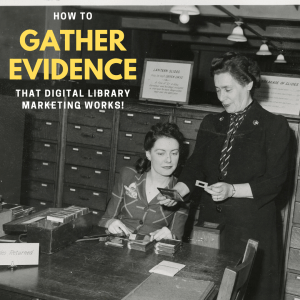
Now is the Absolute BEST Time to Prove Digital Promotions are Essential for Library Marketing. Here’s How to Gather Evidence.

PHoto courtesy of Public Library of Cincinnati and Hamilton County

I had a wonderful conversation with a librarian from Canada this week. She heads technical services at her library. We were brainstorming about ways to market her library services, programs, and collection during the COVID-19 shutdown. And we both realized something. The pandemic is awful and scary. But it also affords one big opportunity for librarians and library marketers.

Now is the time to prove the value of digital promotionsย 

The Marketing Rule of 7 states that a prospect needs to โ€œhearโ€ the advertiserโ€™s message at least seven times before theyโ€™ll take action to buy that product or service. This marketing maxim developed by the movie industry in the 1930s. Studio bosses discovered that a certain amount of advertising and promotion was required to compel someone to see one of their movies.ย 

What does the Marketing Rule of 7 have to do with your library? Digital promotion helps you fulfill the rule of seven. It’s the most efficient way to get your message in front of eyes in a variety of places.

In fact, if you’ve been thinking of slowing down the communication you do right now, don’t. Ramp it up! Your community needs to hear from you.

You should be sending more email to your cardholders. You should be posting to social media more frequently. You should be putting more notices about digital resources on the homepage of your website.ย 

In this moment, we can accurately measure the results of digital marketing because of the lack of competition from more traditional means of library marketing, like book displays, flyers, and posters. No one is seeing those at this moment, because no one is coming into your physical library building. Digital results are easy to record.

And, if we take this unique moment to gather data to prove that our work yields results, we can provide solid evidence of our worth in the community. We may prevent layoffs and budget cuts. When this is all over, we can say the library was there–and people turned to it for help.ย 

Statistics to gather now to prove your worth later

Measure virtual program viewing. Many libraries are putting together great virtual programming, particularly story times. If you do live streaming or on-demand videos, be sure to gather metrics on views.

Some platforms will tell you how a person got to your video and some will tell you how long they watch. Most will give you demographics on your viewers, like their age, identified gender, and location. All will give you stats on reach, engagement, and follower growth.

All those data points are valuable. Start a spreadsheet now and track the results day by day. You’ll be able to prove that people watched, how they found out about the video, which videos they liked most, and how long your library held their interest.

Send more emails, and track results religiously. Your library can use email to promote everything from services to events to the collection. Tell your cardholders about the new eBooks and eAudiobooks in your collection. Use your email to drive usage of those hidden treasures in your library, like online homework help, streaming music, and resume or job-hunting databases. Then…ย ย 

Tracks holds, checkouts, and usage for digital collection items. Be sure to write down how many holds and checkouts there are before you market, and one week after. It’s easy to prove the value of digital collection marketing when no one can walk into a library to check out a book. Every checkout is likely coming from your efforts!

Ramp up your social media posting schedule on two platforms. Social media is the second method most effective method for digital promotions. And it’s the best way for you to reach non-library cardholders right now.

Current research shows that people are Tweeting a lot more right now. With the amount of content on that platform, I would not recommend posting more frequently on Twitter. There’s too much competition and your posts are likely to get lost in the shuffle.

However, those same stats also show growth in use of LinkedIn and Pinterest during the pandemic. If your library is not posting on those platforms, now is a fantastic time to experiment and reach a new audience.

On LinkedIn, you can share collection items, services, and events that focus on job-hunting, career advancement, personal wellness, diversity, literacy, and entrepreneurship.

On Pinterest, post new eBooks and eAudiobooks added to your collection. If you have DIY, STEM-activities, or story time videos, you can also post those to Pinterest. People are using the platform for inspiration and to find activities to fill their time. Now is a great time to give them some content so they can discover your amazing library.

One more thing to do

Advocate to change your marketing emails from opt-in to opt-out. That means every cardholder who gives your library their email address, in the past or in the future, is on your marketing list. If they want to opt-out, they can (but they wonโ€™t!).

I know many libraries will find this to be a radical shift. Libraries worry about angering their cardholders by sending them emails. They donโ€™t want to be one of the โ€œbad brandsโ€ that sends spam. Many libraries have actual board policies making opt-in mandatory for emails.

Now is the time to advocate for change. Here’s why.

A library is NOT a business. The normal consumer sentiment about spam email does not apply to you. Your cardholders want your emails.

People love the library. They love what you offer them. They want to know whatโ€™s going on at the library.ย 

You are not going to spam people or make them mad by sending them emails. Unwavering cardholder loyalty is the one big advantage libraries have over their competitors in the profit world. And we should use it!

In addition, people are accustomed to opt-out emails. They know that if they give you their email, you’re going to message them.ย 

My argument for opt-out emails comes from lots of experience. When I worked for a public library, we sent marketing emails nearly every day of the week. My libraryโ€™s unsubscribe rate was ZERO percent. I usually saw about 10-15 unsubscribes for every 10-thousand emails I send. Across the non-profit world, the average unsubscribe rate is about .19 percent, according to Smart Insights.

I worked the library outreach table at a book festival every year while I worked at the public library. Without prompting, customers asked about the libraryโ€™s marketing emails. One lady said she heard her friends talking about them and wondered why she wasnโ€™t receiving them! Several others mentioned they learned about new books and services from our emails. I had people GIVING ME their email addresses to check their status.

Do you think customers of other companies ask about their emails or talk about them with fondness to other customers?ย  I never have, and I sign up for A LOT of marketing emails from other companies.

Start sending your emails to every customer. They want to hear from you! And you can track usage and circulation increases from those emails to help prove your library’s worth.

You might also want to read theseโฌ‡๏ธ

What Metrics Demonstrate Your Libraryโ€™s Social Media Marketing is Working?

How to Reverse Engineer Your Library Marketing Social Media Audiences!

The One Social Media Shortcut That Can Tank Engagement and Cost Your Library in a Pandemicโ€“or Anytime!

Subscribe to this blog and youโ€™ll receive an email every time I post. To do that, click on the โ€œFollowโ€ button in the bottom left-hand corner of the page. Connect with me on YouTube, Twitter,ย Instagram, and LinkedIn. ย 

A WordPress.com Website.

Up ↑