Search

Super Library Marketing: Practical Tips and Ideas for Library Promotion

Category

Video Marketing

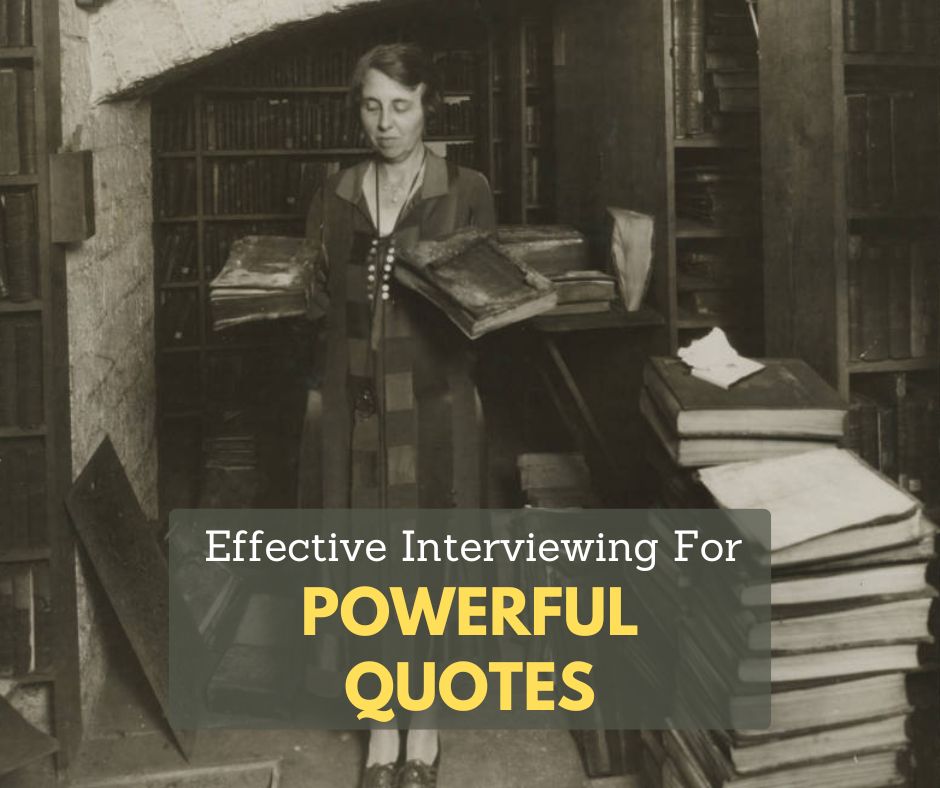
Interviewing Techniques Anyone Can Use To Land a Powerful Quote for Your Libraryโ€™s Blog, Video, Social Media, or Press Release

Photo courtesy Cincinnati and Hamilton County Public Library

Interviewing a stranger about their library experience is intimidating for many people. If the thought of having an intentional conversation to elicit a sound bite you can use in a blog, video, social media post, press release, or other content sounds daunting, the post is for you.

Why a powerful quote is important.

Your audience wants to hear directly from the people impacted by your library’s work. Whether that is your staff, director, board members, or patrons, a good quote can drive home your work’s value.

A quote can convey passion or a strong point of view. It can turn a story about statistics or complicated concepts into something understandable and relatable. A quote can also establish an emotional connection with the reader or viewer.

And, if your goal is to catch the attention of local media, a good quote can make your press release, blog post, or email stand out. Because…

The media knows when your quote is fake.

I worked in a local television newsroom for nearly 20 years before I became a library marketer. And Iโ€™m here to tell youโ€ฆ journalists can tell when youโ€™ve made up a quote for a press release.

I understand why it happens. Your director or coworkers may tell you they trust you to put words in their mouths. It seems less time-consuming than doing an interview.

But the media can tell when youโ€™re making it up. Thatโ€™s why an interview, however short, is key to getting an authentic quote. So here are tips to make the interview process smooth and successful.

Prepare as much as possible.

If you are interviewing a co-worker, a board member, or the director of your library, take a few moments to see if there is any documentation that gives you clues about their background. Search their LinkedIn profile and board minutes. Do a Google search to see if theyโ€™ve ever done an interview. You may learn new facts about them and their speaking style.

Think about how you might structure your piece before you even write it.

That structure may lead you to questions to ask.

For example, readers may notice that I often start library profiles on this blog with some facts about my subjectโ€™s life before they worked in marketing. I ask people to tell me about their childhood library and their work before libraries, to build the scene and give a deep background on my subject. Use this technique for any interview leading to a blog post, social media post, or video.

If you are interviewing to get a quote for a press release, I suggest writing the press release before doing the interview. Leave spaces where a quote or two would grab the media’s attention and add context and emotion to the story youโ€™re trying to pitch. Now youโ€™re ready to write your questions.

Craft targeted questions that elicit insightful responses.

  • Use simple sentences and language.
  • Add intention to your questions. If you want someone to share a firsthand experience or observation, craft your sentence to gently lead your interviewee to that answer.
  • Ask open-ended questions. If you must ask a yes or no question, follow up with โ€œWhy?โ€ to give your subject the nudge to elaborate.
  • Still stuck? Use your tools. ChatGPT can help you craft questions for your interview.

To show how this works, I typed into ChatGPT: โ€œI am interviewing my library director about a new partnership that will help community members land a job or advance their careers. Can you give me some sample questions I might use to get a good quote?โ€

Here is the list of questions ChatGPT gave me.

  • Can you please provide an overview of the new partnership aimed at helping community members with job placement and career advancement?
  • What motivated the library to pursue this partnership?
  • How do you envision this partnership benefiting members of our community?
  • Could you elaborate on the specific resources or services that will be made available through this partnership?
  • In what ways will the library be collaborating with the partner organization to deliver these resources and services effectively?
  • How will the library measure the success of this partnership in terms of its impact on community members?
  • Are there any demographics or groups within the community that stand to benefit most from this initiative?
  • How does this partnership align with the library’s broader mission and goals?
  • Can you share any success stories or examples of how similar partnerships have been effective in other communities?
  • What steps will the library take to ensure that community members are aware of and can easily access the resources and services offered through this partnership?

That is a huge list! It’s a great start. All I would need to do is go through and tweak the questions to match the tone I want to set and to sound more like something I would say.

Now comes the fun part: the interview!

6 tips for conducting the interview

  • #1: Record the conversation.
  • #2: Talk a little about yourself to get the conversation started.
  • #3: Ask an easy first question to calm everyoneโ€™s nerves.
  • #4: Encourage elaboration on interesting points.
  • #5: Let the person talk. Donโ€™t be afraid of silence.
  • #6: Paraphrase or summarize key points to nudge the interviewee towards a quotable response.

P.S. You might also find this helpful

Library Marketer Shares Brilliant 4-Step Plan for Getting Press Coverage and Building Personal Relationships With Media

Subscribe to this blog and youโ€™ll receive an email whenever I post. To do that, enter your email address and click on the โ€œFollowโ€ button in the lower left-hand corner of the page. You can also follow me on the following social media platforms:

Which Is Better for Library Promo Videos, TikTok or Reels?? The Latest Data Settles the Debateโ€ฆ for Now!

Watch this video now

#LibraryMarketing Show, episode 227

TikTok or Reels. Which one is better for library marketing?

I came across some new research that will help you determine where to spend your precious energy and time on library marketing. The answer is revealed in this episode.

Plus, kudos go to a library that showed authenticity when it made a mistake on New Year’s Day!

Do you have a suggestion for a topic for a future episode? Want to nominate someone for kudos? Let me know here. And thanks for watching!โ€‚


Miss the last episode? No worries!

Will I see you soon?

Subscribe to this blog and youโ€™ll receive an email whenever I post. To do that, enter your email address and click on the โ€œFollowโ€ button in the lower left-hand corner of the page. You can also follow me on the following social media platforms:

A 13-Year-Old Kid Gives Library Marketing Advice About YouTube. Is He Right??

Watch this video now

#LibraryMarketing Show, episode 212

The 13-year-old son of one of my viewers has been giving some library marketing advice to his mom and to others. He says libraries should be posting on YouTube Shorts.

Is he right? I’ll let you know whether this kid is a future library marketer in this episode.

Plus someone will receive kudos!

Do you have a suggestion for a topic for a future episode? Want to nominate someone for kudos? Let me know here.

Thanks for watching!


Miss last week’s episode? No worries!

Will I see you soon?

Subscribe to this blog and youโ€™ll receive an email whenever I post. To do that, enter your email address and click on the โ€œFollowโ€ button in the lower left-hand corner of the page. You can also follow me on the following social media platforms:

๐ŸคฏInstagram Reels Is Wildly Different From TikTok! How To Decide Which Platform Is Best for Your Library

Watch this video

The Library Marketing Show, Episode 190

A few weeks ago, I revealed the results of an experiment I did by posting videos to TikTok. What I didn’t tell you at the time was that I was conducting the same experiment on Instagram Reels.

And WOW. The results were so different! I’ll share what happened, and what it means for your library, in this episode.

Plus we give away kudos! Watch the video to find out which library is being recognized.

Do you have a suggestion for a topic for a future episode? Want to nominate someone for kudos? Let me know in the comments.

Thanks for watching!


Subscribe to this blog and youโ€™ll receive an email whenever I post. To do that, enter your email address and click on the โ€œFollowโ€ button in the lower left-hand corner of the page. You can also follow me on the following social media platforms:

Push Play and Record: The Libraryโ€™s Guide to Video Production (including a list of equipment to fit your budget!)

Photo courtesy Cincinnati and Hamilton County Public Library

There is nothing like putting a face on a story.

In my television news days, we worked hard to get on-camera interviews for every story. We knew that there was no better way to express emotion and build empathy for the subjects of our stories than to show their faces and hear their voices.

Your library can and should be producing videos for library marketing to build empathy and connection with your organization.

To be clear, I am not talking about TikTok or Instagram Reels videos. TikTok or Reels are fun and give you a chance to engage new audiences. And those videos do build brand awareness for your library.

But that should not be the only video your library is creating. Your library should produce some longer-form videos, lasting a minute or more, that tell a specific story or have a specific library marketing goal. These are videos you will embed on your website, and post natively to Facebook, LinkedIn, YouTube, or Vimeo (or all the above if youโ€™re smart!)

Why?

Videos help you rank higher in searches.

According to Oberlo, more than 82 percent of global internet traffic comes from videos. That means video can be a powerful tool for driving community members to your website to check out your services.

Demand for video is increasing.

According to a survey conducted among consumers worldwide by Statista, people watched an average of 19 hours of online video content per week in 2022. That hourly total has been steadily rising since the survey was first conducted in 2018.

Every major social media platform will reward you for producing longer-form videos.

They boost video posts organically. And the more video your library posts to those platforms, the more organic reach your other posts will get.

Video makes your marketing memorable.

Video is the closest you can get to experiencing something without being physically present. Itโ€™s relatable. As I mentioned earlier, seeing faces and hearing voices builds empathy and allows people to really feel the emotions your videos convey.

And if you use staff in videos, community members will end up recognizing those staff members as they come into the library. They’ll feel more comfortable because they will “know” the person behind the desk.

Your libraryโ€™s long-form video strategy doesnโ€™t have to be complicated. And you donโ€™t have to break the bank to buy equipment. So, letโ€™s lay out a plan in three parts.

Set goals and brainstorm video ideas to meet those goals.

The easiest way to decide which videos to create is to refer to your libraryโ€™s strategic goals. What does your library wish to accomplish? Your videos should serve to make those strategic goals a reality. For this section, let’s pretend your library has a strategic goal to increase visits to the Makerspace by 10 percent in the next year.

Once you decide which of your libraryโ€™s overall goals to focus on, the next step is to set your own marketing goal for your videos. For example:

Your video marketing goals:

  • 1000 views on YouTube
  • 200 views on the library website
  • 50 Makerspace sessions booked by people who watched the videos.

Setting your video marketing goals before you decide what videos you want to create might feel backward. But youโ€™ll have more success if you set your marketing goals first. Thatโ€™s because youโ€™ll be asking yourself: What kind of videos will help me achieve these goals?

If you have trouble coming up with video ideas, try searching your website analytics to see what your cardholders are looking for when they visit your site. Do they have specific questions or use specific keywords or terms to search for information related to the strategic goal youโ€™re focusing on?

You can also check keywords used in Google searches in connection with your libraryโ€™s strategic goal. This keyword research will uncover the questions your community has related to the goal youโ€™re trying to accomplish. You can use video to answer those questions!

For our MakerSpace example, letโ€™s say you look at Google Analytics for your library website and you do Google keyword research. And you discover that people in your community are searching, for โ€œ3D printers near me.โ€  If your Makerspace includes a 3D printer, youโ€™ll want to make sure some of your videos are about that piece of equipment.

Letโ€™s say you also discover many searches of the phrase โ€œcost of 3D printingโ€.  Now you know that cost may be a barrier to use for some community members. You can address that with a video.

Plan and produce.

With your goals and keyword research in hand, itโ€™s time to make more concrete plans. Start brainstorming and make a list of ideas. Depending on your goal, you may want to produce more than one video.

Letโ€™s go back to our previous example of increasing visits to your Makerspace. Your library may decide to make a series of videos to reach your goal of 50 Makerspace sessions booked.

  • Interview a patron who made something unusual on the 3D printer.
  • Interview a patron who used your 3D printer for their small business.
  • Showcase Makerspace staff using the 3D printer to make common items, like repair parts, for a fraction of the cost of buying those parts.
  • Show how to book the Makerspace.
  • Show how a typical Makerspace session runs, from greeting to finished product.

It took me about five minutes to come up with that list! If you are having trouble coming up with ideas on your own, ask your co-workers. For our Makerspace example, it would make total sense to ask the staff working in the Makerspace to help you come up with ideas.

Plan your production.

Itโ€™s time to create a production schedule. Youโ€™ll want to add your videos to your regular editorial calendar, giving yourself plenty of time to produce them. In general, it will take you about a month to produce a video lasting one minute or longer. Hereโ€™s a sample schedule:

  • A week to write an outline or a script if necessary.
  • A week to get your outline or script approved.
  • A day to shoot the video.
  • A week to edit a draft.
  • A week for approvals and edits.

With this schedule, you could release one longer form video each month.

Refer to your video style guide as you begin the work of bringing each video to reality.

Now youโ€™re ready to shoot and edit your videos. Then, itโ€™s time to make some important decisions.

Choose the thumbnail picture for your video carefully.

The thumbnail picture is the billboard advertisement for your video. Research shows that faces are more likely to draw viewers. If you can, choose a face showing an emotion.

If you are creating a series of videos, be consistent with the look of your thumbnails. Youโ€™ll want your audience to recognize the video as being from your library and part of a series.

Use keyword research to come up with video titles. 

Video titles should be 100 characters or less, so youโ€™ll need to use that limited space to your best advantage. Do a few test searches to see what keywords lead viewers to popular videos. Then try to work those keywords into your video title.

Include a Call to Action and track results with special codes.

When you create and promote your videos, include a Bitly link to drive viewers to your website, catalog, or other owned property.

Promote your videos.

Itโ€™s not enough to post your video and forget it. Youโ€™ll make sure people see your video once itโ€™s released.

Within the first 24 hours of uploading and releasing a video, send an email to promote your video. Youโ€™ll want to match the content of your video to the segmented email list that will be most likely to want to view it. 

The exception to this rule would be system-wide video announcements, like the opening of a new branch or a change in service for your entire library system. You can send an email to your entire list, letting them know thereโ€™s a video available with exciting information! 

Email notifications about your video will alert your audience that the video exists. More people will watch the video. And the more views you get in the first 24 hours after youโ€™ve uploaded a video, the higher your video will appear in search rankings. 

Bonus: Affordable equipment list for library marketing videos

  • Camera: Canon EOS 2000D is great for beginners. It also has a Wi-Fi connection, so you can easily share your videos. And it gets great ratings. This package from Walmart is fairly priced and includes extras like memory cards, a backpack, and a tripod.
  • Ring light: The Sensyne Ring Light is an affordable option for libraries and it comes with its own tripod.
  • Wireless Lavalier microphones: Youโ€™ll want to buy at least two. This model from ZMOTG can be used with phones and a DSLR camera and gets great reviews.    
  • Editing software: Here’s a great list of free editing software.

More Advice

5 Easy and Surefire Ways To Decide What Videos You Should Create for Your Libraryโ€™s YouTube Channel

Subscribe to this blog and youโ€™ll receive an email whenever I post. To do that, enter your email address and click on the โ€œFollowโ€ button in the lower left-hand corner of the page. You can also follow me on the following social media platforms:

The Secret To Tell Compelling and Memorable Stories About Your Library That Make People Cry!

Watch this video

The #LibraryMarketing Show, Episode 179: There are a series of Facebook ads that I have actually watched in their entirety… something I have NEVER done before.

So what does this have to do with you? In this video, I’ll reveal the secrets so your library marketing can have the same impact on your audience.

Kudos in this episode go to SIX libraries in Canada!

Do you have a suggestion for a topic for a future episode? Want to nominate someone for kudos? Let me know in the comments.

And please subscribe to this series on YouTube or follow me on LinkedIn to get a new weekly video tip for libraries.

Thanks for watching!


Subscribe to this blog and youโ€™ll receive an email whenever I post. To do that, enter your email address and click on the โ€œFollowโ€ button in the lower left-hand corner of the page. You can also follow me on the following social media platforms:

Click Here Now! How to Supercharge Your Calls to Action and Get People To Interact With Your Library

The #LibraryMarketing Show, Episode 179: It’s time to work on your calls to action!

How do you motivate people to interact with your library promotions? It’s time to supercharge your call to action or CTA game! You’ll find tips to do that in this episode.

Kudos go to The Cincinnati and Hamilton County Public Library.

Do you have a suggestion for a topic for a future episode? Want to nominate someone for kudos? Let me know in the comments.

And please subscribe to this series on YouTube to get a new weekly video tip for libraries.

Thanks for watching!


Subscribe to this blog and youโ€™ll receive an email whenever I post. To do that, enter your email address and click on the โ€œFollowโ€ button in the lower left-hand corner of the page.

๐Ÿ“น5 Easy and Surefire Ways To Decide What Videos You Should Create for Your Libraryโ€™s YouTube Channel


Click here to watch the video

The #LibraryMarketing Show, Episode 178: A viewer issues a plea for help!

Grace wrote in with this request:

“I am interested in working on our YouTube channel but I am really struggling with content ideas. In the past, no one held the only marketing position at my library so everyone made content (especially during the pandemic). This was good because subscribers were hearing book reviews, storytime programs, etc. directly from librarians and programmers.

Now that I am in the sole marketing position, I would like to do videos, but I don’t think folks want to get their book reviews, book recommendations, etc. from a marketer. And now, post-pandemic(ish), our librarians are back in-person doing traditional library roles and don’t have time to support much with content creation.

Any recommendations for the best approach to take to YouTube if a library marketer has limited access to our very busy librarians?“

I’ll share five tips for coming up with great ideas for YouTube videos.

Kudos in this episode go to a school librarian named Lucas Maxwell.

Do you have a suggestion for a topic for a future episode? Want to nominate someone for kudos? Let me know in the comments.

And please subscribe to this series on YouTube to get a new weekly video tip for libraries.

Thanks for watching!


Subscribe to this blog and youโ€™ll receive an email whenever I post. To do that, enter your email address and click on the โ€œFollowโ€ button in the lower left-hand corner of the page.

๐ŸคฆI Screwed Up! Why You Should Never Trust Artificial Intelligence (AI) To Handle Your Libraryโ€™s Closed Captioning

Watch Now

The Library Marketing Show, Episode 177: I made a big mistake.

I trusted Artificial intelligence (AI)! It was embarrassing but… it’s a great lesson for me and for your library.

In this episode, I’ll share what I learned so you can avoid making the same error in your library promotions.

Kudos in this episode go to the Des Moines Public Library.

Do you have a suggestion for a topic for a future episode? Want to nominate someone for kudos? Let me know in the comments.

And subscribe to this series to get a new weekly video tip for libraries.

Thanks for watching!


Subscribe to this blog and youโ€™ll receive an email whenever I post. To do that, enter your email address and click on the โ€œFollowโ€ button in the lower left-hand corner of the page.

A WordPress.com Website.

Up ↑