Search

Super Library Marketing: Practical Tips and Ideas for Library Promotion

Category

Content Marketing

Empathy Marketing: How To Use Greed, Fear, Love, and Hope To Motivate Your Audience

Photo courtesy Cincinnati and Hamilton County Public Library

The worst day Iโ€™ve ever had in a job was in 2009.

I was working in television news as a producer. It was during the recession, and times were tough for TV stations. Most of our ad dollars came from car dealerships. Vehicle sales fell 40 percent that year, which meant the dealerships had no money to spend on television ads.  

One morning, as I sat down at my desk, our news director called one of our morning editors into his office. Andy was in there for about 10 minutes. He emerged crestfallen.

Over the course of the next two hours, a dozen or so of my 60 fellow co-workers made the same journey in and out of the news directorโ€™s office. When they emerged, all of them had lost their jobs.

I could barely function that day. Writing was hard and my concentration was nonexistent. The only thing that got me through the day was the conversations I had with my fellow, still-employed co-workers, in hallways, offices, and in the back parking lot. We spent time trying to process what had happened and how it would impact our work.

Iโ€™m certain you have a similar story. And to make it through the day, itโ€™s likely you pulled aside a friend, or a co-worker, or called your spouse or parent and talked it through. Sharing your story and receiving validation for your experience made you feel better or at least, more able to handle the crisis. Someone practiced empathy for you.

Empathy is the ability to understand and share the feelings of others. It can, and should, play a role in your library promotions.

Libraries are uniquely positioned to put empathy marketing to work. We care about our communities. We want our patrons to find the information they have, to experience joy, to learn, and to feel included. And that can play a significant role in creating effective promotions.

What is Empathy Marketing?

Empathy in marketing means communicating with your audience that you understand and share the emotions they feel. Itโ€™s more than pushing out promotions, one after another, on all channels.

Empathy marketing shows your community that you understand their pain, frustration, hurdles, and problems. When you demonstrate that, you’ll unlock the key to turning your audienceโ€™s emotions into action.  

Emotions that drive action

Think about your favorite novel. The author used empathy to make you care about what happens to the characters. Without that, you likely would never have finished the book.

In the same way, a promotion that lacks empathy is just noise to an audience. You need to make people understand that you care by harnessing emotion in your library marketing.

People are motivated to action by four main emotions: greed, fear, love, and the chance to grow. And under those main emotions, there is a range of nuance: stress, anxiety, worry, compassion, hope, and many more.

How does this work in the real world?

Research shows empathy in marketing increases engagement. Social media platforms take full advantage of this. They count on users to respond emotionally to posts with emojis, and comments, and share the thoughts, struggles, celebrations, and memories of their family and friends.

This is why storytelling works so well in marketing. When your promotions are emotional, they are more memorable. Your audience can see themselves in the story and imagine how they would react in the same situation. And the emotion someone feels after hearing that story has a greater influence on whether that person takes action and uses their library. Itโ€™s that simple.

When I worked in a library, the people in our community were worried specifically about jobs. They wanted valuable, stable employment. Many were stuck in low-paying jobs with no prospects for advancement.

At that time, there werenโ€™t many programs in our area aimed at giving people the basic coaching they needed to put together a resume, ace an interview, or even sort through prospective job openings to find the right fit for their life and their family. So, my library partnered with another organization to put on a series of free workshops aimed at improving the job prospects of members of our community.

The emotion we’ve used to market that program was hope… a sense of hope for the betterment of our community and a sense of hope for those who want a better-paying, more fulfilling job. Hope is related to that fourth base emotion: the chance to grow.

Hope infused every promotional piece we created to promote the workshops. We knew that if we really leaned into the hope this program provided, we would compel our target audience to sign up and attend the workshops.

And it worked! Our workshops filled up and we had to start a waiting list.

A subtle but important shift

I want you to take a look at the last few promotions you have created. Were you merely telling your audience that a service existed in your library? Did your promotion include any emotion?

Here’s how to bridge that gap. Look at the difference between the two paragraphs below promoting Weiss Financial Ratings Site, a library database that allows patrons to find and compare insurance companies. Letโ€™s say you want to compel your community members to do their insurance coverage shopping using your library.

Push marketing: Introducing Weiss Financial Ratings – Your Ultimate Insurance Database!  Tired of sifting through endless insurance options? Look no further! Weiss Financial Ratings is a comprehensive database that helps you find the perfect insurance company tailored to your unique needs.  

Empathy marketing with fear: The fear of making the wrong insurance decision can be overwhelming, leaving you vulnerable and uncertain about your coverage when it matters most. But your library is an unwavering ally in this sea of uncertainty. Weiss Financial Ratings, available for free at your library, lets you easily and confidently navigate through insurance options. Peace of mind is non-negotiable when it comes to safeguarding your future.  

See the difference?

Hereโ€™s another example. When I worked at a library, we had a personalized reading recommendation service called Book Hookup. Cardholders used a form on the website to tell a librarian what books they like. Then the librarian gave them three personalized reading recommendations.

When we sent emails promoting this service, I used empathy in my subject lines. To parents, I appealed to their need for convenience, saying, โ€œYouโ€™ve got a lot to do. Let us pick out your next favorite book.โ€ To teens, I used greed and a little bit of rebellion as motivation, saying simply, โ€œRead something YOU want to read for a change.โ€

For a streaming movie service, you can center your promotional message on frustration, saying, “Tired of endlessly scrolling through streaming platforms, only to be met with the frustration of not finding anything captivating to watch? Say hello to a free, curated selection of blockbuster hits, timeless classics, and hidden gems. Your precious time deserves to be spent indulging in the magic of cinema, not lost in the labyrinth of choices.”

Itโ€™s a slight, but effective change in wording that leads to big results. For your community, empathy marketing feels less like promotion and more like help.

How do I know what emotions motivate my community?

If you want to get to the heart of the emotions that motivate your community, use psychographics.

Psychographics is the study and classification of people according to their attitudes, aspirations, and other psychological criteria, especially in market research (Oxford Dictionary). They go beyond basic demographics: location, age, gender identity, and library card usage.

To segment by psychographics is to divide your library audience into groups according to their beliefs, values, and reasons for being. It delves deeper into your cardholderโ€™s values, dreams, desires, and outlook on life.

Psychographics identifies motivation. Why does your library community take certain actions? Why do they feel the way they do about the library? How do they see the role of the library in their life? And what activities do they participate in, both inside and outside of the library?

Once you identify the emotions that motivate your community, create messages that help, rather than promote. Hereโ€™s an easy thought process to use as you sit down to create promotions. Ask yourself:

  • How does my community see this problem?
    What do they do about it right now?  
  • What are their fears?
  • What are their hopes?
  • What do they really need from my library, and why do they need it?

Psychographics lead to compelling marketing messages because they focus on your communityโ€™s unarticulated needs and motivations. Learn how to identify your communityโ€™s psychographic makeup here.


More Advice

Customer Service Is Helpful: How One Library Scores Big Promotional Points by Being Friendly

Upcoming Appearances

Will I see you soon?

Subscribe to this blog and youโ€™ll receive an email whenever I post. To do that, enter your email address and click on the โ€œFollowโ€ button in the lower left-hand corner of the page. You can also follow me on the following social media platforms:

Push Play and Record: The Libraryโ€™s Guide to Video Production (including a list of equipment to fit your budget!)

Photo courtesy Cincinnati and Hamilton County Public Library

There is nothing like putting a face on a story.

In my television news days, we worked hard to get on-camera interviews for every story. We knew that there was no better way to express emotion and build empathy for the subjects of our stories than to show their faces and hear their voices.

Your library can and should be producing videos for library marketing to build empathy and connection with your organization.

To be clear, I am not talking about TikTok or Instagram Reels videos. TikTok or Reels are fun and give you a chance to engage new audiences. And those videos do build brand awareness for your library.

But that should not be the only video your library is creating. Your library should produce some longer-form videos, lasting a minute or more, that tell a specific story or have a specific library marketing goal. These are videos you will embed on your website, and post natively to Facebook, LinkedIn, YouTube, or Vimeo (or all the above if youโ€™re smart!)

Why?

Videos help you rank higher in searches.

According to Oberlo, more than 82 percent of global internet traffic comes from videos. That means video can be a powerful tool for driving community members to your website to check out your services.

Demand for video is increasing.

According to a survey conducted among consumers worldwide by Statista, people watched an average of 19 hours of online video content per week in 2022. That hourly total has been steadily rising since the survey was first conducted in 2018.

Every major social media platform will reward you for producing longer-form videos.

They boost video posts organically. And the more video your library posts to those platforms, the more organic reach your other posts will get.

Video makes your marketing memorable.

Video is the closest you can get to experiencing something without being physically present. Itโ€™s relatable. As I mentioned earlier, seeing faces and hearing voices builds empathy and allows people to really feel the emotions your videos convey.

And if you use staff in videos, community members will end up recognizing those staff members as they come into the library. They’ll feel more comfortable because they will “know” the person behind the desk.

Your libraryโ€™s long-form video strategy doesnโ€™t have to be complicated. And you donโ€™t have to break the bank to buy equipment. So, letโ€™s lay out a plan in three parts.

Set goals and brainstorm video ideas to meet those goals.

The easiest way to decide which videos to create is to refer to your libraryโ€™s strategic goals. What does your library wish to accomplish? Your videos should serve to make those strategic goals a reality. For this section, let’s pretend your library has a strategic goal to increase visits to the Makerspace by 10 percent in the next year.

Once you decide which of your libraryโ€™s overall goals to focus on, the next step is to set your own marketing goal for your videos. For example:

Your video marketing goals:

  • 1000 views on YouTube
  • 200 views on the library website
  • 50 Makerspace sessions booked by people who watched the videos.

Setting your video marketing goals before you decide what videos you want to create might feel backward. But youโ€™ll have more success if you set your marketing goals first. Thatโ€™s because youโ€™ll be asking yourself: What kind of videos will help me achieve these goals?

If you have trouble coming up with video ideas, try searching your website analytics to see what your cardholders are looking for when they visit your site. Do they have specific questions or use specific keywords or terms to search for information related to the strategic goal youโ€™re focusing on?

You can also check keywords used in Google searches in connection with your libraryโ€™s strategic goal. This keyword research will uncover the questions your community has related to the goal youโ€™re trying to accomplish. You can use video to answer those questions!

For our MakerSpace example, letโ€™s say you look at Google Analytics for your library website and you do Google keyword research. And you discover that people in your community are searching, for โ€œ3D printers near me.โ€  If your Makerspace includes a 3D printer, youโ€™ll want to make sure some of your videos are about that piece of equipment.

Letโ€™s say you also discover many searches of the phrase โ€œcost of 3D printingโ€.  Now you know that cost may be a barrier to use for some community members. You can address that with a video.

Plan and produce.

With your goals and keyword research in hand, itโ€™s time to make more concrete plans. Start brainstorming and make a list of ideas. Depending on your goal, you may want to produce more than one video.

Letโ€™s go back to our previous example of increasing visits to your Makerspace. Your library may decide to make a series of videos to reach your goal of 50 Makerspace sessions booked.

  • Interview a patron who made something unusual on the 3D printer.
  • Interview a patron who used your 3D printer for their small business.
  • Showcase Makerspace staff using the 3D printer to make common items, like repair parts, for a fraction of the cost of buying those parts.
  • Show how to book the Makerspace.
  • Show how a typical Makerspace session runs, from greeting to finished product.

It took me about five minutes to come up with that list! If you are having trouble coming up with ideas on your own, ask your co-workers. For our Makerspace example, it would make total sense to ask the staff working in the Makerspace to help you come up with ideas.

Plan your production.

Itโ€™s time to create a production schedule. Youโ€™ll want to add your videos to your regular editorial calendar, giving yourself plenty of time to produce them. In general, it will take you about a month to produce a video lasting one minute or longer. Hereโ€™s a sample schedule:

  • A week to write an outline or a script if necessary.
  • A week to get your outline or script approved.
  • A day to shoot the video.
  • A week to edit a draft.
  • A week for approvals and edits.

With this schedule, you could release one longer form video each month.

Refer to your video style guide as you begin the work of bringing each video to reality.

Now youโ€™re ready to shoot and edit your videos. Then, itโ€™s time to make some important decisions.

Choose the thumbnail picture for your video carefully.

The thumbnail picture is the billboard advertisement for your video. Research shows that faces are more likely to draw viewers. If you can, choose a face showing an emotion.

If you are creating a series of videos, be consistent with the look of your thumbnails. Youโ€™ll want your audience to recognize the video as being from your library and part of a series.

Use keyword research to come up with video titles. 

Video titles should be 100 characters or less, so youโ€™ll need to use that limited space to your best advantage. Do a few test searches to see what keywords lead viewers to popular videos. Then try to work those keywords into your video title.

Include a Call to Action and track results with special codes.

When you create and promote your videos, include a Bitly link to drive viewers to your website, catalog, or other owned property.

Promote your videos.

Itโ€™s not enough to post your video and forget it. Youโ€™ll make sure people see your video once itโ€™s released.

Within the first 24 hours of uploading and releasing a video, send an email to promote your video. Youโ€™ll want to match the content of your video to the segmented email list that will be most likely to want to view it. 

The exception to this rule would be system-wide video announcements, like the opening of a new branch or a change in service for your entire library system. You can send an email to your entire list, letting them know thereโ€™s a video available with exciting information! 

Email notifications about your video will alert your audience that the video exists. More people will watch the video. And the more views you get in the first 24 hours after youโ€™ve uploaded a video, the higher your video will appear in search rankings. 

Bonus: Affordable equipment list for library marketing videos

  • Camera: Canon EOS 2000D is great for beginners. It also has a Wi-Fi connection, so you can easily share your videos. And it gets great ratings. This package from Walmart is fairly priced and includes extras like memory cards, a backpack, and a tripod.
  • Ring light: The Sensyne Ring Light is an affordable option for libraries and it comes with its own tripod.
  • Wireless Lavalier microphones: Youโ€™ll want to buy at least two. This model from ZMOTG can be used with phones and a DSLR camera and gets great reviews.    
  • Editing software: Here’s a great list of free editing software.

More Advice

5 Easy and Surefire Ways To Decide What Videos You Should Create for Your Libraryโ€™s YouTube Channel

Subscribe to this blog and youโ€™ll receive an email whenever I post. To do that, enter your email address and click on the โ€œFollowโ€ button in the lower left-hand corner of the page. You can also follow me on the following social media platforms:

The Secret To Tell Compelling and Memorable Stories About Your Library That Make People Cry!

Watch this video

The #LibraryMarketing Show, Episode 179: There are a series of Facebook ads that I have actually watched in their entirety… something I have NEVER done before.

So what does this have to do with you? In this video, I’ll reveal the secrets so your library marketing can have the same impact on your audience.

Kudos in this episode go to SIX libraries in Canada!

Do you have a suggestion for a topic for a future episode? Want to nominate someone for kudos? Let me know in the comments.

And please subscribe to this series on YouTube or follow me on LinkedIn to get a new weekly video tip for libraries.

Thanks for watching!


Subscribe to this blog and youโ€™ll receive an email whenever I post. To do that, enter your email address and click on the โ€œFollowโ€ button in the lower left-hand corner of the page. You can also follow me on the following social media platforms:

But Iโ€™m Not a Writer! 10 Free Tools To Help You With Library Blog Posts, Speeches, Emails, and More.

Photo courtesy Cincinnati and Hamilton County Public Library

I do my best writing in the darkness.

I wake up most workdays around 5:30 a.m. I pour coffee and add enough creamer to turn the liquid from black to beige. Then my coworker Scarlett and I stumble a few steps through the backyard to my office to begin the day.

I turn on the twinkle lights. I scratch my coworker behind the ears. She crawls into her office bed for another two hours of snoozing (lucky dog).

And then I begin.

The early morning, when my brain is empty and uncluttered by the tasks of the day, is when I do my best writing.

Library marketing often means cranking out text for a variety of promotional pieces. Youโ€™re likely writing blog posts, emails, speeches, press releases, talking points, and more.

Writing is difficult. But clear, concise text is essential as your library works to position itself in a world full of content.

Maybe you have been thinking about posting less on social media. You may consider turning to other, more content-rich and impactful tactics like blogs and print newsletters. If that’s the case, youโ€™ll need to make sure your writing is readable, relatable, and memorable.

That’s where online writing tools come in handy. They can help your writing have more of an impact. They can help you craft sentences that are clear and concise, even when the subject matter is not. They can help you figure out a headline that will draw readers in. They can help you discover the right word to make your meaning clear.

And no matter what time of day you do your best writing, these tools will help you perfect your work. I use them every day on everything I write (including this blog post). Here are my favorites! They’re all free.

Before You Write

#1:Blog About

Sometimes the most difficult part of writing is coming up with an idea. This site has thousands of fill-in-the-blank prompts that can help you brainstorm your next topic. It’s a great place to visit when you’re suffering from writer’s block.

To demonstrate, I went to the site and typed in library marketing, then selected is an industry. Here are the suggestions it gave me.

You can save the suggestions and download them if you are willing to subscribe to their newsletter. And if you hit refresh, it will keep giving you ideas until you find one you like.

#2:Wordstream

This is a very simple tool that shows you new keywords and performance data to use in your text.

I typed in reading recommendations and then chose Education & Instruction and the United States for my search parameters. Here are the results.

Youโ€™ll want to use this tool to see what phrasing to use when you are creating content. So if you were looking to promote your libraryโ€™s reading recommendations, you may use phrases like โ€œBest Books of All Timeโ€ in your email and in your blog posts to drive lots of traffic to your libraryโ€™s website.

#3:Google Trends

This fantastic tool measures searches from Google, the most popular search engine. Youโ€™ll get to see if your ideas play well in terms of topic, queries, and regions. It can help you to decide if a certain topic is something your audience in your community is searching for.

I typed in Summer Reading and got this report.

While You Write

#4: HemingwayApp

This text editor is helpful for creating copy that is clear, clever, bold, and easy to understand. You can either write inside the program or you can copy and paste your draft into the site.

The Hemingway App highlights complex phrases and errors. It grades your text and prompts you to break up sentences and replace words to clarify your meaning.

For example, originally, the eighth paragraph of this blog post went like this: 

And if youโ€™ve been thinking about the advantages of ramping down your libraryโ€™s social media posts, and turning to other, more content-rich and impactful tactics like blogs, youโ€™ll need to make sure your writing is readable, relatable, and memorable.

The Hemingway App led me to change the paragraph to this:

Maybe you have been thinking about posting less on social media. You may consider turning to other, more content-rich and impactful tactics like blogs,. If that’s the case, youโ€™ll need to make sure your writing is readable, relatable, and memorable.

Thatโ€™s much easier to understand!

#5: The Up-Goer Five Text Editor

This tool is designed to help you write more conversations. It’s based on the premise that clear writing stays within the bounds of the ten-hundred most commonly used words in the English language. Use it to review the language you are using in any piece of text to make certain your writing makes sense.

Here’s how it works: You copy and paste a bit of text, or type directly into the tool, and then hit enter. The tool will point out all words you should change to be more conversational.

To demonstrate, I typed this sentence into the editor: Books help readers understand their place in the world. They can open new perspectives and new experiences for readers and enrich their lives.

Up-Goer suggested I replace these words: readers, perspectives, experiences, readers, enrich.

Obviously, you don’t have to change your text based on every suggestion. I changed several of the words in that paragraph for the final draft of this post and ignored the rest of the suggestions.

And even though I donโ€™t always take all of its suggestions, this tool forces me to rethink the way I write. It makes me consider whether my words are truly the best way to express my thoughts and feelings to my library marketing audience.

#6: Grammarly

I am not certain I would survive without this tool. It catches spelling and grammar errors, sentence structure problems, run-on sentences, and punctuation issues that are missed by the Microsoft Word editor.

Grammarly also lets you add words using the personal dictionary function, which is helpful for those quirky instances that may be part of your library style guide. For instance, I work for NoveList, and that capitalized L in the middle of the sentence always gets flagged as an error in other editors. But I’ve added it to my personal dictionary in Grammarly.

#7: WordTune

This browser extension is a mix between Grammarly and the Hemingway App. It gives you seemingly endless ways to rewrite sentences in a more creative fashion. It’s great for when you’re exhausted (hello Fridays!).

To demonstrate, I typed this sentence into the editor: Books help readers understand their place in the world. They can open new perspectives and new experiences for readers and enrich their lives.

The editor gave me more than six alternative ways to phrase that paragraph, including these:

WordTune integrates with Google Docs, Gmail, Slack, Facebook, Twitter, Web Outlook, Facebook, Twitter, LinkedIn, and WhatsApp.

There is a free version and a 30 percent discount for nonprofits and academia on paid plans. To take advantage of the discount, go here and scroll down to the point about discounts.

#8: Clichรฉ Finder

This tool highlights clichรฉs in your text so you can avoid overused expressions. If clichรฉs are your pet peeve (as they are mine), then this tool will be your new favorite!

Before You Publish

#9: Sharethrough Headline Analyzer

This is my favorite headline tool. Type your proposed headline in. You’ll get a score, and tips on ways to improve your headlines.

Every headline on this blog since the beginning of 2019 has been polished using this tool. I believe it’s one of the reasons traffic is up on my site.  

#10: CoSchedule Headline Analyzer

This free tool trains you to write clear, catchy headlines with powerful, uncommon, and emotional words. It also shows you how your headline will look in a Google search and in an email on a desktop or mobile device.


More Advice

The Secret to Writing Engaging Copy for Any Library Promotion AND Getting Results Starts With a โ€œKISSโ€!

How to Get Stuff Done Without Losing Your Mind: My Top 6 Time Management Tips for the Busy Library Marketer

Subscribe to this blog and youโ€™ll receive an email every time I post. To do that, enter your email address and click on the โ€œFollowโ€ button in the lower left-hand corner of the page.

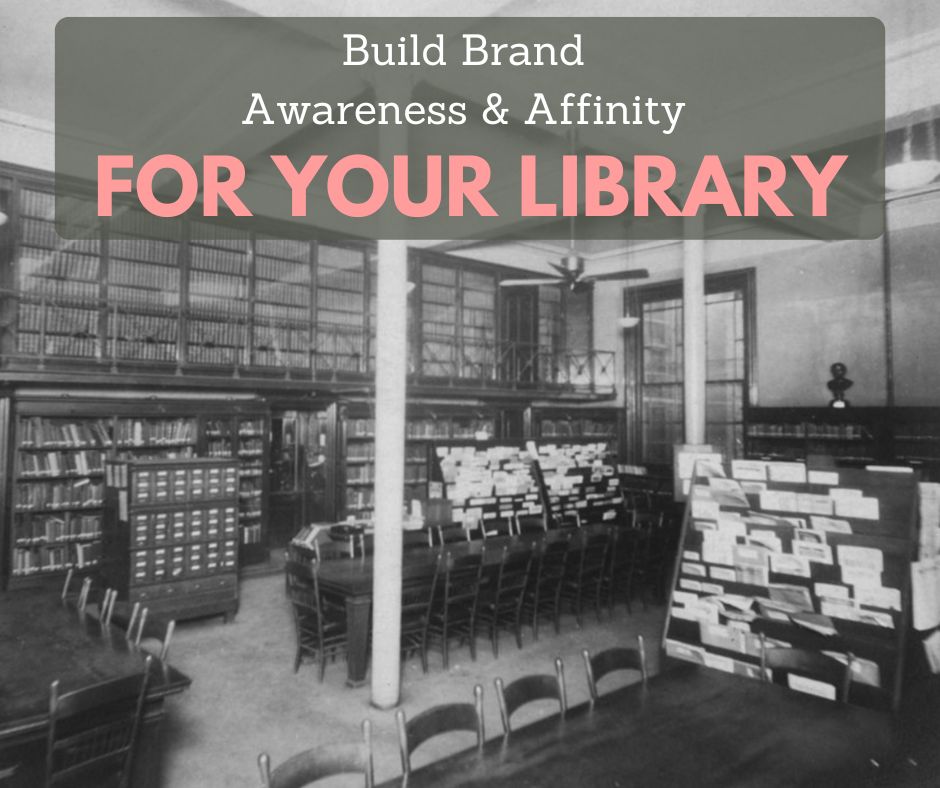
Marketing Done Differently: How To Use the Next Two Months To Build Library Brand Awareness and Affinity

Photo courtesy Public Library of Cincinnati and Hamilton County

My favorite library marketing season is about to begin.

The last two months of the year are when a library marketer must do in-depth work that will strengthen your libraryโ€™s position for the coming year.

Every other business and competitor will be ramping up their sales and discounts as we go into the holiday season. You may be worried that any promotions your library does will get lost in the shuffle.

You should be worried! According to Sprout Social, your audience receives about 2,477 messages per month from retailers between January through October. But in November and December, that number goes up 13 percent to 2,804 messages per month.

Thatโ€™s why I advocate pulling back on your โ€œregularโ€ push promotions during the last two months of the year. Instead, you can stand out by doing something different: focus on using this time to create a deeper connection with your community.

Youโ€™ll do that by strategically building library brand awareness and affinity.

What are brand awareness and brand affinity?

In its simplest terms, brand awareness is the extent to which your community can recall or recognize your library brand, no matter where they run across it. It means your community members know what you stand for and what you have to offer. Brand affinity, by contrast, is building an emotional connection between your library and your community.

Brand awareness and brand affinity are critically important to your library’s success. We want your community to recognize your content. And we want to create a lasting relationship between your library and your community.

When your library has strong brand awareness and brand affinity, your community members will choose to use your library over your competitors. Theyโ€™ll recommend your services to friends and family. And theyโ€™ll support you with funding and volunteerism.

In fact, a study from eMarketer showed that 64 percent of people cite brand values as the primary reason they have a relationship with a particular brand. (BTW, your library is a brand!)

Thatโ€™s why itโ€™s crucial to make brand awareness a top priority for your library marketing over the next two months. Here’s how to do that.

Step #1: Inform, educate, and entertain your community.

The most effective way to build brand awareness and affinity is to position your library as a place that adds value to your community. You do this by helping people solve problems. 

For this to work, youโ€™ll spend 8 weeks strategically educating and informing your audiences. This is called content marketing. It’s a strength that libraries have, and we don’t do this kind of marketing often enough.

Create and release a series of tips for your cardholders on how they can use your library to make their lives a little easier during the holiday. Brainstorm a list of ways your library helps ease the rush and craziness of the holiday season. Then decide on a sequence and schedule for releasing those ideas.

Create the promotional collateral to go with it: bookmarks, graphics for your website, email, social media, and short videos. Then, tell your cardholders you’re going to be helping them out this holiday. Reveal your plans and tell them exactly when you’ll be releasing each tip and on what platform. Create excitement and anticipation, then pay it off with your content.

Your tips can include:

  • Ideas for holiday gifts, recipes, and more–especially if they are literary-themed or items in your library of things that can be tested out before they make a purchase.
  • A special phone line or email inbox where you can take questions from community members who need help picking out a gift, cooking a big meal, or figuring out etiquette questions like which fork to use.
  • Curated lists of collection items for decorating, entertaining, wrapping gifts, and cooking.
  • A quick video tutorial on how to use their card to get free access to Consumer Reports.

Step #2: Promote your mission, vision, and values.

Libraries spend so much time marketing what we do that we donโ€™t often talk about why we do it. In fact, Iโ€™d argue that we take it for granted that our community members know the importance of our work. So, during your two-month brand awareness and affinity campaign, make it a point to talk and promote your libraryโ€™s mission, vision, and values.

Have a staff member or patrons (or both) write a blog post on the impact of the library. Here is a great example. Repurpose those stories for social media posts and print pieces like bookmarks featuring quotes from real-life library users.

You can gather patron stories by asking email subscribers to share how your libraryโ€™s work has impacted their lives. When I worked for the Cincinnati Library, I sent an email to a portion of my cardholder base and asked them to share such a story. Our library received more than 900 responses! I was then able to pick a few of the best stories. Those patrons were more than happy to share them with the world at large.

Step #3: Show the contrast between your library and your competitors.

Start checking your competitors’ websites and ads as soon as they begin their holiday marketing. Figure out what their offers are and how you can counteract those offers with free stuff!

Stark Library, Winnipeg Public Library, Monroe County Public Library, and Brown County Library all are great examples of how this can work.

Step #4: Showcase your staff.

Other companies have employees. Libraries have experts who truly care about the work they are doing and the impact they have on the community.

That’s why your staff is one of your most valuable resources. They are what makes your library stand out from your competitors. Spend the next two months making sure your community understands the value of your staff.

Interview staff about their work, and why they got into this industry. Ask them to share the story of a time when they helped a community member. Then share those stories on your blog, on social media, and in emails. The Lane Library at Stanford University is a great example of how to write a profile.

You can also ask staff members to name their favorite book of the year. Release that as a special end-of-the-year booklist. You can cross-promote these staff picks on your social platforms and include an email message to cardholders. Make sure you ask all staff members to participate… even the cleaning staff!

Step #5: Re-educate your cardholders about all your library has to offer.

Your library should create a series of emails sent to cardholders once a week for the next eight weeks. Those emails will re-introduce your cardholders to the best features of your library. It will inspire them to use their cards again.

To create this campaign, youโ€™ll make two lists. The first will be for the most popular resources at your library. This could include things like your Makerspace, popular storytimes, laptop terminals, or your extensive e-book collection.

Next, make a list of your libraryโ€™s hidden treasures. These may be items or services that you know will solve problems for your community. This list should include things that are unique to your library, like online Homework Help, your small business resources, your vast historical resources, or your Library of Things.

Finally, look at the two lists youโ€™ve created and narrow your focus. You want to highlight the best and most helpful things at your library without overwhelming your recipients. Choose to promote one resource from your list of popular items and one from your list of hidden library treasures for each of the emails you send.


More Advice

The Top Four Reasons To Use Content Marketing To Promote Your Library on Every Platform

Feeling Overworked? Thereโ€™s a Secret Trick to Get More Mileage Out of Your Library Marketing Content!

Subscribe to this blog and youโ€™ll receive an email every time I post. To do that, enter your email address and click on the โ€œFollowโ€ button in the lower left-hand corner of the page.

The Complete List of the Most Ideal Length for Each of Your Library Promotional Tactics

Photo courtesy Cincinnati and Hamilton County Public Library

For many of us, a hamburger is a delicious sandwich, no matter where you get it. No one can mess them up.

But there are things you can do to make your hamburger exceptional. For me, that means the addition of bacon, cheese, and avocado. I’ll still eat and thoroughly enjoy the hamburger if those ingredients aren’t available. But they make the hamburger go from good, to memorable.

Hamburgers are like marketing. Much of the work you do to promote your library is already good (because I know you’re doing good work!) Now, you’re on the path to maximizing the effectiveness of your marketing.

One of the ways you can ensure success is to make certain your marketing content is the perfect length. It may seem insignificant. But the right number of characters or words for a piece of content can make all the difference.

How do you know how long your tactics should be? I did the research, so you donโ€™t have to.

Ideal length of a Facebook post: 100-259 characters

Research from experts on this one is mixed. Some studies suggest you keep captions at 50 characters or less.

But in my work with libraries, I try to pay attention to engagement rates and post length. And I personally think 50 characters is too short. So, I would suggest you try to write between 100 and 259 characters.

Ideal length of a Tweet: 240-259 characters

Most experts agree that using slightly less than 280 character limit on Twitter is ideal. That gives people the room to quote Tweet your library.

But you can do two other things to improve your library’s Twitter engagement.

  • Include rich media in your post, like photos, graphics, and video. In fact, multiple photos or a mix of photos and a video will help your Tweet get more engagement.
  • Use emojis at the beginning of your Tweet to capture attention and stop people from scrolling past your messages.

Ideal length of an Instagram post: 138-150 characters

Fun posts should have shorter captions. Information or educational posts should have longer captions.

There are other caption tricks that help with Instagram post engagement.

  • Add spaces between your sentences, so they look like paragraphs. Here’s an example from Amherst Town Library.
  • Weave in plenty of emojis. You can even substitute emojis for words to add character to your post.
  • Include multiple kinds of rich media, like photos and videos all in the same post, to increase the value. ย ย 

Ideal length of a TikTok video or Instagram Reel:  between 7 and 34 seconds

There is not a lot of data or research surrounding TikTok videos or Instagram Reels. It does appear that, even though the platforms allow you to create videos that are several minutes long, shorter videos lead to maximum engagement.

Ideal length of a LinkedIn post: Less than 210 characters

There is lots of dispute around this recommendation. Iโ€™ve picked the median number. And to help with engagement, I have a formula thatโ€™s worked well for me.

Construct a good, first teaser sentence, and then put a space between it and the rest of your post caption. This will cause your reader to have to click on โ€œsee more.โ€ It works!

Good content on LinkedIn is also important. Videos natively uploaded to the platform get lots of engagement. Also, try polls to increase engagement.

Ideal length of an email: 100 words

Different types of emails should have different lengths. If youโ€™re sending someone an onboarding email, youโ€™re going to need to write more than if youโ€™re sending an email promoting an upcoming event.

There are some scenarios where a couple of sentences is plenty to capture your cardholderโ€™s attention and others where youโ€™ll need several paragraphs to get your full point across.

In general, keep your email text as simple as possible. Be straightforward about the benefit of your library service or collection item or event. And drive recipients to your website for more information.

Ideal length of an email newsletter: 3-4 pieces of information

In my experience advising libraries, email newsletter recipients never click anything past the first 3-4 pieces of content in an email. I always recommend sending shorter, more frequent email newsletters rather than one long monthly version.

If you donโ€™t have control over how long your email newsletter is, you can help engagement by placing the 3-4 most important things at the beginning of the email. If your email provider has a table of contents feature, use that to drive interest to content further down in the email.  

Ideal length of an email subject line: either very short (30 characters) or very long (90 characters or more)

It appears that the extreme ends of length catch the attention of the inbox scroller.

Longer subject lines boost response rates, according to Adestra, a U.K.-based email service provider. Its analysis of more than one billion emails showed that subject lines of 90 characters and more produced the highest response rates. They theorize the added characters increase engagement because they can communicate more value to the recipient.

But their research also found that subject lines at 30 characters or less performed well. That’s because the full subject line can usually be seen by the recipient, both in desktop and mobile versions of mail provider apps.

Experiment with both ends of the length spectrum to see which your audience responds to. And keep in mind the other factors that can impact subject line effectiveness.

Ideal length of a YouTube video: Between 7 and 15 minutes

This stat comes from several sources, including Social Media Examiner.

It’s important to let your content dictate video length. A how-to video may need five minutes or more to show the process. An unboxing video can be shorter. If your video is interesting to watch, the length won’t really matter. 

Ideal length of a podcast: 22 minutes

Your target audience will really dictate the perfect length for your library. Most research I found recommended 20 minutes for podcasts aimed at listeners who are doing chores or taking short walks, 40 minutes for people commuting or doing longer chores, or 60 minutes for those who want an extended listen.

Ideal blog post length:  2,000 words

Thatโ€™s a lot of words! For context, the Monday articles here on Super Library Marketing run between 1,000 and 1,500 words each.

So, before you get anxious about word length, remember that quality blog posts will always do well, no matter how long.  If your post contains valuable or interesting information that your reader wants and needs, it will do well.

If your blog is less than 2,000 words, there are some things you can do to make it feel meaty to the reader. You may have noticed these tricks in my blog posts.

  • Present information using bullet points or lists.
  • Write longer paragraphs at beginning of the article.
  • Insert scannable headlines.
  • Include images, especially those that explain concepts or demonstrate your point.

Finally, itโ€™s important to include keywords in your title and frequently within your post. You may notice I use the terms library marketing and library promotion in almost every title and throughout my articles. Thatโ€™s because I know those are used by library staff searching for help with their marketing.

The most important thing to remember

Pay attention to your metrics. Your audience will tell you about the perfect length for any one of your tactics.


Related Posts

Maybe the Biggest Lesson for Libraries from Content Marketing World: Why Broad is Flawed!

The Top Four Reasons To Use Content Marketing To Promote Your Library on Every Platform

Subscribe to this blog and youโ€™ll receive an email every time I post. To do that, enter your email address and click on the โ€œFollowโ€ button in the lower left-hand corner of the page.

Turn Library Promotions on Their Head with This Surefire Yet Simple Way To Capture Attention

Photo courtesy Public Library of Cincinnati and Hamilton County

Imagine for a moment that you are walking down a city street, minding your own business when you see the clown Pennywise.

Thatโ€™s right. The terrifying lead character from the Stephen King film โ€œIt,โ€ remade and re-released in 2017, is hanging out in your city.

Now, what if I told you that the reason this horrifying clown was roaming the streets was to promote a library event?

Yea, thatโ€™s the reaction I had too.

But a library in St. Petersburg, Russia really went this route. And you know what? It worked.

The library used the wandering horror film character as a chance to draw attention to their Stephen King Festival. Someone dressed as Pennywise โ€œwould walk through the city, frightening passers-by and informing them about the upcoming festival.โ€

Honestly, I would never have approved this when I was working as a marketing manager in a library.

But it worked for this library. Because the media found out about the Pennywise clown stalking pedestrians. The clown, and the library, were covered in the press. Weโ€™re talking about dozens of outlets.

And thatโ€™s how people found out about the event. That led to record attendance. The library said 800 people showed up for the festival, more than four times what they had expected.   

How do you draw attendance without scaring your community

Promoting your library is difficult. Events, renovations, new services, and additions to your collection cost money. They come with high expectations and goals. They require months of planning. The pressure to prove the value of your work to your community is high.

But there are things you can do to increase the likelihood your library gets noticed. This list does not include having someone dressed as a horror character wandering around your city or town.

But you know, Iโ€™ve learned a lesson from reading about the Friends Library. Sometimes you must be bold to get results.

Use storytelling to capture attention.

The first step is to think differently about the way you promote your library to the world. You want to capture the attention of your community, your cardholders, and the media. Telling a great story is a powerful and effective way to do this.

Your promotions need to do more than list off the details about your library. You want to set up the reason why your community should use your services. You want a memorable, compelling way to convey the value of your work.

A simple storytelling formula begins with the people.

Talk with the library staff and community members about whatever you are trying to promote. If you’re focused on a big event, follow the organizers around for a bit as they attend meetings, make calls, and get materials ready for the big day.

Interview a community member who is benefiting from the event, service, or collection item. If you are promoting a project that involves a partner or sponsor, get an interview from those organizations.

You don’t have to do a full-length Barbara Walters-style interrogation. You can ask a few simple questions that will add color and humanity to your promotion.

Here are some interview tips.

  • Write down your questions ahead of time.
  • Ask open-ended questions like, “Why did you sponsor this event?” or “Tell me why the library is offering this new service to our community.”
  • Actively listen and ask follow-up questions.
  • End the interview by asking if there is anything else the interviewee wants to say that you haven’t covered.

Once you have all your interviews, itโ€™s time to write.

Focus on the characters, not the library.

Put all the quotes you want to use into your document. Then, work the details of the event into your story where itโ€™s appropriate. Before you know it, you have a compelling piece that you can use to promote your event on social media, in email, and in print.   

Guille-Alles Public Library is on the island of Guernsey, just off the coast of Normandy. And they work with Storybook Dads, a charity that helps incarcerated parents stay connected to their families by recording a bedtime story for their children. The Library’s Outreach Team has been working with Guernsey Prison for several years to provide books and readersโ€™ advisory support for people convicted of crimes on the island.

To show the value of their work and to make sure their community knew about this project, the library wrote a compelling story. It featured interviews with library staff and incarcerated fathers.

Another great example of this comes from Bridges Library System. Marketing and Communications Librarian Jill Fuller does a great job humanizing the value of physical library spaces.

Find a home for your story.

The logical place to put this story is on your library blog. Another option is to create a landing page on your website and post your story. You want your work somewhere where you can easily share a link, preferably on your own website.

Housing your story on your website has an added benefit. You’ll also be rewarded by Google, which will pick up you keywords in your post and start showing the post in search results for anyone looking for those keywords. Google doesn’t catch keywords on PDF or Word document press releases posted to a website.  

If you are not allowed to post your story on your own website, you can post your story on Facebook or on LinkedIn as an article. Both social media outlets offer you plenty of space. Facebook gives you 60,000+ characters, which can be roughly 8-10,000 words. LinkedIn articles give you twice that amount!

Share your story link everywhere.

Your library has an available audience on a variety of platforms. Now it’s time to make sure they read your story!

  • Send an eblast to your cardholders and include the link.
  • Share the link on your other social media platforms.
  • Make bookmarks that include a few sentences teasing your article and a shortened URL. Insert those bookmarks in all your holds and checkouts leading up to your event. Share the bookmarks with your partner organizations.

And send a link to your story to your media contacts in a personalized email. I know it takes longer to send an email to each media contact than to send one mass email, but it’s worth it.

Here are some tips for writing the perfect pitch to journalists by email.

  • Keep the body short but personalized. Address the journalist by name.
  • Keep the subject line short and simple but intriguing.
  • Get to your point quickly and include the link to your story.
  • Explain why news of your upcoming event is beneficial to that media outlet.

3 Stories Your Library Should Be Telling Right Now


Related


Subscribe to this blog and youโ€™ll receive an email every time I post. To do that, enter your email address and click on the โ€œFollowโ€ button in the lower left-hand corner of the page.

How One Library is Promoting Themselves by Handing the Microphone to Patrons and Letting Them Make the Case

Photo courtesy Cincinnati and Hamilton County Public Library

Libraries know the power of storytelling. Most of us are literally and physically surrounded by some of the best stories in the world.

But the quest for library stories that have emotion and a compelling story arch is daunting for many libraries. A Kentucky librarian has the solution: let your patrons tell their own stories!

Levi Simonton has worked for the Jessamine County Public Library for three and a half years and is now the libraryโ€™s social media coordinator. โ€œI love this place,โ€ said Levi when I asked him about his work experience.

In January, Levi and his library launched a video series called Share A Story. The videos were created to amplify the voices of library superfans.

Leviโ€™s library believes that patronsโ€™ real-life experience is the best way to increase the use of the library and relay the libraryโ€™s value. โ€œWe think that a community member is more likely to visit the library after hearing a story from one of their peers rather than seeing an advertisement from us,โ€ explains Levi.

Approaching a patron and asking them to share their story is often intimidating for libraries. But Levi has a remarkably simple approach. โ€œWe typically ask other staff members if they know anyone who might be willing to share an impactful story with the library,โ€ says Levi. โ€œWe may also ask for patrons with experience on a specific topic we plan to promote. Sometimes it’s a bit more serendipitous, though. We met the first patron we interviewed by chance at our big comic con event last October.โ€

The interview itself doesnโ€™t take much time, according to Levi. He typically spends about 45 minutes interviewing his subject. Then he focuses on getting footage of the subject that matches what the patron talked about (in the TV world, this is called B-roll). The footage is used later in editing, to cover parts of soundbites and edits. It also makes the video more interesting.

Once the interview and footage are shot, itโ€™s time to put it all together. For Levi, this is the most labor-intensive part of the process. โ€œThese particular pieces usually take 10-15 hours over a week or two,โ€ recalls Levi. โ€œHonestly, that’s longer than it should take. I’m just new to video editing and have a bit of compulsive behavior when it comes to getting those darn details right.โ€

When the library launched the first video, the reaction was positive, both from patrons and staff. โ€œWe showed the videos at a recent staff meeting,โ€ says Levi. โ€œThey seemed to resonate with everyone. Hearing directly from patrons about the library’s impact on their lives brought at least a few staff to tears.”

So far, the library has released three videos in the series, including one from a woman who has been visiting the library since she was a little girl. “I grew up in an environment that was considered impoverished,” says Anna Kenion, who is featured in one of the videos. “However, my way of escape, to solitude time and to dream bigger was when I would go to our public library,”

The library is taking a break from releasing videos over the summer to focus on summer reading. But they are working on videos to promote their new outreach vehicle and children’s storytimes. โ€œWe may release podcasts, written pieces, or other media that fall under the Share A Story umbrella in the future,โ€ said Levi.

Is your library telling patron stories as part of your marketing? Let me know in the comments!


Read These Articles Too!

How to Gather Patron Stories for Library Promotion!

Your Library Should COMPLETELY Ignore These 4 Pieces of Promotional Advice! Plus What To Do Instead for Real Results. 

Latest Book Review

The Orphan Collector by Ellen Marie Wiseman

Subscribe to this blog and youโ€™ll receive an email every time I post. To do that, enter your email address and click on the โ€œFollowโ€ button in the lower left-hand corner of the page.

The 4 Essential Podcasts To Add to Your Playlist To Improve Your Library Marketing and Promotions

Photo courtesy Cincinnati and Hamilton County Public Library

In my day job, I create and teach professional development courses about library marketing. In a recent class, I asked the learners whether they wanted to learn about podcasts as promotional tools. The answer was loud and clear: “YES!”

Many of these library staffers were fans of podcasts. They understand the power of this medium.

Podcasts are fun, informative, and engaging. Listeners get valuable information and insight delivered in a way that feels intimate.

They’re also incredibly convenient. They show up on your phone when and wherever you want to listen to them–while exercising, while grocery shopping, while driving, while doing chores, and while crunching marketing data for your monthly reports. If you go on vacation, you don’t miss anything.

In my quest for lifelong learning and inspiration, I’ve found a bunch of shows that are really awesome–funny, fun, thoughtful, and well-produced. I subscribe to more than 20 podcasts, and I love them all. (If you want my full playlist, it’s at the bottom of this article).

The following four podcasts are essential for anyone who works in library promotion and who wants to do it well. Listening to these four shows will improve your work, inspire you, and help you feel more connected with the world.

I’ve got a blog post coming soon full of valuable advice from libraries with podcasts! Want to be a part of that post? Let me know by completing this short form.


Podcast Recommendation #1: That’s How it All Began from Andrew Davis

This is a series from one of my favorite experts. And, no surprise, it’s packed with incredible, intriguing stories.

In each episode, Andrew Davis focuses on a famous entrepreneur or business owner… except you don’t know who the famous person is until the very end of the episode.

By listening to this show, I’ve learned new techniques for storytelling and suspense. I’m also inspired by the stories. These are people who have found ways to overcome incredible hurdles. And because Andrew Davis is a marketing expert, his stories usually include a turning point, where his subject makes a marketing or promotional decision that changes their life.

Each episode is just 15 minutes or less. It’s the perfect show to listen to on the way to work.

Podcast Recommendation #2: Duct Tape Marketing from John Jantsch

This show was one of the first podcasts created. John Jantsch has been interviewing marketing experts, authors, and business owners about a vast range of topics including leadership since 2005.

I’ve learned a lot of practical marketing tips from this podcast. But this show is also a great example of how to turn an audio experience into an opportunity to drive more traffic to your website.

Each episode has its own website landing page, which includes a show description that’s packed with searchable keywords. John Jantsch shares his key takeaway, the questions he asked the guests, and a full transcript of the show. He also makes it easy to either listen to the show on the landing page or subscribe on a variety of platforms. And at the bottom of the page, he includes a further call to action to watch more podcasts, download a free resource, or sign up for a newsletter.

Each episode is between 20 and 30 minutes long. It’s another perfect show for your commute.

Podcast Recommendation #3: Death, Sex, and Money from WYNC Studios

This show, first released in 2014, is one of my staples. It’s hosted by Anna Sale, and it features stories of celebrities and regular folks talking about the most fundamental of human topics: death, sex, and money.

I’ve learned two big lessons from listening to this podcast. The first is how to interview. Anna Sale is an exemplary listener. That skill naturally allows her to ask deeply thoughtful follow-up questions. I can always tell that she is fully in the moment and present with her interview subjects.

The second lesson is how to offer additional support and resources. For many of her episodes, Sale and her team have created “starter kits.” They include playlists of songs, curated by listeners, to deal with tough subjects or get through challenging times. There are also starter kits for new listeners, featuring the best or most popular episodes, arranged by subject.

Most episodes range in length from 30 to 45 minutes. I usually save them for chore time on weekends. During the pandemic, this show made me feel more connected with the outside world.

Podcast Recommendation #4: This American Life from WBEZ Chicago

Hosted by the incomparable Ira Glass, a staple of NPR, This American Life meshes journalism and storytelling in a seamless and captivating format. It’s a masterclass in storytelling.

From listening to this podcast, I’ve learned how to find extraordinary stories in ordinary settings. Ira Glass and his team often use a technique called “story of self” to introduce a topic. They relate how or why they become interested in this subject. And that, in turn, makes it relatable to their audience.

Like Death, Sex, and Money, I’ve also learned lessons about interviewing from this show. In particular, the team is not afraid of silence when they are interviewing their subjects. They give their interviewees time to think and the audience time to reflect.

This show is a long-form podcast, with episodes lasting around an hour. I listen to this podcast on my walks and the stories are so intriguing and told so expertly that I am always surprised at how fast the time goes.

The rest of my podcast playlist

Armchair Expert

Conviction

Lovett or Leave It

The Librarian is In

Offline

Pod Save America

Professional Book Nerds

Reply All

Smartless

Sounds Like a Cult

This Old Marketing

Unhappy Hour

Unthinkable

You and Me Both

If you have a great podcast suggestion, please let me know in the comments.


Read These Articles Too!

A Library Staffer Reveals the Secret Formula for Connecting With and Entertaining Patrons. (Spoiler Alert: Itโ€™s a Podcast!)

I Asked a Podcast Host to Stop Interrupting His Guests.  What His Reaction Can Teach Us About Library Customer Service.

Latest Book Review

Project Hail Mary by Andy Weir

Subscribe to this blog and youโ€™ll receive an email every time I post. To do that, enter your email address and click on the โ€œFollowโ€ button in the lower left-hand corner of the page.

A WordPress.com Website.

Up ↑