The #LibraryMarketing Show, Episode 179: It’s time to work on your calls to action!
How do you motivate people to interact with your library promotions? It’s time to supercharge your call to action or CTA game! You’ll find tips to do that in this episode.
Do you have a suggestion for a topic for a future episode? Want to nominate someone for kudos? Let me know in the comments.
And please subscribe to this series on YouTube to get a new weekly video tip for libraries.
Thanks for watching!
Subscribe to this blog and you’ll receive an email whenever I post. To do that, enter your email address and click on the “Follow” button in the lower left-hand corner of the page.
Photo courtesy Cincinnati and Hamilton County Public Library
Francesca Castro has been visiting libraries for as long as she can remember.
“My mother took me to children’s programs at the public library when I was very young,” recalled Francesca. “Then, in elementary and middle school, I begged my parents for cash to spend at the annual book fair. In college, I was pulling all-nighters and made some of my best memories of my academic career in the library.”
Now, not even a year after graduating from Arkansas State University with a degree in communications, Francesca is working her first professional job at a library. And her success, particularly around TikTok, is inspiring library marketers twice her age, myself included.
Francesca is a Marketing Coordinator for the Saline County Library in Benton, Arkansas. The library has a service population of about 85,000 residents.
Francesca’s interest in managing the library’s TikTok began during her interview. “I remember asking if Saline County Library (SCL) had a TikTok account,” she said. “Their response was no. So I told them if they hired me, I would make a Saline County Library TikTok account and that I had gone viral a few times on my personal account and would want to do the same for SCL.”
“I understand that it is hard to grab the attention of teens and tweens these days and a lot of them are already on TikTok, so why not bring the library content to them, ” continued Francesca. “I also use the platform to show that libraries are more than what people assume that they are. I have made videos about what working in the library is like versus what people probably think it is like, and I make sure to post content that shows you can check out items other than books.”
Francesca has created more than 40 posts on TikTok since she launched the Saline County Library account, which has nearly 500 followers. One of the most popular posts is a simple, short slideshow of storytime set to music.
She’s quick to jump on trends, like this one featuring the Titanic theme. Francesca also appears in some of the posts, which adds a personal touch to the account and adds a face that library patrons may recognize when they walk into the building.
Francesca does have a secret formula for TikTok success based on her experience and research.
“I have learned to almost spam posts on TikTok,” she revealed. “The algorithm on TikTok is like an endless loop, and videos from weeks ago are still floating on the surface. Unlike other platforms, your post would not be the first to pop up on the screen after a few days. The reason I say spam post is because the more videos you post, the more content you have going through that endless loop.”
“Another tip I have figured out is to keep the content short and relatable. The key to success on TikTok is to be short, entertaining, and straight to the point.”
And even though consistency is key, Francesca admits she is not always consistent when it comes to posting TikToks. “I usually post them when I have an idea, and I get inspiration from other library TikTok accounts. I try to post 3-5 times a week.”
Many library marketers are also intimated by the process of editing videos for TikTok. But Francesca says you don’t need fancy editing software or third-party apps. Simplicity is key.
“When it comes to editing the videos, I usually just edit them on TikTok, which only takes a few minutes,” she advised. “I will say I am consistent with the hashtags I use. I like to use #Librarytok #librarymarketing, and #booktalk.”
And although she’s only six months into her new role, Francesca has advice for other libraries looking to use TikTok to reach new audiences.
“If you are unsure about starting a TikTok page, I suggest you have a person or a team of people who are outgoing and not shy to run the page,” she said. “The advice I would give any Library would be to beware of trends and KNOW YOUR AUDIENCE!”
Subscribe to this blog and you’ll receive an email every time I post. To do that, enter your email address and click on the “Follow” button in the lower left-hand corner of the page.
The #LibraryMarketing Show, Episode 178: A viewer issues a plea for help!
Grace wrote in with this request:
“I am interested in working on our YouTube channel but I am really struggling with content ideas. In the past, no one held the only marketing position at my library so everyone made content (especially during the pandemic). This was good because subscribers were hearing book reviews, storytime programs, etc. directly from librarians and programmers.
Now that I am in the sole marketing position, I would like to do videos, but I don’t think folks want to get their book reviews, book recommendations, etc. from a marketer. And now, post-pandemic(ish), our librarians are back in-person doing traditional library roles and don’t have time to support much with content creation.
Any recommendations for the best approach to take to YouTube if a library marketer has limited access to our very busy librarians?“
I’ll share five tips for coming up with great ideas for YouTube videos.
Kudos in this episode go to a school librarian named Lucas Maxwell.
Do you have a suggestion for a topic for a future episode? Want to nominate someone for kudos? Let me know in the comments.
And please subscribe to this series on YouTube to get a new weekly video tip for libraries.
Thanks for watching!
Subscribe to this blog and you’ll receive an email whenever I post. To do that, enter your email address and click on the “Follow” button in the lower left-hand corner of the page.
Photo courtesy Cincinnati and Hamilton County Public Library
I do my best writing in the darkness.
I wake up most workdays around 5:30 a.m. I pour coffee and add enough creamer to turn the liquid from black to beige. Then my coworker Scarlett and I stumble a few steps through the backyard to my office to begin the day.
I turn on the twinkle lights. I scratch my coworker behind the ears. She crawls into her office bed for another two hours of snoozing (lucky dog).
And then I begin.
The early morning, when my brain is empty and uncluttered by the tasks of the day, is when I do my best writing.
Library marketing often means cranking out text for a variety of promotional pieces. You’re likely writing blog posts, emails, speeches, press releases, talking points, and more.
Writing is difficult. But clear, concise text is essential as your library works to position itself in a world full of content.
Maybe you have been thinking about posting less on social media. You may consider turning to other, more content-rich and impactful tactics like blogs and print newsletters. If that’s the case, you’ll need to make sure your writing is readable, relatable, and memorable.
That’s where online writing tools come in handy. They can help your writing have more of an impact. They can help you craft sentences that are clear and concise, even when the subject matter is not. They can help you figure out a headline that will draw readers in. They can help you discover the right word to make your meaning clear.
And no matter what time of day you do your best writing, these tools will help you perfect your work. I use them every day on everything I write (including this blog post). Here are my favorites! They’re all free.
Sometimes the most difficult part of writing is coming up with an idea. This site has thousands of fill-in-the-blank prompts that can help you brainstorm your next topic. It’s a great place to visit when you’re suffering from writer’s block.
To demonstrate, I went to the site and typed in library marketing, then selected is an industry. Here are the suggestions it gave me.
You can save the suggestions and download them if you are willing to subscribe to their newsletter. And if you hit refresh, it will keep giving you ideas until you find one you like.
This is a very simple tool that shows you new keywords and performance data to use in your text.
I typed in reading recommendations and then chose Education & Instruction and the United States for my search parameters. Here are the results.
You’ll want to use this tool to see what phrasing to use when you are creating content. So if you were looking to promote your library’s reading recommendations, you may use phrases like “Best Books of All Time” in your email and in your blog posts to drive lots of traffic to your library’s website.
This fantastic tool measures searches from Google, the most popular search engine. You’ll get to see if your ideas play well in terms of topic, queries, and regions. It can help you to decide if a certain topic is something your audience in your community is searching for.
This text editor is helpful for creating copy that is clear, clever, bold, and easy to understand. You can either write inside the program or you can copy and paste your draft into the site.
The Hemingway App highlights complex phrases and errors. It grades your text and prompts you to break up sentences and replace words to clarify your meaning.
For example, originally, the eighth paragraph of this blog post went like this:
And if you’ve been thinking about the advantages of ramping down your library’s social media posts, and turning to other, more content-rich and impactful tactics like blogs, you’ll need to make sure your writing is readable, relatable, and memorable.
The Hemingway App led me to change the paragraph to this:
Maybe you have been thinking about posting less on social media. You may consider turning to other, more content-rich and impactful tactics like blogs,. If that’s the case, you’ll need to make sure your writing is readable, relatable, and memorable.
This tool is designed to help you write more conversations. It’s based on the premise that clear writing stays within the bounds of the ten-hundred most commonly used words in the English language. Use it to review the language you are using in any piece of text to make certain your writing makes sense.
Here’s how it works: You copy and paste a bit of text, or type directly into the tool, and then hit enter. The tool will point out all words you should change to be more conversational.
To demonstrate, I typed this sentence into the editor: Books help readers understand their place in the world. They can open new perspectives and new experiences for readers and enrich their lives.
Up-Goer suggested I replace these words: readers, perspectives, experiences, readers, enrich.
Obviously, you don’t have to change your text based on every suggestion. I changed several of the words in that paragraph for the final draft of this post and ignored the rest of the suggestions.
And even though I don’t always take all of its suggestions, this tool forces me to rethink the way I write. It makes me consider whether my words are truly the best way to express my thoughts and feelings to my library marketing audience.
I am not certain I would survive without this tool. It catches spelling and grammar errors, sentence structure problems, run-on sentences, and punctuation issues that are missed by the Microsoft Word editor.
Grammarly also lets you add words using the personal dictionary function, which is helpful for those quirky instances that may be part of your library style guide. For instance, I work for NoveList, and that capitalized L in the middle of the sentence always gets flagged as an error in other editors. But I’ve added it to my personal dictionary in Grammarly.
This browser extension is a mix between Grammarly and the Hemingway App. It gives you seemingly endless ways to rewrite sentences in a more creative fashion. It’s great for when you’re exhausted (hello Fridays!).
To demonstrate, I typed this sentence into the editor: Books help readers understand their place in the world. They can open new perspectives and new experiences for readers and enrich their lives.
The editor gave me more than six alternative ways to phrase that paragraph, including these:
WordTune integrates with Google Docs, Gmail, Slack, Facebook, Twitter, Web Outlook, Facebook, Twitter, LinkedIn, and WhatsApp.
There is a free version and a 30 percent discount for nonprofits and academia on paid plans. To take advantage of the discount, go here and scroll down to the point about discounts.
This tool highlights clichés in your text so you can avoid overused expressions. If clichés are your pet peeve (as they are mine), then this tool will be your new favorite!
This free tool trains you to write clear, catchy headlines with powerful, uncommon, and emotional words. It also shows you how your headline will look in a Google search and in an email on a desktop or mobile device.
Subscribe to this blog and you’ll receive an email every time I post. To do that, enter your email address and click on the “Follow” button in the lower left-hand corner of the page.
Photo courtesy Cincinnati and Hamilton County Public Library
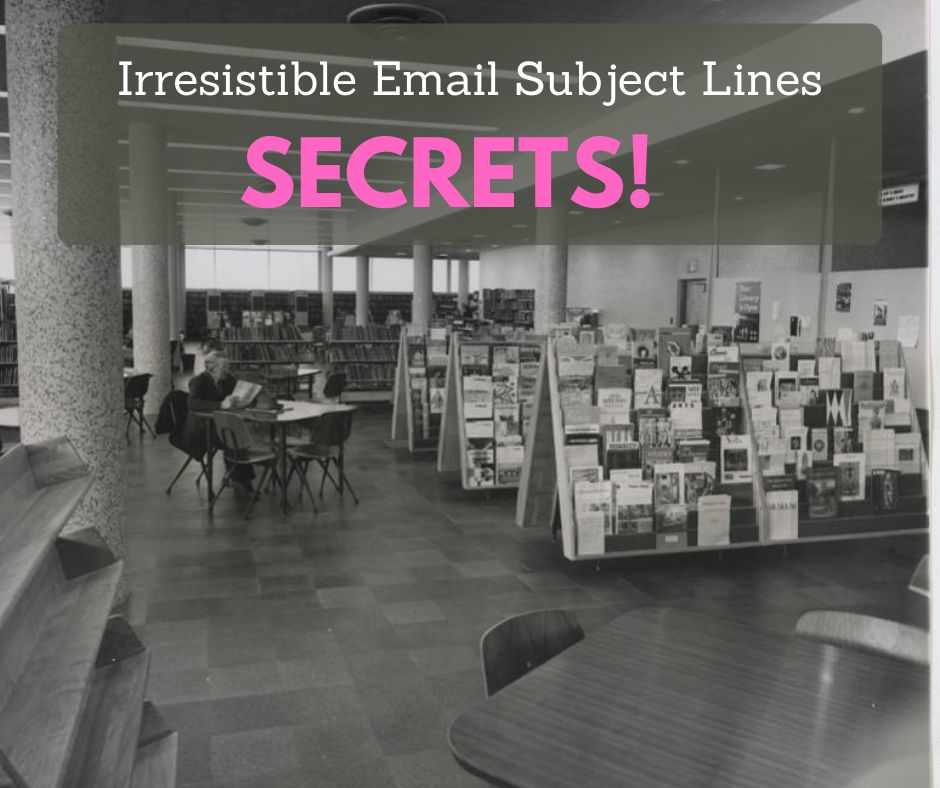
Your subject lines play a significant role in the success of your library email marketing campaigns. They’re the first thing your recipients notice about your emails.
And a good subject line is crucial because you can’t get email recipients to take an action, like registering for a program or downloading a book, unless they open your email.
The subject line is also the most difficult part of the email to create, at least for me! So today I’m going to share the tricks I use to write better subject lines. I’ve shared these tips with the libraries I’ve worked as well as my own staff at NoveList. We’re using these tips to increase open and click-through rates.
And I want to issue a challenge.
I want to see your best library marketing subject lines! When you write a great subject line, just forward the email to ahursh@ebsco.com.
At the end of every month, I’ll recognize the best subject lines from libraries in the Kudos section of The Library Marketing Show.
Here are 8 tips to help you create those irresistible library marketing email subject lines. Scroll down to the bottom of the post for 6 free online tools to help you make sure your subject line is the best it can be.
Tip #1: Write the subject line AFTER you create the email.
If you write the body of the email first, you’ll have the tone, the graphics, and the call to action decided by the time you get to the subject line. Those elements will help you write a subject line that works well for the email. By the time you get to it, the subject line might write itself!
Tip #2: Be personal.
Many libraries don’t have the budget for the automated personalization of emails. But that doesn’t mean you can’t still add a personal touch to your subject line.
Email marketing expert Jay Schwedelson says open rates increase when you add a personal touch. According to Jay’s research, here are some specific examples of exactly how much open rates increase when you add this bit of personalization.
Geography: 26 percent. Example: Join other readers in Smithville and take the Winter Reading Challenge.
Life Event: 31 percent. Example: High school seniors get an extra boost of confidence with the library’s online college prep course.
Hobby or interest: 22 percent. Example: Knitters… we want to help you create your next project!
Generation: 25 percent. Example: Gen Xers—get a dose of movie nostalgia with Kanopy!
Personalization signals to your community that a real person was thinking of them when they sent this email.
Tip #3: Say something urgent.
Urgency can create the “fear of missing out”(FOMO) effect in your emails.
For example, you can use urgent language to promote the Big Library Read promotions from Overdrive. This is a limited-time offer and using urgent language in the subject line is appropriate. Phrases like Hurry, Limited time offer, and Ending soon will increase participation.
You can also use urgent language to promote programs with a registration cap. Phrases, like Grab your seat now, will prompt people to open your library’s emails and increase registration and attendance.
Tip #4: Start with an “alert” phrase.
Using words like Alert, Sneak peek, First look, and Hey there to stop email recipients from scrolling past your message in their inbox. You might think they’re so overused by big brands that there is no way a library cardholder will engage with that language. You’d be wrong.
Cardholders are honestly accustomed to very serious library emails which avoid alert language. So, when you do use it, it grabs their attention.
Tip #5: Use sentence case.
Your library emails should be written to connect with people. For everyone but the President of the United States or the King of England, that means a more conversational tone.
Sentence case will make your library email seem like it’s coming from a friend. For example: Do this one last thing for your library in 2022 or If you love free books, you’ll want to open this email.
Tip #6: Use emojis.
Emojis work because the brain processes visual information 60,000 times faster than text. More than 90 percent of the information that we process is visual.
The emoji drawing stands out in a line of letters. And if your recipient is using a device that adds color to the emoji, that also makes your subject line pop.
For example, 🎵 Now THIS sounds like a fun Tuesday night! Or Best 👏 book 👏 ever! 👏
Tip #7: Attempt alliteration.
Alliteration can break the monotony for someone scanning through their inbox. It’s catchy and memorable.
And you don’t have to do it for every word in your subject line. Use it on two or three keywords and watch your open rate increase. For example, Fast fixes for the winter reading blahs or Grandparents get groovy at the library’s new exercise class.
Tip #8: Use a subject line analyzer.
There are lots of free choices. Each has its own method for predicting the success of a subject line.
A good rule of thumb is to run your subject line through two or three analyzers. If you consistently get a good score, you’ve got a good subject line!
Subscribe to this blog and you’ll receive an email every time I post. To do that, enter your email address and click on the “Follow” button in the lower left-hand corner of the page.
The Library Marketing Show, Episode 172: In this episode, I’m going to share the results of the 7th Annual Super Library Marketing survey and talk about the value of surveying your community.
How does your library compare to others around the world in terms of library promotion? Watch the video to find out!
Do you have a suggestion for a topic for a future episode? Want to nominate someone for kudos? Let me know in the comments.
And subscribe to this series to get a new weekly video tip for libraries. Thanks for watching!
Subscribe to this blog and you’ll receive an email whenever I post. To do that, enter your email address and click on the “Follow” button in the lower left-hand corner of the page.
The Library Marketing Show, Episode 171: In this episode, I’m going to share an example of a marketing campaign from the makers of the game Monopoly.
This campaign uses a very specific technique to get at the emotional motivation for playing the game. What does that have to do with library promotions? Watch the video to find out!
Kudos in this episode go to a group of Alabama libraries.
👏 I do a lot of bragging about libraries. But I can’t see everything everywhere, and I’m certain I’m missing some of the best #LibraryMarketing examples. SoI need your help! You can share anonymously if you like. Thank you!
Do you have a suggestion for a topic for a future episode? Want to nominate someone for kudos? Let me know in the comments.
And subscribe to this series to get a new weekly video tip for libraries.
Thanks for watching!
Subscribe to this blog and you’ll receive an email whenever I post. To do that, enter your email address and click on the “Follow” button in the lower left-hand corner of the page.
The Library Marketing Show, Episode 170: In this episode, I’ll reveal the single most important question that you should ask every library guest. This question is the key to revealing your most effective library marketing tactics.
Do you have a suggestion for a topic for a future episode? Want to nominate someone for kudos? Let me know in the comments. And subscribe to this series to get a new weekly video tip for libraries.
Also, I have a special request: I want to hear your best advice for library marketing in 2023! What did you learn this year? What are you excited to try next year? Share your thoughts for a future Super Library Marketing post.
Thanks for watching!
Subscribe to this blog and you’ll receive an email whenever I post. To do that, enter your email address and click on the “Follow” button in the lower left-hand corner of the page.
The Library Marketing Show, Episode 169: We have news that could have an impact on your library’s social media strategy.
First, TikTok is testing audience insights, which give you a deeper look into your audience. We’ll talk about the features that could be a regular part of your data very soon.
Plus a new study from Pew Research Center uncovers how teens view social media use. And there are lots of takeaways for libraries.
Do you have a suggestion for a topic for a future episode? Want to nominate someone for kudos? Let me know in the comments.
And subscribe to this series to get a new weekly video tip for libraries.
Thanks for watching!
Subscribe to this blog and you’ll receive an email whenever I post. To do that, enter your email address and click on the “Follow” button in the lower left-hand corner of the page.


 Super Library Marketing: Practical Tips and Ideas for Library Promotion